


Issues opening wide angle CR3 photos in Photoshop & Lightroom
Hi,
I am having issues when opening & importing photos shot on my Canon R6 Mk II. These photos are shot on the 8-15mm f4 L Fisheye lens, and shot as CR3. The photos when viewing on File Explorer and in camera look fine, just as below.
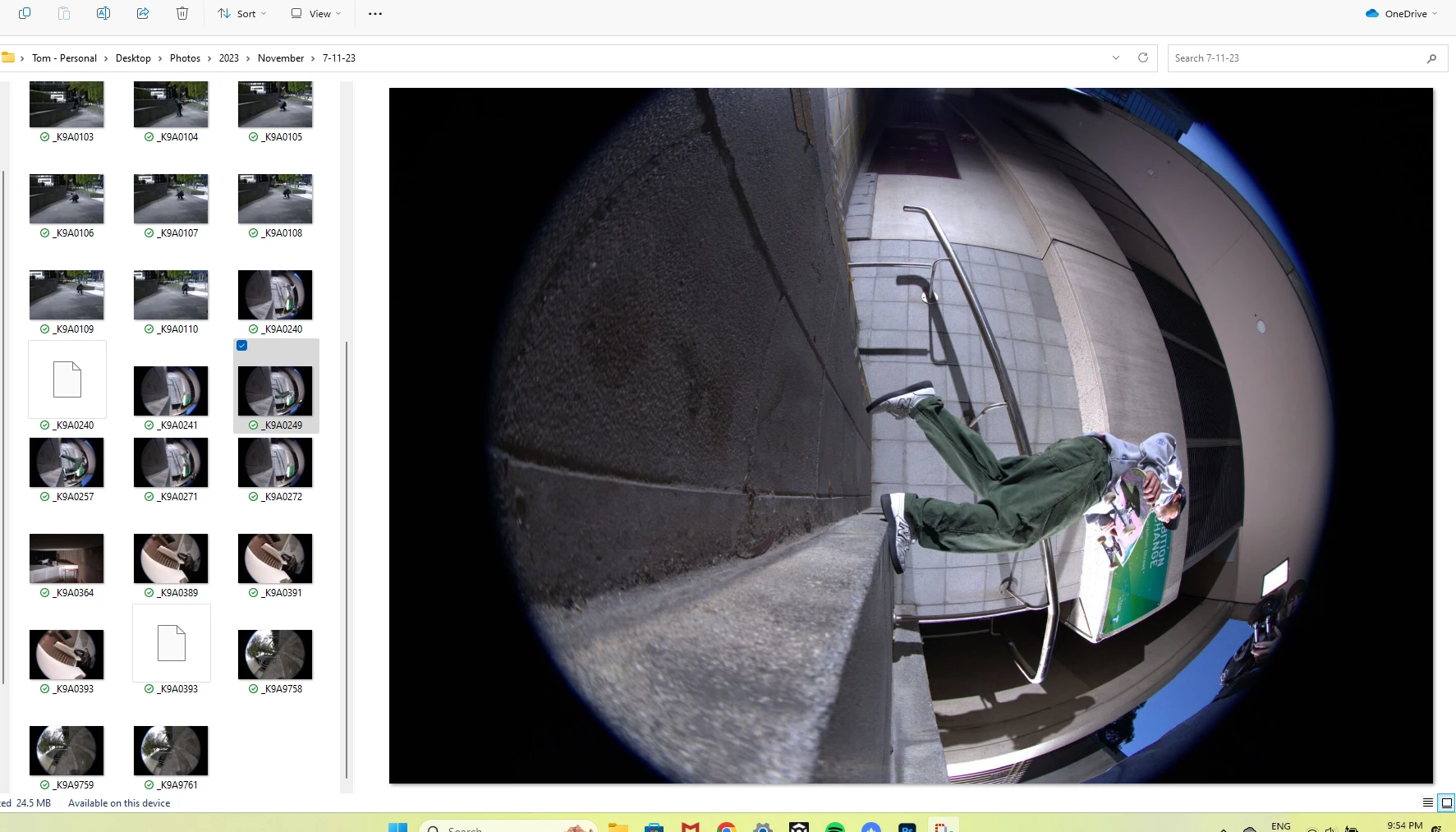
When I open this photo in Photoshop or Lightroom, the programs stretch the image to create a flat image, seen as below:
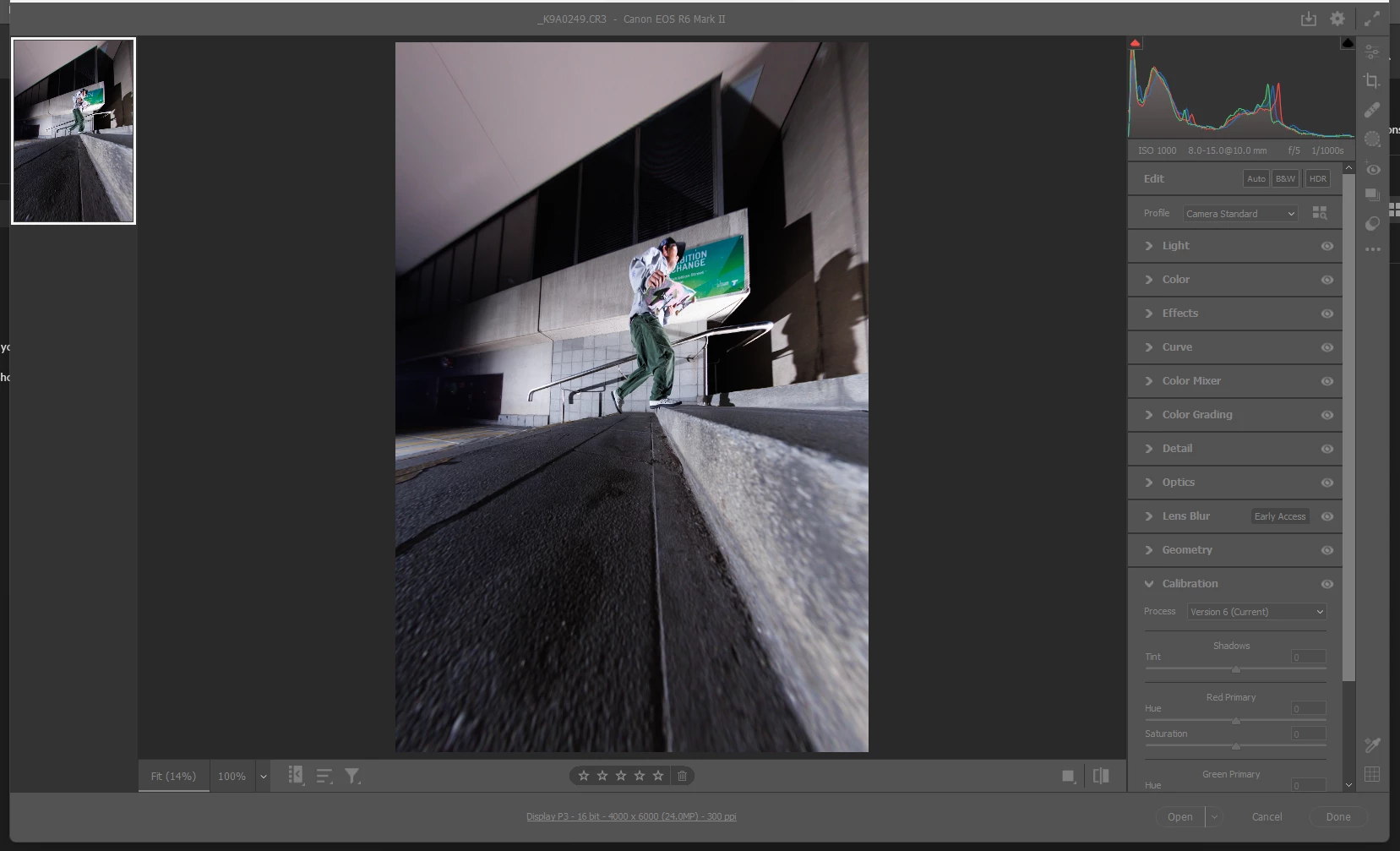
I can not seem to be able to get past this. I have tried to create a new file with the same pixels and place the image, but this does not work. This is the same when importing in lightroom. I have played around with settings & peferences but no luck. I can import & open photos shot not on the fisheye lens without any issues, and this issue does go away if I convert to JPEG before importing or opening. I do not however want to edit my photos as JPEGs.
I recently upgraded my lightroom & photoshop to CC so that I am able to open the CR3 files and edit them, so I am not sure if this is a Software issue or a CR3 file issue or both.
On a side note, when importing photos on the new CC versions of photoshop, the photo goes through a "preview" section where you can make adjustments to the image before importing completely into photoshop (like the second screenshot). Is there a way to bypass this? This may be the issue causing this, and it may be a simple fix if I am able to not use this feature.
Any help on this would be amazing, I have been pulling my hair out over this for 2 days straight. My Photoshop, Lightroom, Lightroom classic & Camera Raw are all upto date as of 11th November 2023.
Thanks in advance!
 AdChoices