
.png)
Issues Rasterizing Shapes
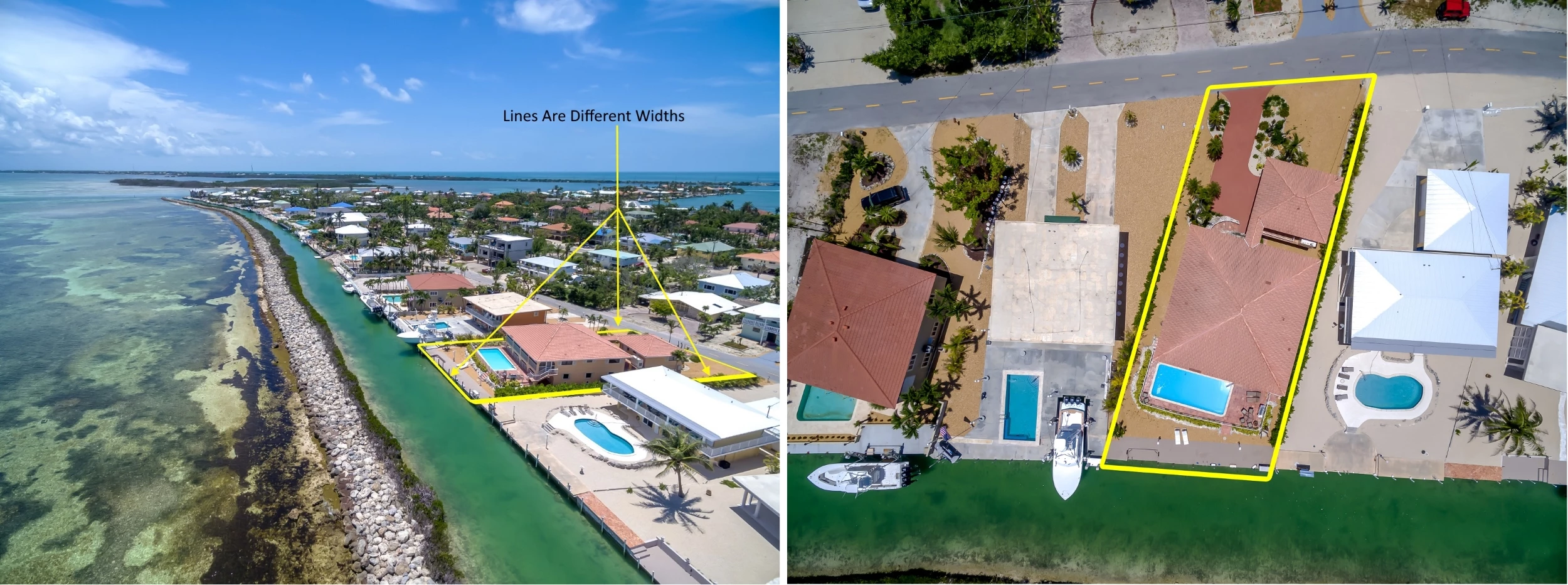
I do real estate photography & it's important to outline property boundaries in aerial shots. I just started doing it in Ps, was using paint.net but trying to cut down on workflow time. Looking straight down on a property the yellow outline is in perspective same width all 4 sides, however when I do it on an angle the width of the sides change as you can see in the photograph. I create the shape and then Rasterize it then distort into position. Is there a way to do this so all 4 sides are equal? When I create the shape it does have equal sides, it's when I distort to move into position (following the boundaries of the property) it distorts (Left Photo). Can't seem to find another selection that allows me to move without line distortion. If not then it looks like I will have to go back to paint.net. I reduced size a bit to much but you can still see what I mean. Left image lines distorted, right image looking straight down lines in proportion. Thanks in advance for reading & hopefully helping me through this issue.
 AdChoices