
Issues with color distortion?
So, I've been editing images that I took on a trip to Africa. I open in Lightroom, make some basic adjustments there, then open in Photoshop CC and make more extreme ones (because I have a very specific style I like to edit in). But I've been having an issue.
When I work on the image in CC, it looks exactly how I want it (see screenshot). This is also reflected in Lightroom.
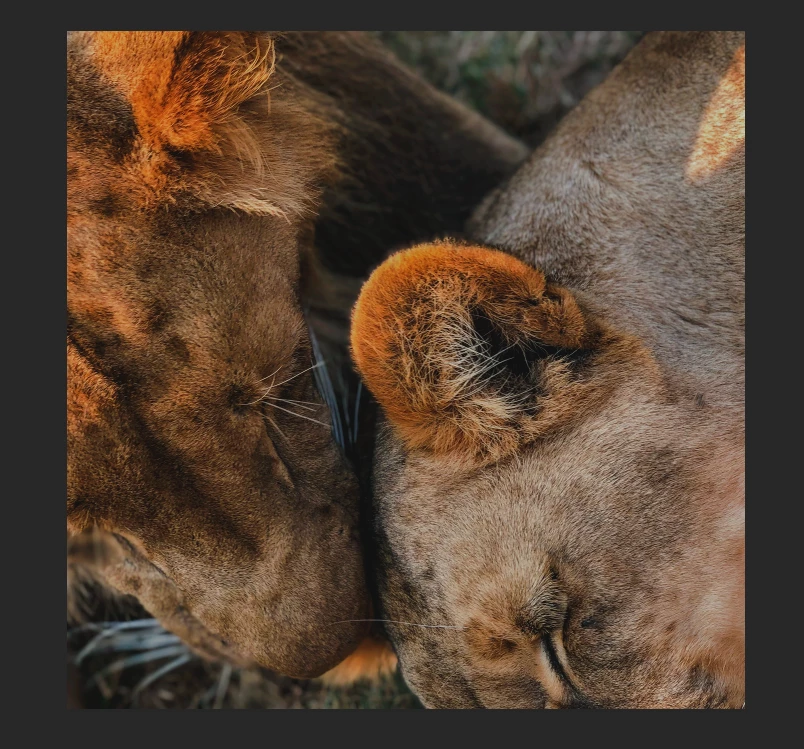
It will also save properly as a PSD where the color profile remains when I wish to edit it again. The issue arises after saving, because the image then takes on this ugly green cast. This happens when saved as both a JPEG and a PNG.
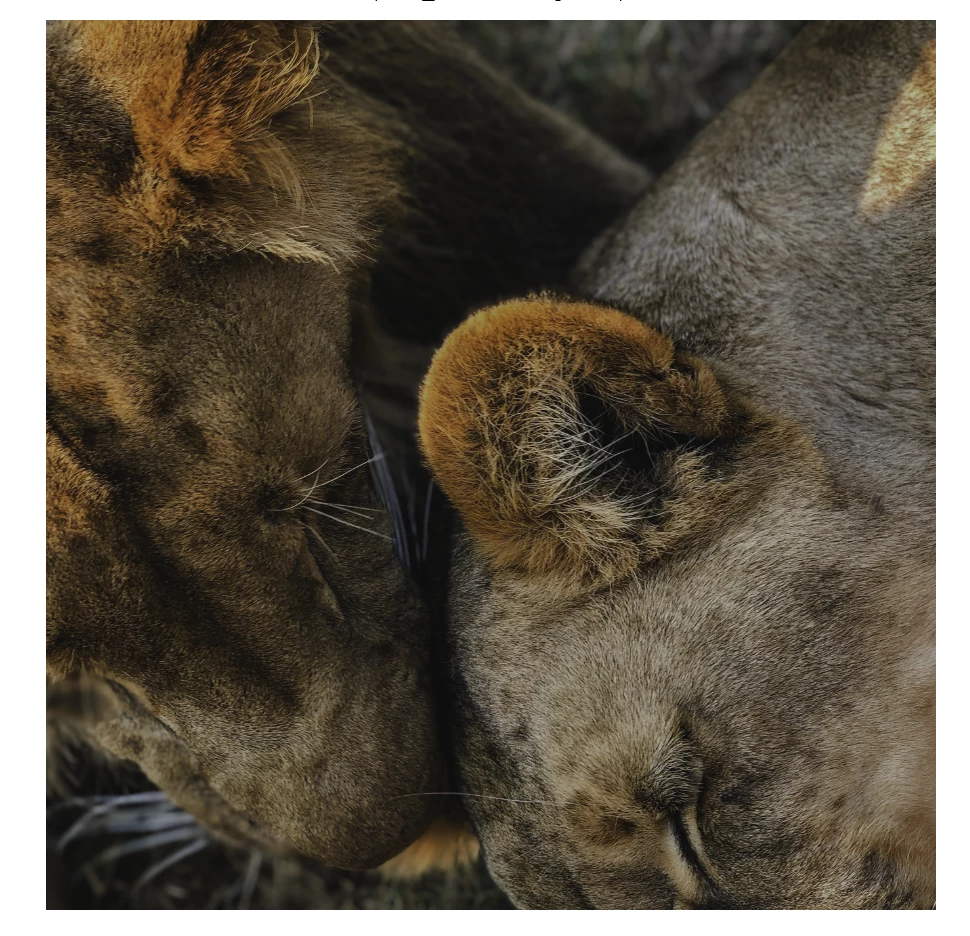
It does this in my photo viewer, when uploaded to Google Drive, when sent via messages to my friends. When you open the full image on messaging apps (i.e. Discord and Facebook Messenger) it diverts to the correct color, but the preview still looks like this. There is also no way to make it look correct in my photo viewer, or on Google Drive.
When I uploaded the images as an album to Facebook, they also looked completely fine.
I'm really confused why this is happening. Is it because these images were all taken in portrait mode on my iPhone X? Is there a color output setting that I messed up somewhere? I recently updated to the newest version of CC, but otherwise haven't changed anything. This is really causing problems and I don't particularly want to have to go through and edit all of the photos again.
Thank you so much for any advice!
 AdChoices