Participant
August 10, 2022
Question

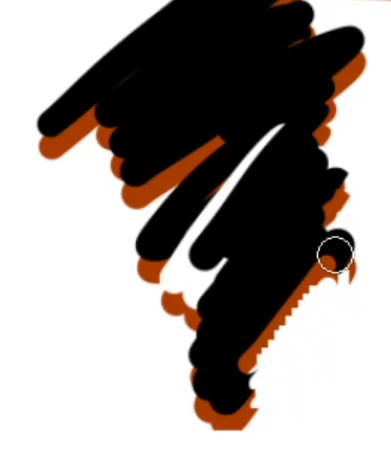
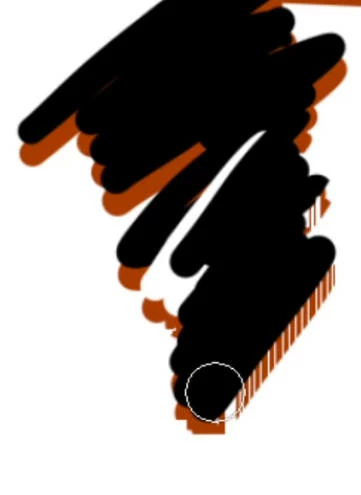
jagging when drawing with layers have layer style, zoom in or out the canvas sometimes jagging too

  • August 10, 2022
  • 1 reply
  • 131 views

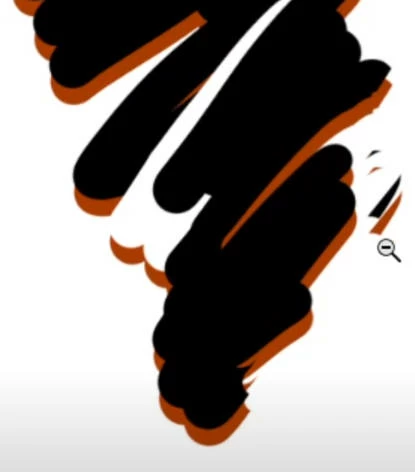
There are jagged effects (only visually on screen) when I use brush or eraser, mostly in a layer that has Layer Style. When I move or zoom the canvas, the jagged effect will mostly disappear, but sometimes there are a few white short lines, or some part of my brushstroke is missing. (after I move the canvas, it will back to what it is) 

I use Cintiq 16, and i5 1660 graphic cards in Windows system. 

PS CC 2019

I'm wondering if anyone knows the solution for this, thanks a lot!
This topic has been closed for replies.

1 reply

c.pfaffenbichler
Community Expert
Community Expert
August 10, 2022

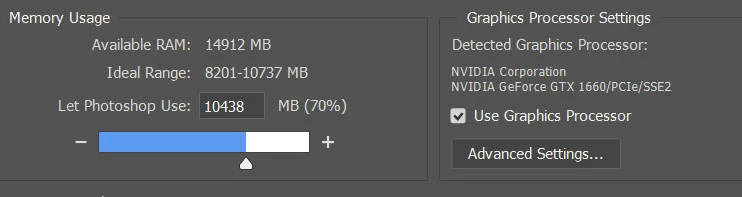
Does turning off »Use Graphics Processor« in the Performance Preferences (Photoshop > Preferences > Performance > Graphic Processor Settings) and restarting Photoshop have any bearing on the issue? 

Does turning on »Deactivate Native Canvas« (Photoshop > Preferences > Technology Previews) and restarting Photoshop have any bearing on the issue? 

sophia12Author
Participant
August 15, 2022

Hi, thanks for the reply.

I tried and it doesn't help, and I don't see Deactivate Native Canvas in my settings.

I'm guessing it's a CPU or graphic card issue.

c.pfaffenbichler
Community Expert
Community Expert
August 16, 2022

Just to make sure: Did you restart Photoshop after turning off GPU usage?