Known Participant
December 18, 2023
Answered

JPG export size discrepancy between Bridge and Photoshop

  • December 18, 2023
  • 1 reply
  • 395 views

Hello,


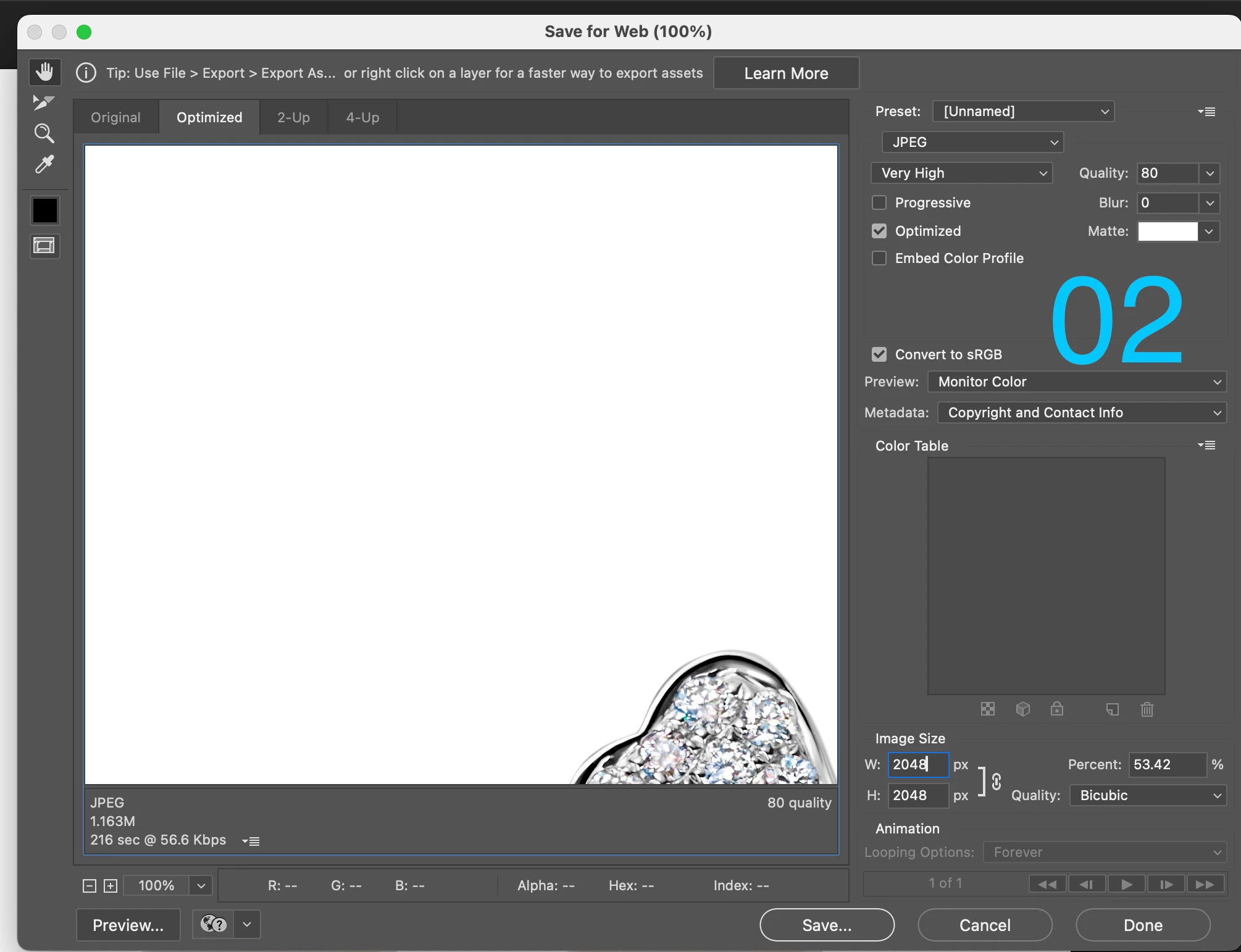
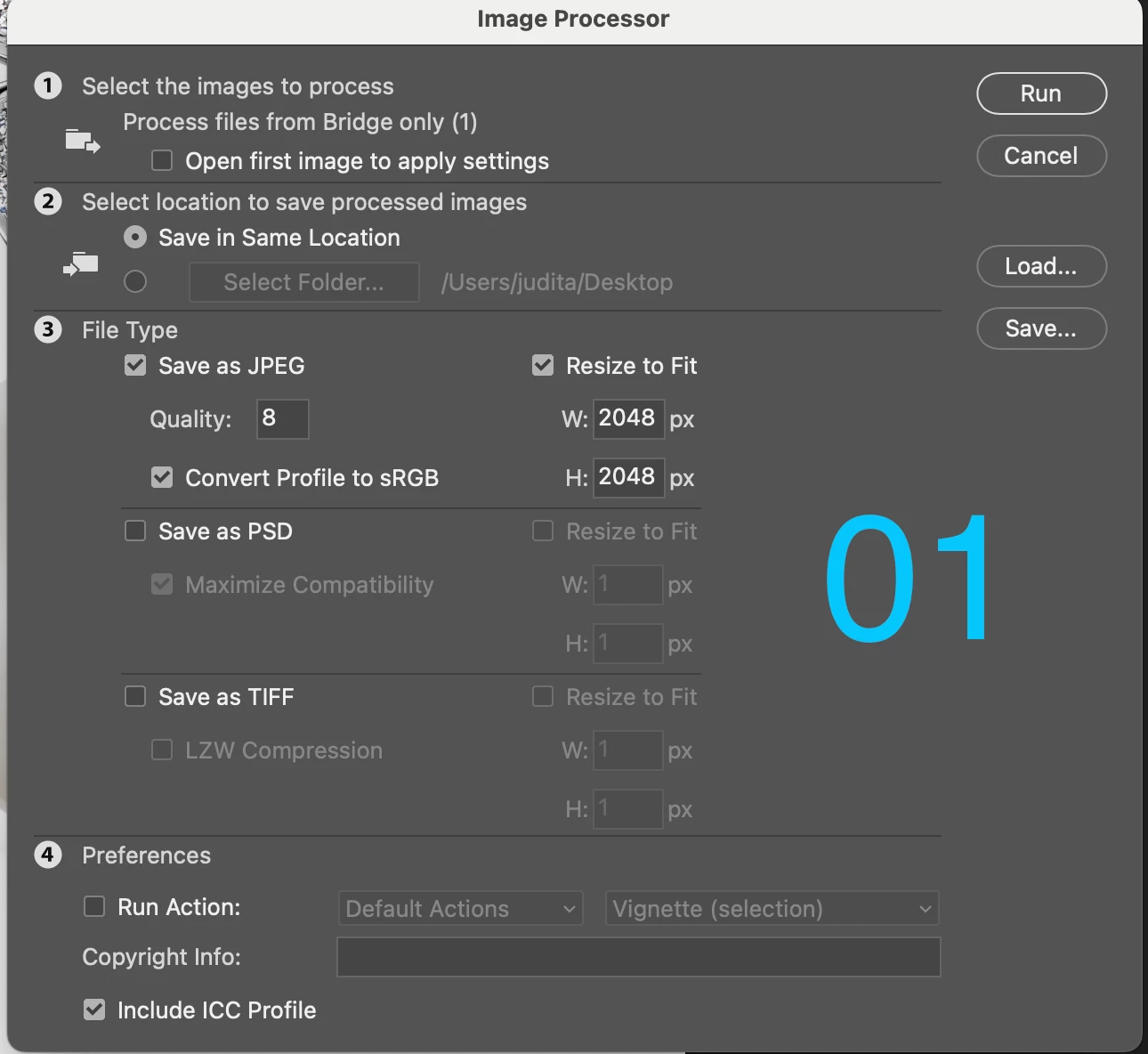
When I convert a TIFF to JPG via Bridge>Tools>Photoshop>Image Processor, the size of the JPG I get is much larger than when I convert the same TIFF to JPG via Photoshop>Export>Save for Web legacy or Photoshop>Export As.


I've attached two screen captures to this message:
+ Label 01:  Bridge's Image Processor tool for Photoshop.
+ Label 02: Photoshop JPG export for Web window.

The settings you see are the settings I've always used, for both Bridge and Photsohop. Until recently, whether I used one method or the other, my JPG exports were of the same small size. Now, the JPG I get through Bridge is something like 1.8MB, whereas the one I get through Photoshop is 282K or a bit more.
I'm using Photoshop 25.3.1 and Bridge 14.0.1.137


What am I missing ?
Thank you for your time.
This topic has been closed for replies.
Correct answer D Fosse

To be clear, Image Processor is executed by Photoshop even if it's launched by a Bridge script.


So what we have here is the difference between Save As and Save For Web. And that points to a common issue: excessive ancestors metadata.


Save For Web strips this metadata. Save As retains it.


Ancestors metadata is a complete history log of copy/paste/place operations. If this file has been used as a template, this metadata will accumulate and can grow to enormous sizes over time.


1 reply

D Fosse
Community Expert
D FosseCommunity ExpertCorrect answer
Community Expert
December 18, 2023

To be clear, Image Processor is executed by Photoshop even if it's launched by a Bridge script.


So what we have here is the difference between Save As and Save For Web. And that points to a common issue: excessive ancestors metadata.


Save For Web strips this metadata. Save As retains it.


Ancestors metadata is a complete history log of copy/paste/place operations. If this file has been used as a template, this metadata will accumulate and can grow to enormous sizes over time.


JK5C2AAuthor
Known Participant
December 18, 2023

Thank you for your reply.
I'd like to add a couple of comments.


1 - The TIFF files are never used as templates. However, they do contain layers made up of masks, adjustments, etc. 

2 - The issue I describe in my initial question started to become one about a month ago after a client of mine started to complain that the JPGs I was sending (processed with the Bridge method) were very large indeed, way larger than before. It could be that other clients got larger files too, although without ever complaining. In other words, I never had this issue until rather recently.


Would there be a work around, for me to keep using the Bridge method?

Thank you.

Stephen Marsh
Community Expert
Community Expert
December 18, 2023

You haven't confirmed if excessive metadata is the issue, however it would appear to be the case as @D Fosse mentioned.


More here on finding and removing such metadata:


https://prepression.blogspot.com/2017/06/metadata-bloat-photoshopdocumentancestors.html?m=1