
Question
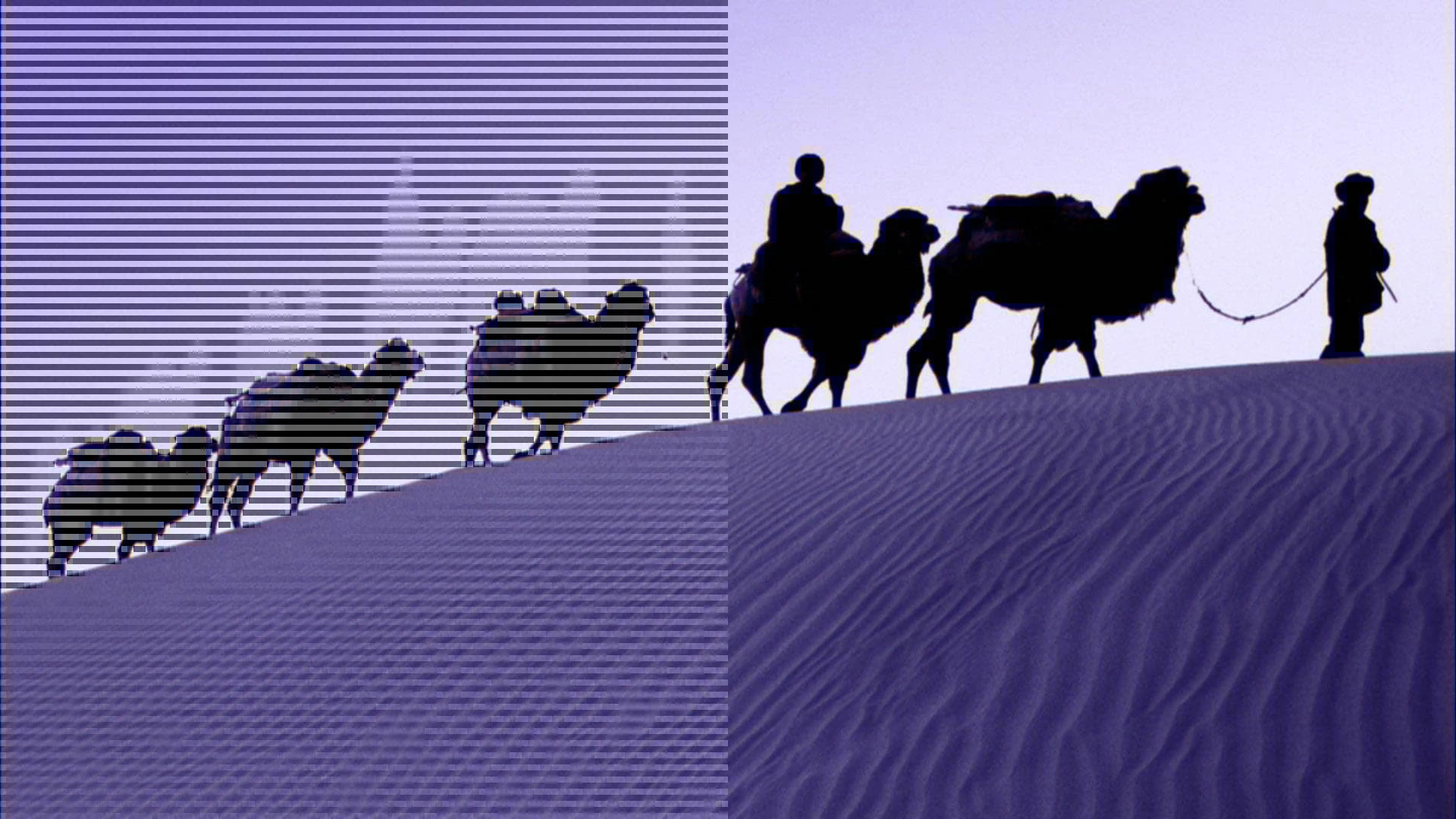
JPG opening purple with lines MAC OSX Big Sur PSP 20/21
Since PSP 20 and continuing on 21, some JPGs are opening up in a purple haze overall and always the left half filled with inverted lines. I tried everything that I can think of
- reset all the settings and preferences
- removed and re-installed all the color profiles
- fixed all the color profiles with the Colorsync utility
- completly uninstalled PSP and reinstalled
- tried changing/fixing RGB profiles while opening the files
nothing helped.
I think it's some kind of a format issue, preventing PSP (only PSP) to render properly. I can open it up in any other app and it looks correctly (including other Adobe Suite apps).
It only happens with some of the JPGs (no other formats) downloaded from the web but the frequency keeps increasing, used to be like 1 in 20 now almost running into it in every 2-3.
And looks like it's not mac specific, there is another tread with the same issue happening on the PC too.
Any help would be greatly appreciated. Thanks!
 AdChoices