elysey22636980
Participant
July 30, 2017
Answered

jump start with photoshop templates

  • July 30, 2017
  • 1 reply
  • 832 views

Hi

I read from Adobe website that I can jump start my design with photoshop templates.

This is the article Jump-start your designs with Photoshop templates |

But I am not able to even get to this screen below. How do I get there?

I have tried starting my MAC, sign out and sign in again to Adobe but still unable to get to this screen.

Is there another way to download the free Adobe templates?
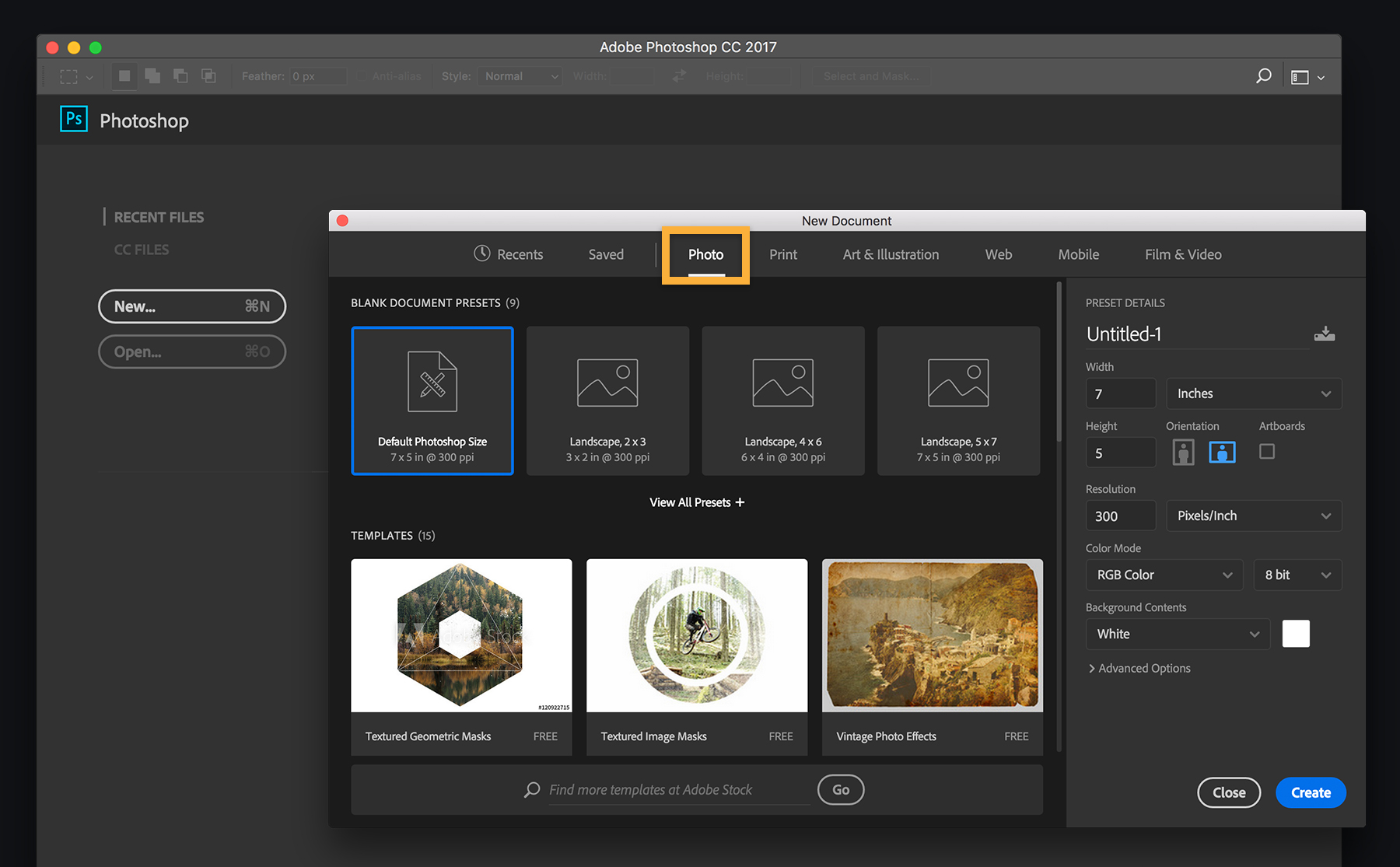
photoshop-templates-fig1.jpg

This topic has been closed for replies.
Correct answer davescm

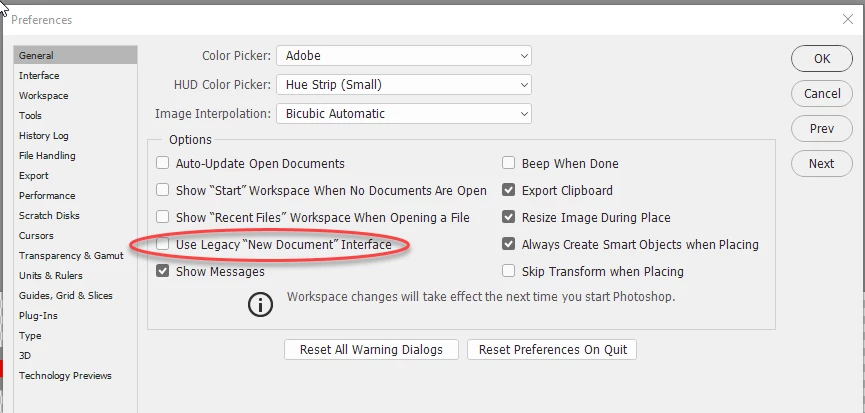
If you are using the current version of Photoshop and are not seeing the new New Document dialogue, go to Preferences - General and ensure that "use Legacy "New Document" Interface is not checked.

Dave

1 reply

davescm
Community Expert
davescmCommunity ExpertCorrect answer
Community Expert
July 30, 2017

If you are using the current version of Photoshop and are not seeing the new New Document dialogue, go to Preferences - General and ensure that "use Legacy "New Document" Interface is not checked.

Dave