
K Levels Low After Converting Color Profile for Offset
Hello:
I appreciate any help I get here, and I'll be working on this problem for the next couple of days so I'll be returning to this discussion multiple times.
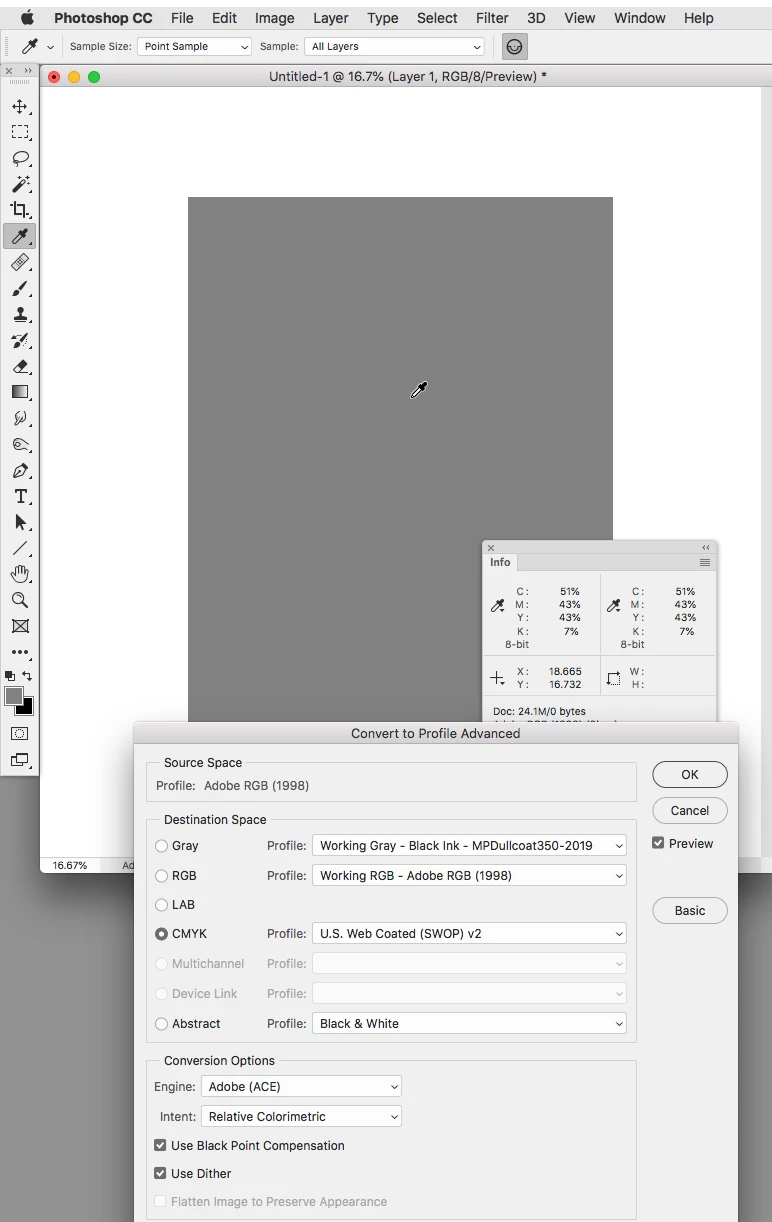
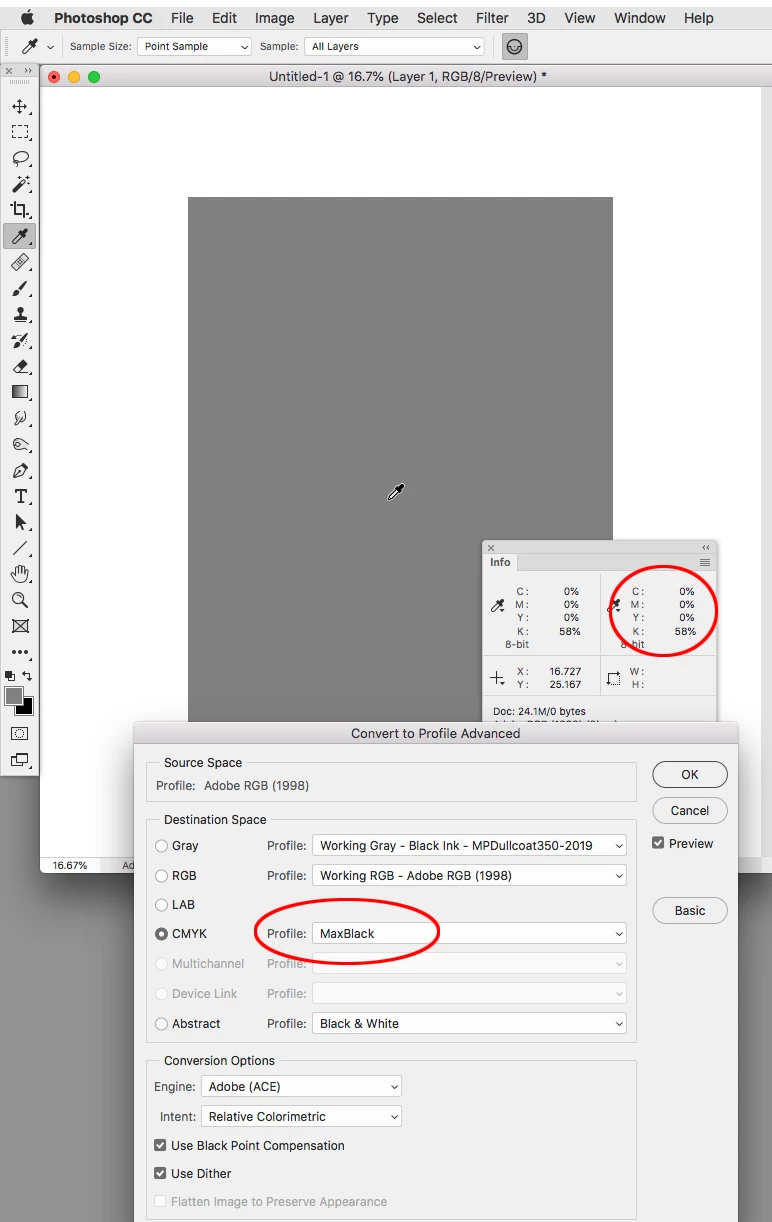
I am working in Photoshop and Illustrator on an image for a client to send to get 4 color offset printed. This problem is a photoshop issue, or maybe it's something I have just never noticed. Part of the image Im working on involves an image from a coloring book in the background that I scanned into my computer, so the image is completely rasterized and flat. My question refers to the black lines. I originally scanned the image in RGB and converted it to CYMK; the standard US Web Coated SWOP v2. I noticed that when I used the color picker tool on the black lines of the drawing, all the blacks in the scanned in drawing actually, were comprised of CYM color values in the 40-50s and K values in the 0-9 Range. I made my own custom CYMK Color Profile with custom black generation and grey ramp to fix the problem, but my printer says he doesn't use other color profiles besides US Web Coated SWOP v2. Is there a way to use the levels or curves to get my rasterized black lines to be comprised of K and not a CYM combination? Is there anything I can do within Photoshop?
Ive thought about getting a different printer, but haven't yet because I want to fix it within the image if I can.
Also, could the color picker tool be inaccurate when determining the values of CYMK that will be present in the offset print? Like for instance, would the Printers RIP software possibly be a stronger piece of software and extract the Values differently? Any help is appreciated. Thank you. Also I may not respond immediately, but please know I will respond within the day.
 AdChoices