Inspiring
January 28, 2019
Question

Keyboard shortcut to reveal hidden text/readjust text box to fit all text?
  • January 28, 2019
  • 3 replies
  • 1690 views

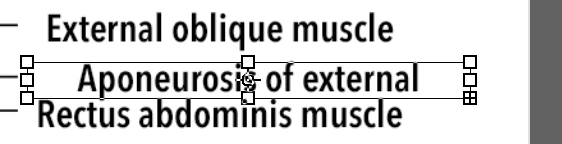
For instance in this image, there is still missing text. Is there a keyboard shortcut or mouse click I can do to reveal the full text? Thanks!

This topic has been closed for replies.

3 replies

Legend
January 29, 2019

Photoshop has two different kinds of text boxes. If its a paragraph text box, you can expand it manually but there is no fit command. There is really nothing that could be scripted, either.

Inspiring
January 31, 2019

I'd prefer using the paragraph text box because it is more flexible when layouting

Bojan Živković11378569
Community Expert
Community Expert
January 28, 2019

If I can understand your question correctly then the answer is no, at least I do not know such shortcut/option. You are looking for InDesing's fitting options right (Fit Frame to Content)?

Inspiring
January 29, 2019

Yes. In ID & AI usually you can just double click the text frame boundary and it will show the whole text.

Trevor.Dennis
Community Expert
Community Expert
January 28, 2019

We might be able to answer if we could see your workspace with the Character panel open.  By way of an example, the text box below shows only one line of text, but the layer indicates there is more.  The Character panel explains the issue.  The text is 4mm high, but line spacing set to 107mm, so the rest of the text has been scrolled out of the text box.