

Answered
Lag-y Transform Boxes in Photoshop
Anyone else getting laggy transform boxes? They don't show up when I start the transform (by hitting ctrl+T or going to Edit>Transform; tried both) but the pop up when I start to scale/warp and then don't go away, even after finalizing the transformation. So a simple transformation looks like this on my canvas:
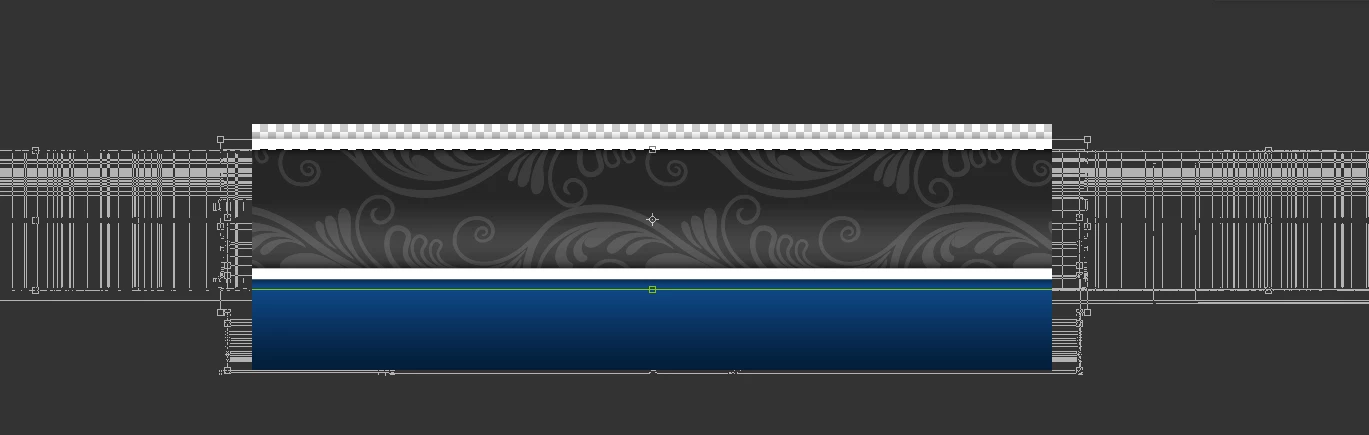
The boxes will go away as soon as I zoom or pan, but it's an annoying extra step. This hasn't happened with any of the previous versions. I even updated Photoshop today.
Just for the sake of argument, I have also updated my graphics driver, windows, and all my other Adobe programs, just in case there was some funky gremlin in those causing the problem. Alas, this is a Photoshop-exclusive gremlin.
 AdChoices