
Answered
Large dot appearing at end of line
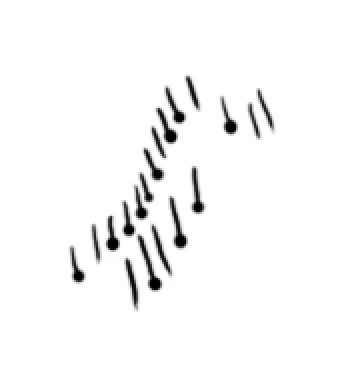
Most of the time, the problem only happens when I slowly draw a short line. I am using a medium Intuos Pro tablet, the most recent version of photoshop, and a 2019 macbook pro with the Catalina OS.
I just switched to a new computer and the most recent photoshop. This problem didn't occur when I was using my old computer and photoshop cs6 with the same tablet.
I've already tried reinstalling the drivers, changing the pen sensitivity in my tablet settings, and replacing my tablet pen's tip.
 AdChoices