Participant
May 12, 2020
Question

Large File Won't Save Ps 2020
  • May 12, 2020
  • 1 reply
  • 1367 views

I regularly work with large files in Photoshop. They are about 1 square meter and contain many layers. I always use psb and never really have any trouble. I was able to save my design file previously (already beyond 2 gb in size), but when I recently reopened it and made changes it would not save or save as a new file, either in the current location or other locations. 


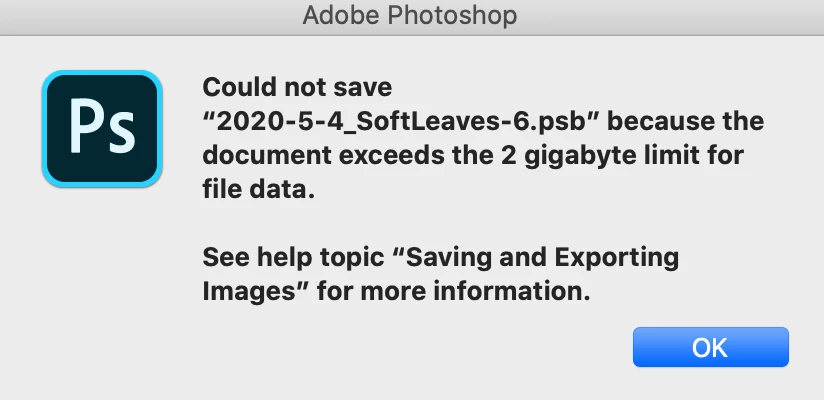
The dialog box warning says that it exceeds 2 gb. Again, it was already a psb file larger than 2 gb so that shouldn't have ever been an issue.


Is there any workaround for this? I feel completely stuck. I could crop and cut layers to reduce file size but they're there for a reason. 

This topic has been closed for replies.

1 reply

JJMack
Community Expert
Community Expert
May 12, 2020

Try resetting all Photoshop tools. Make sure you are using save as PSB and not save as PSD where you entered psb as the file extension.  PSD does have a 2GB limit and you can used Save as PSD and  enter name.psb and the saved psd file will have a .psb extension.

JJMack
Participant
May 13, 2020

Thanks for the input. I double checked everything but it still wouldn't save. I even exported changed layers to a new file and tried to save them separately. They were smaller than 2 gigs but still wouldn't save. I decided to uninstall and reinstall Photoshop, which seems to have worked. I was able to save the file to my desktop. 


I had made a few changes to shortcuts and tool settings within the last week. Maybe that or something else created a bug that was causing this problem. Thanks

Participant
May 20, 2020

As a follow up – re-installing Ps didn't solve the problem as clearly as it seemed to at first. I think I was actually dealing with a problem that I've seen noted elsewhere on here: that the file size can balloon while using smart objects. I'm not sure what the real cause of that was. The file size had jumped to 14 gigs. 


The real solution that I found was to carefully open the smart objects, resave them as files in my design file folder, delete them from the design file, and place them back into the design file as linked files. After doing this, the file size dropped from 14 gigs to about 3.5 and it acted like a normal file with no problems after that.