
Participant
April 18, 2024
Answered

Las funciones 3D no funcionan, aunque el uso de GPU esté activado.

  • April 18, 2024
  • 1 reply
  • 643 views

Estoy teniendo (lo que creo que es) un error con Photoshop intentando crear objetos 3D. Cada vez que intento alguna acción con 3D aparece este cartel. El problema es que el el uso de procesador gráfico (o GPU) está activado en la ventana de Rendimiento (como se muestra en la segunda imagen). Ya intenté desactivando, reiniciando y activando, reinstalando los drivers de la GPU, desactivando el lienzo nativo, y ninguna funciona. Incluso intenté reinstalando Photoshop.
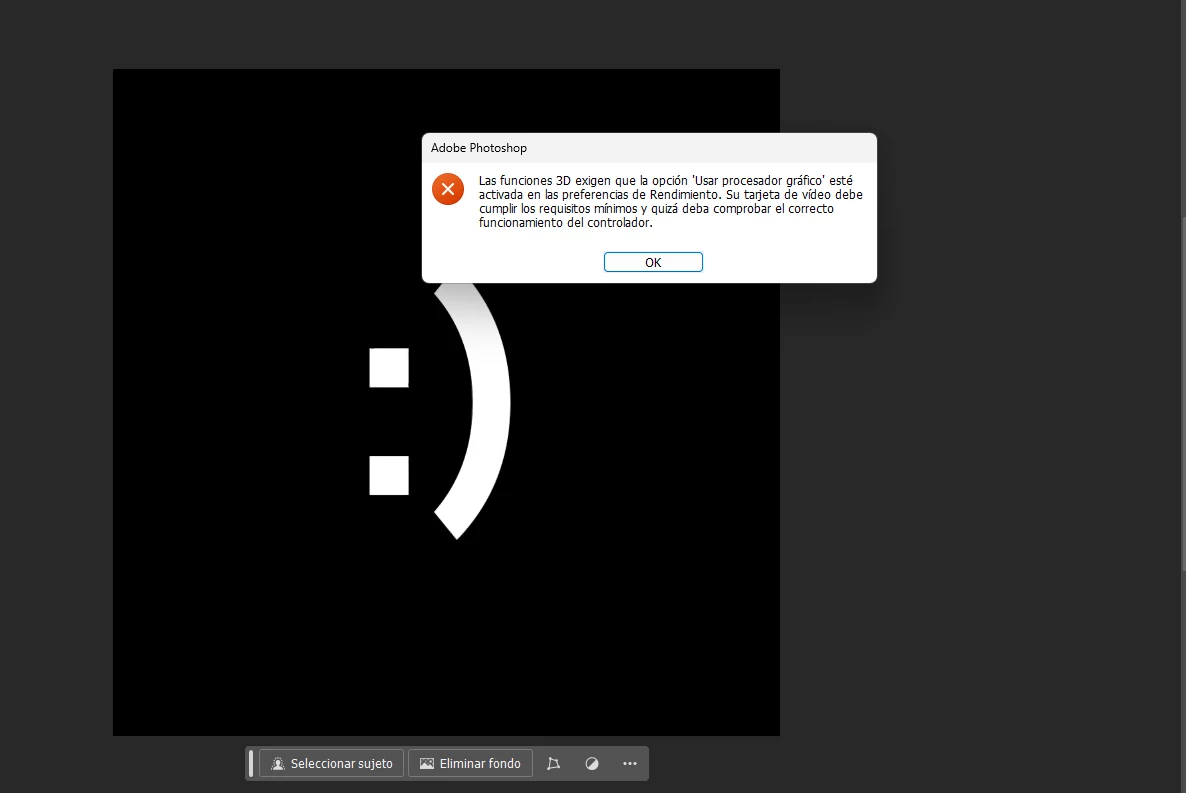
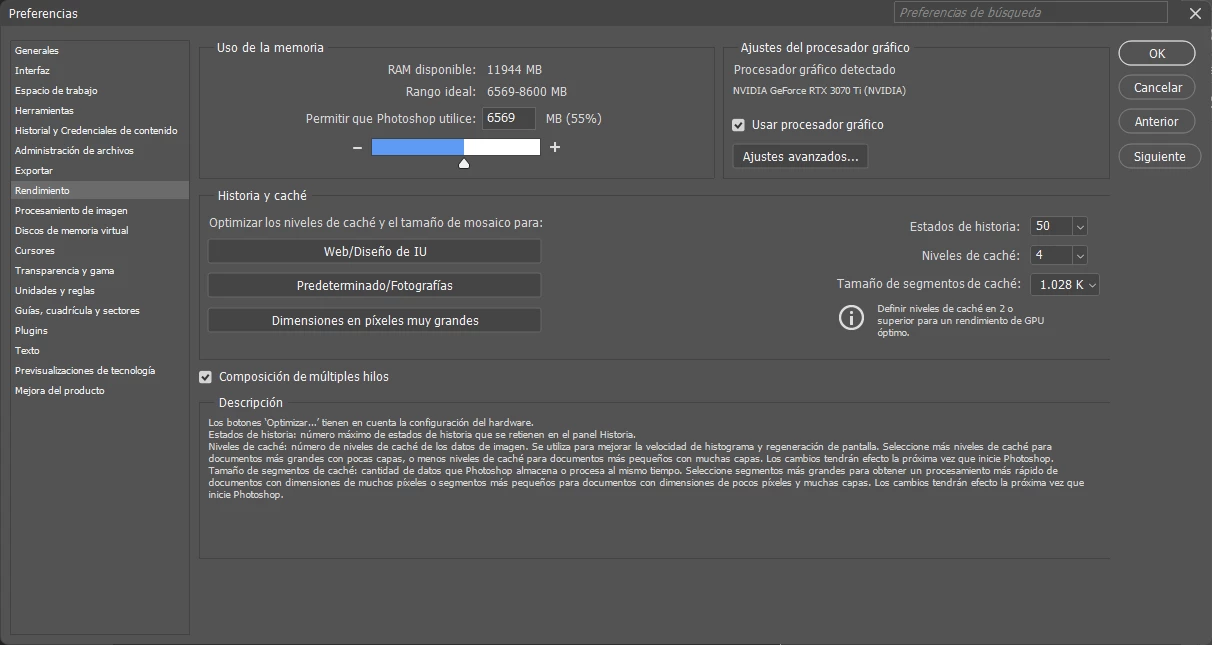
 

¿A alguien más le pasó? ¿Alguien tiene una solución o alguna idea de que pueda funcionar?

This topic has been closed for replies.
Correct answer Bojan Živković11378569

Thats correct. The last version with 3D functional features was 22.2 I believe.

1 reply

Bojan Živković11378569
Community Expert
Community Expert
April 18, 2024

Have you seen this article Photoshop 3D | Common questions on discontinued 3D features (adobe.com)


What is your Photoshop version, by the way? 

Participant
April 18, 2024

I'm using Photoshop 25.6.0. I'm seeing in that article that 3D functions are now discontinued? That's why it doesn't work I think, right? I have the last update of Photoshop.

Bojan Živković11378569
Community Expert
Community Expert
April 18, 2024

Thats correct. The last version with 3D functional features was 22.2 I believe.