
Lasso tool rounds off corners?
What’s up with the Lasso tool in Photoshop?
I carefully drew around a pickup truck so it would be selected:
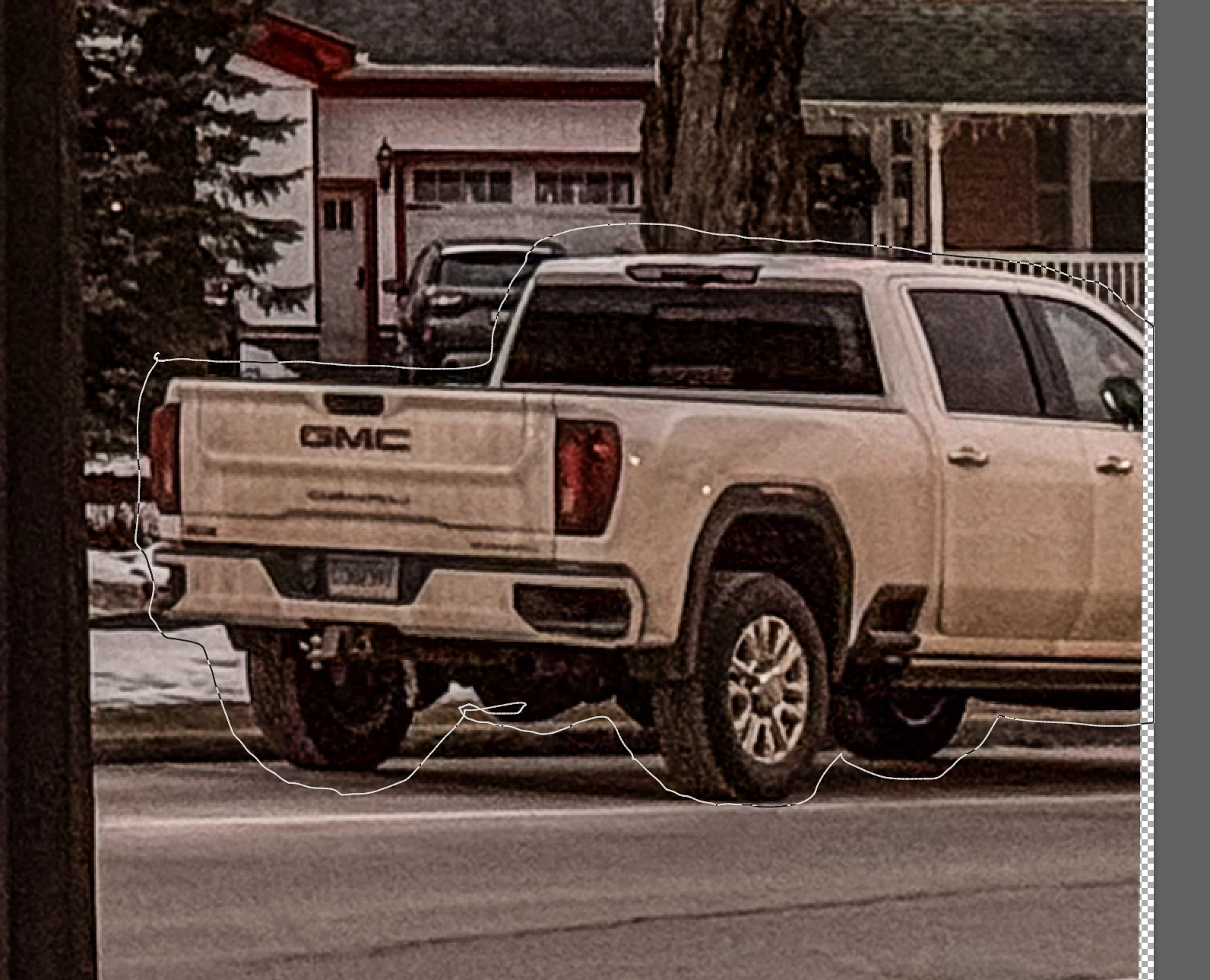
but when I left go of the mouse, the selection rounded off any corners I’d created:
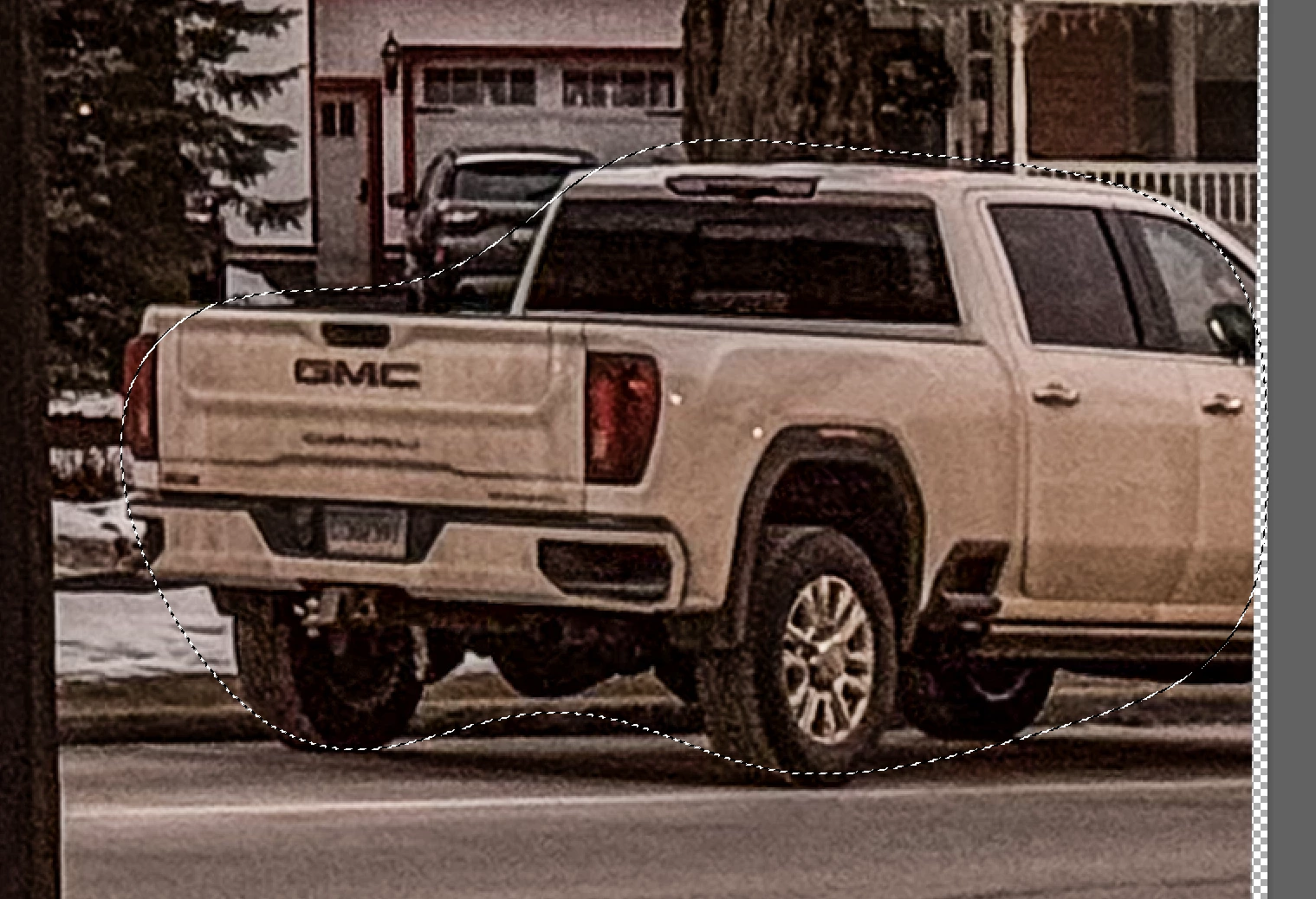
I had to add the corners back to the selection with the Lasso tool, which again kept rounding off any angles.
My intention was to remove the truck from the image. I had tried other methods (Removal tool & Generative Fill), but wanted to see how Content Aware Fill would work. After selecting the truck, I went to Edit> Content Aware Fill and found that PS had selected a wide area of the image so I erased that and used the brush to select the areas to use. However, it would not add the area around the selected truck. It seemed to stay a specific distance frm the selection edge, like a large halo.
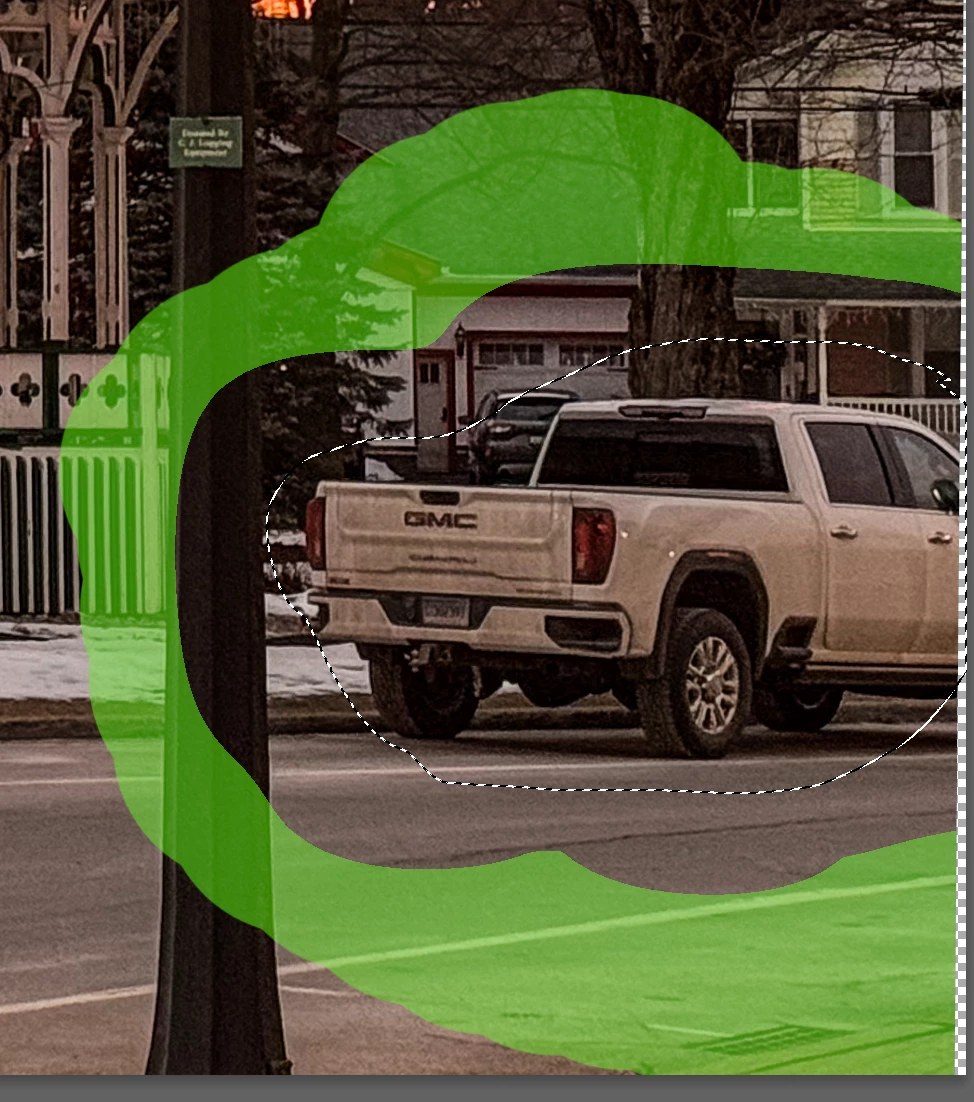
When I clicked “Apply”, the correction was a total disaster — a mishmash of different areas of the image.
This has happened to me in other images over the last few days — maybe since the recent update to PS? I had done this many times before without this [removed] happening. What am I missing?
Thanks for any info about this!
I'm using PS 25.4.0 on an M1 Macbook Pro running Sonoma 14.3.


 AdChoices