Participant
November 21, 2019
Answered

Lasso tool won't allow me to fill [2019]

  • November 21, 2019
  • 1 reply
  • 3274 views

Hello, 


I am trying to remove people from a picture and I'm not getting the option to "fill" nor the content option in edit. 
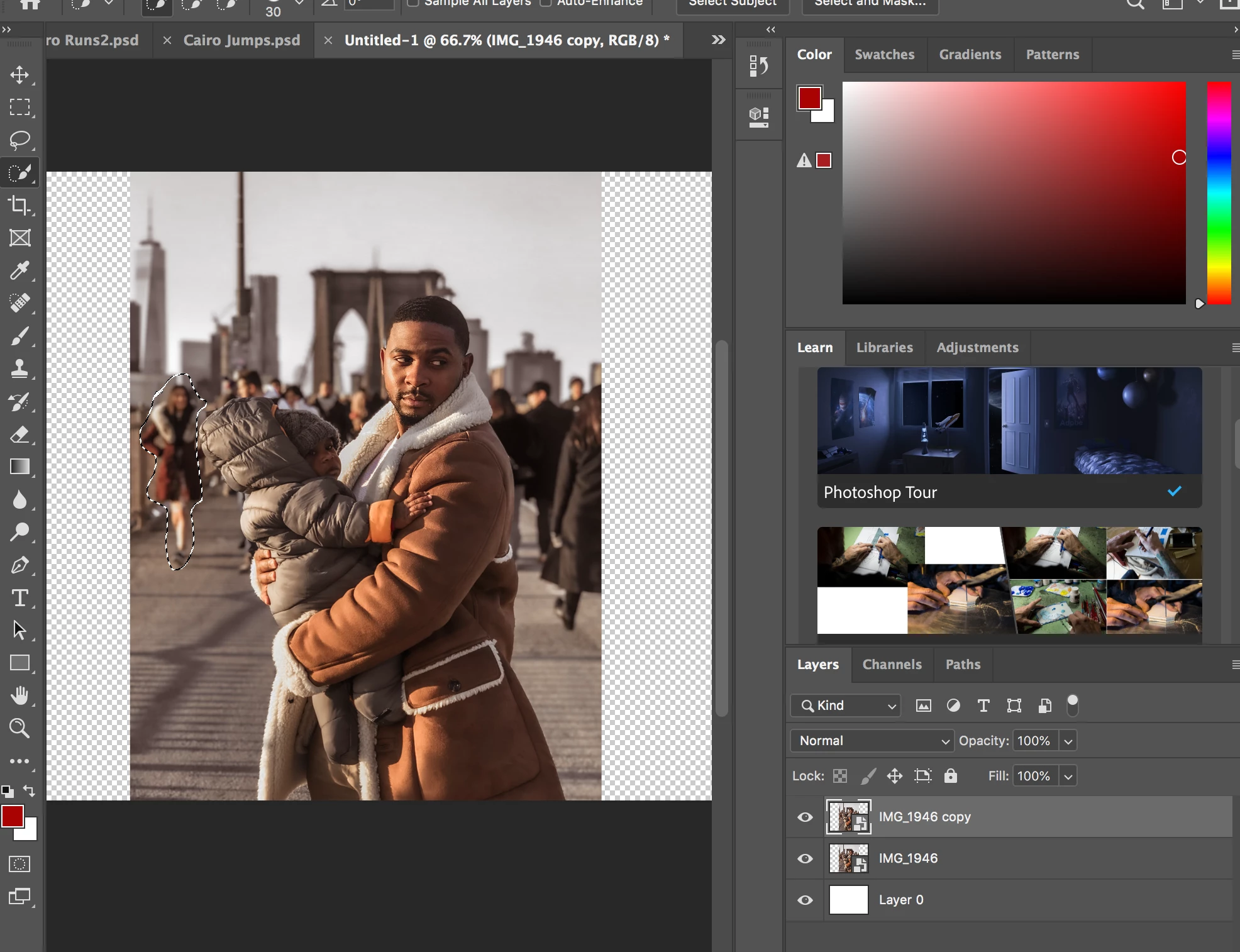
Correct answer Conrad_C

The Layers panel in the screen shot indicates that the layer is a Smart Object, not a normal pixel layer. To do things like fill, the Smart Object layer needs to be rasterized to pixels (Layer > Rasterize > Smart Object).

1 reply

Conrad_C
Community Expert
Conrad_CCommunity ExpertCorrect answer
Community Expert
November 21, 2019

The Layers panel in the screen shot indicates that the layer is a Smart Object, not a normal pixel layer. To do things like fill, the Smart Object layer needs to be rasterized to pixels (Layer > Rasterize > Smart Object).

symmadarAuthor
Participant
November 21, 2019

Thanks, Conrad. How do I prevent it from being a smart object in the future? It came from Lightroom

Conrad_C
Community Expert
Community Expert
November 21, 2019

It depends on how it came in from Lightroom. In the picture below of Lightroom Classic, if command A is used to send the photo to Photoshop, it will appear in Photoshop as a normal layer, not a Smart Object. But if command B is used, it will appear in Photoshop as a Smart Object.


Also, if a photo is imported into a Photoshop document using the commands File > Place Embedded or File > Place Linked, it will come in as a Smart Object.