Known Participant
June 24, 2020
Answered

Latest version v21.2.0 will not work in 360 Pano inside latest VMWare

  • June 24, 2020
  • 2 replies
  • 834 views

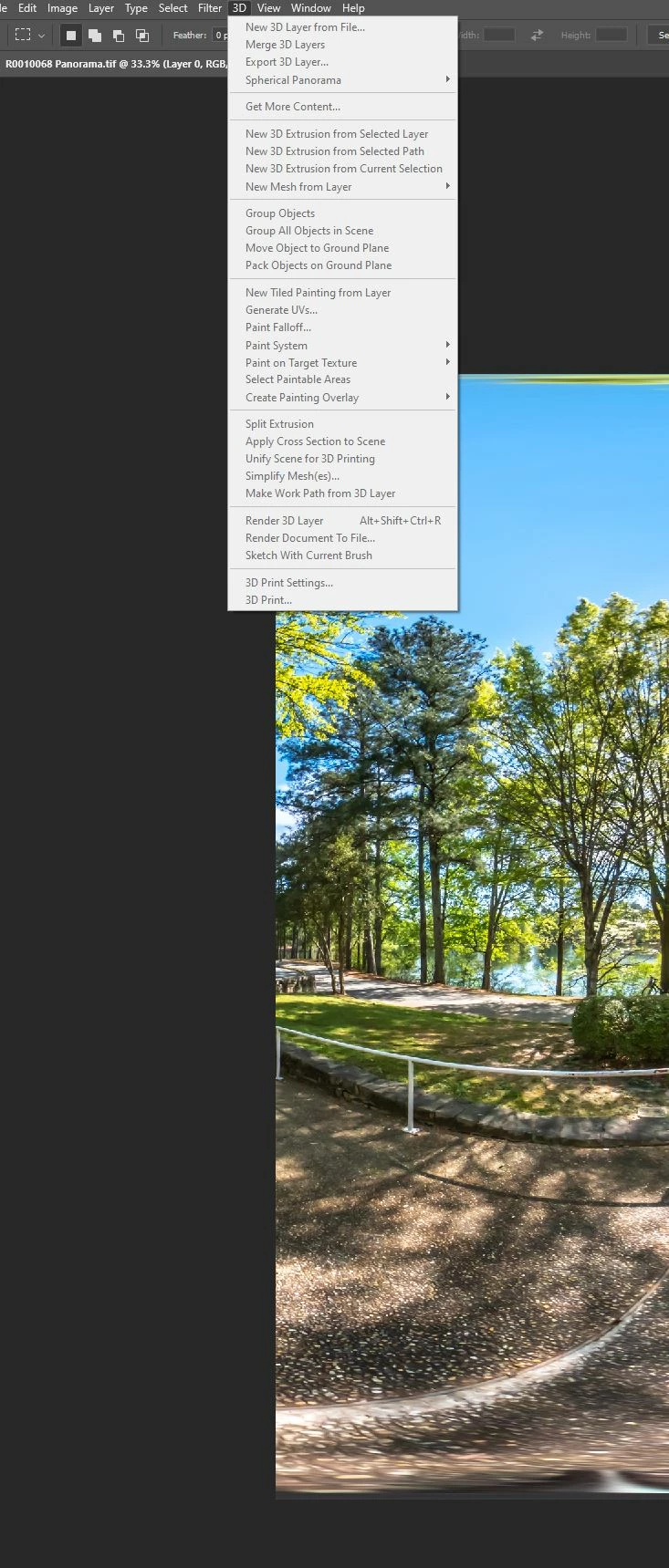
I am using latest PS v 21.2.0 Release. I got a 360 Pano already stitch, but when I go to 3D- Spherical Panorama, everything is GREY out.


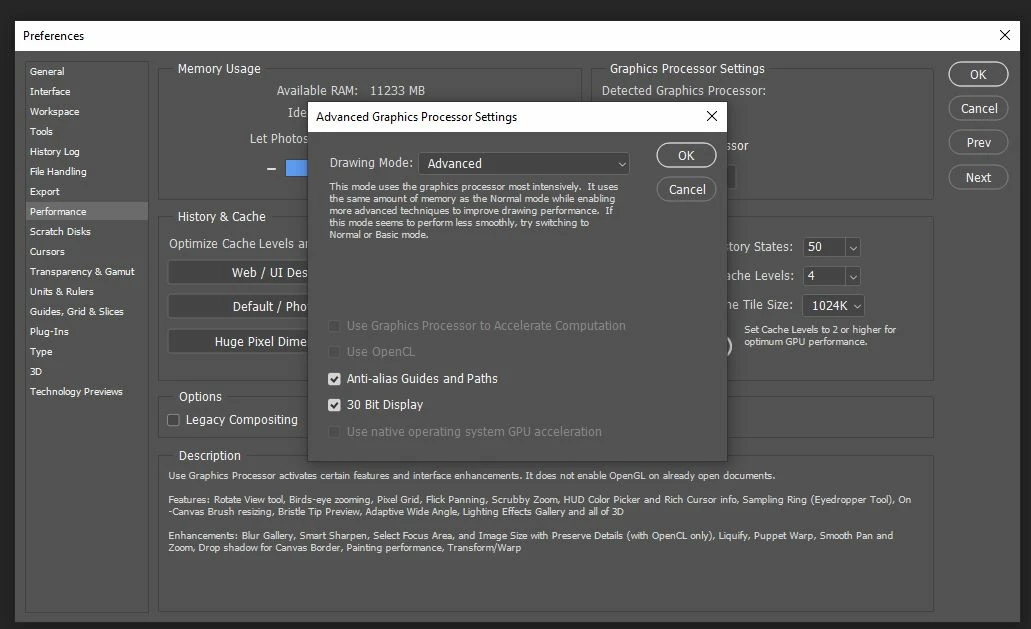
I am using PS inside VMWare. The previous version of PS have no problem using it inside this VMware v15.5.6.  The "Graphic Processor Accelerate Computation" is enabled there.


The latest version PS got bugs!
This topic has been closed for replies.
Correct answer

Hi

The issue is Photoshop is not detecting your GPU, hence OpenCL been greyed out, the only option you have is to revert to version 21.1.3

I reported this last week on the Photoshop Feedback forum, but typical Adobe didn't repond

https://feedback.photoshop.com/photoshop_family/topics/bug-in-photoshop-version-21-2-not-detecting-older-gpus

2 replies

chong67Author
Known Participant
July 21, 2020

I just got 21.2.1 and it is still NOT working.  Same.  What about you all ? 

Correct answer
June 24, 2020

Hi

The issue is Photoshop is not detecting your GPU, hence OpenCL been greyed out, the only option you have is to revert to version 21.1.3

I reported this last week on the Photoshop Feedback forum, but typical Adobe didn't repond

https://feedback.photoshop.com/photoshop_family/topics/bug-in-photoshop-version-21-2-not-detecting-older-gpus

chong67Author
Known Participant
June 25, 2020

Thank you Ged.


I see on the forum that this latest version of PS v21.2.0 got so much bugs!


Adobe. Come on man.

Ussnorway7605025
Legend
June 25, 2020

yes thats what happens when you don't test software