

Layer-destructing bug affecting large files
. Photoshop 22.5.8
. Mac OS Catalina 10.15.7
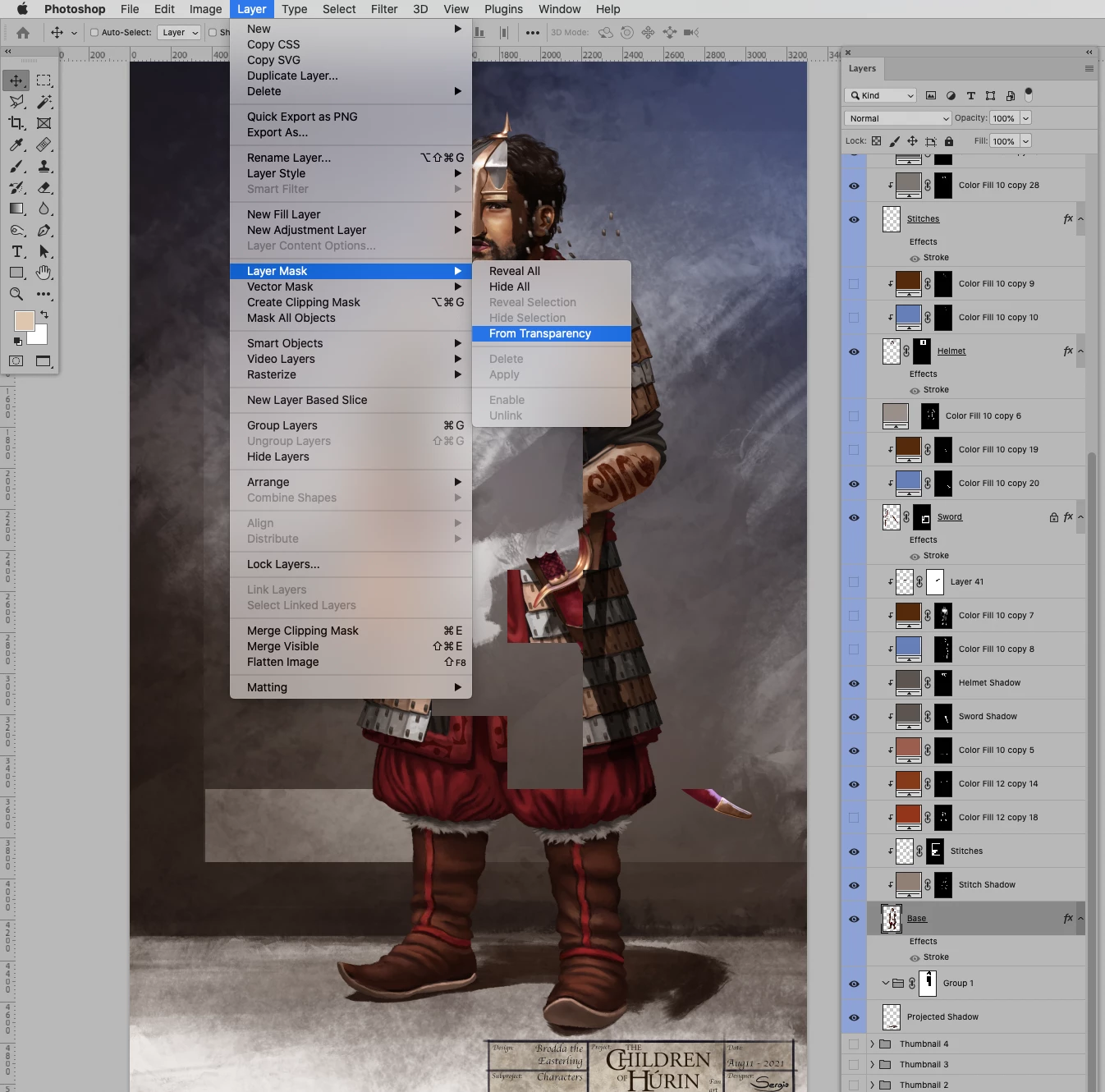
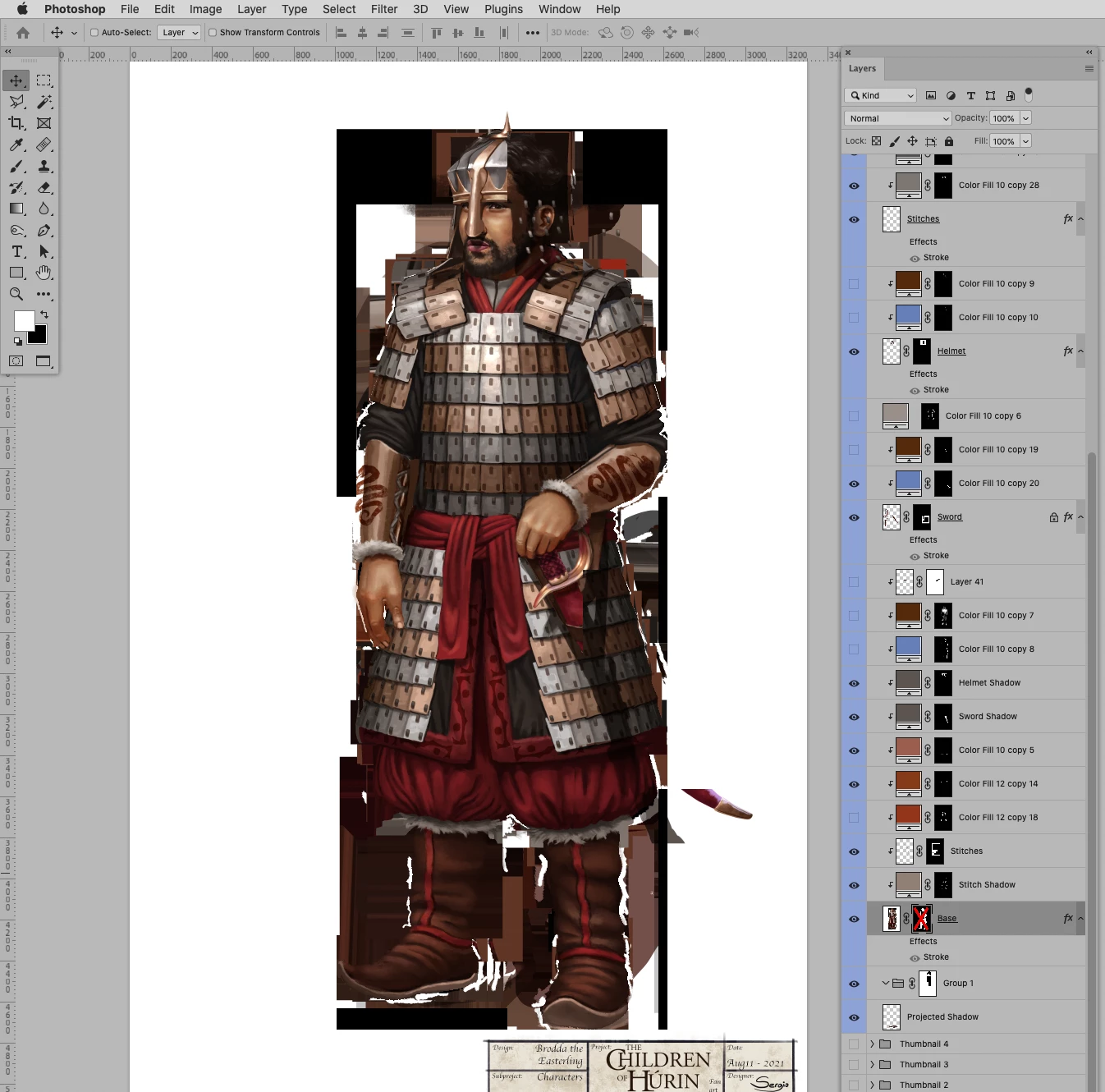
. Since a couple of years ago, I have been getting this obnoxious bug in which layers are irreversibly destroyed in weird squared patterns, it also affects the masks on layers. I have noticed that it likely happens with large files, but far lower from the 2GB .psd size limit.
Two samples:
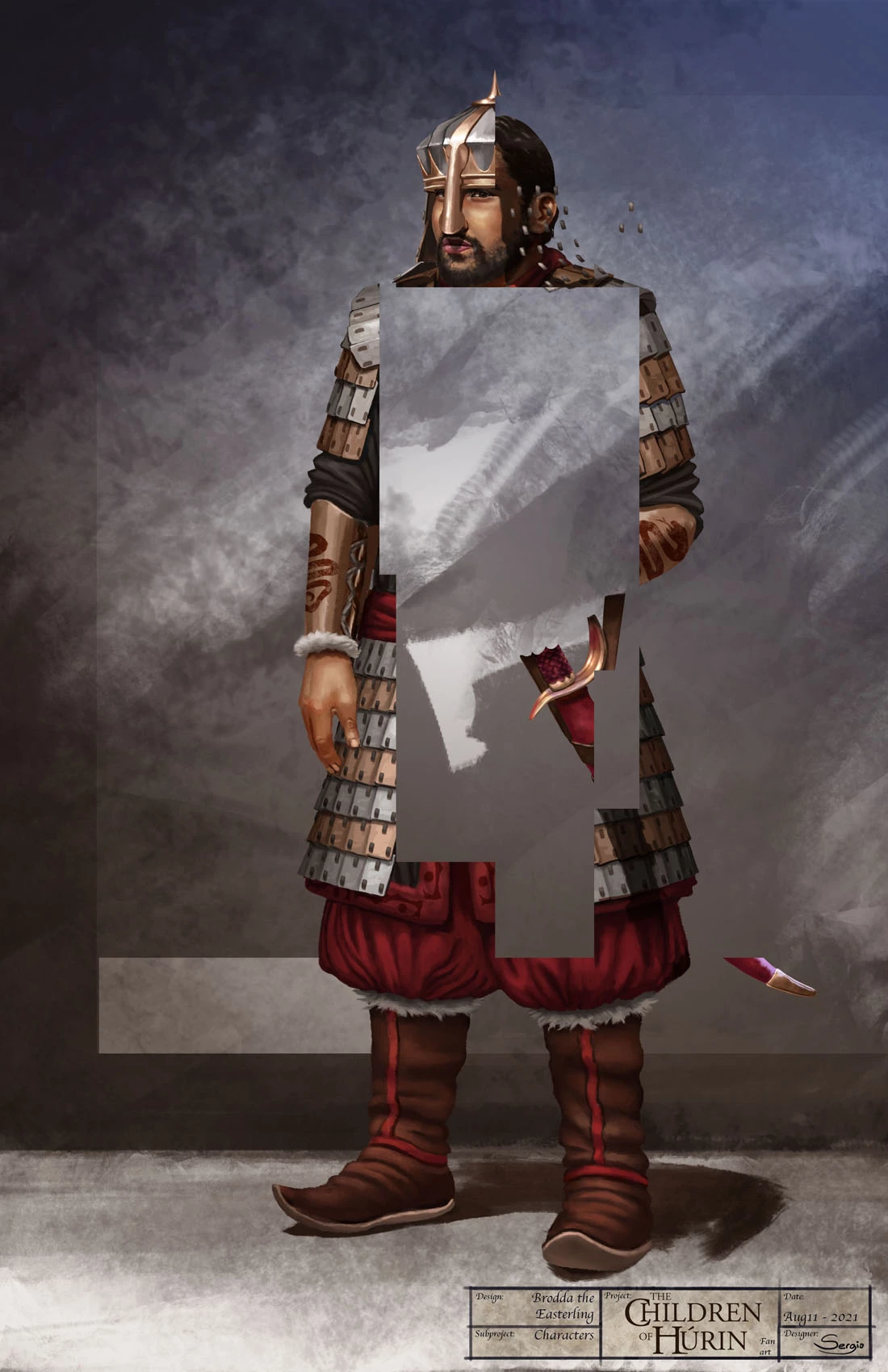
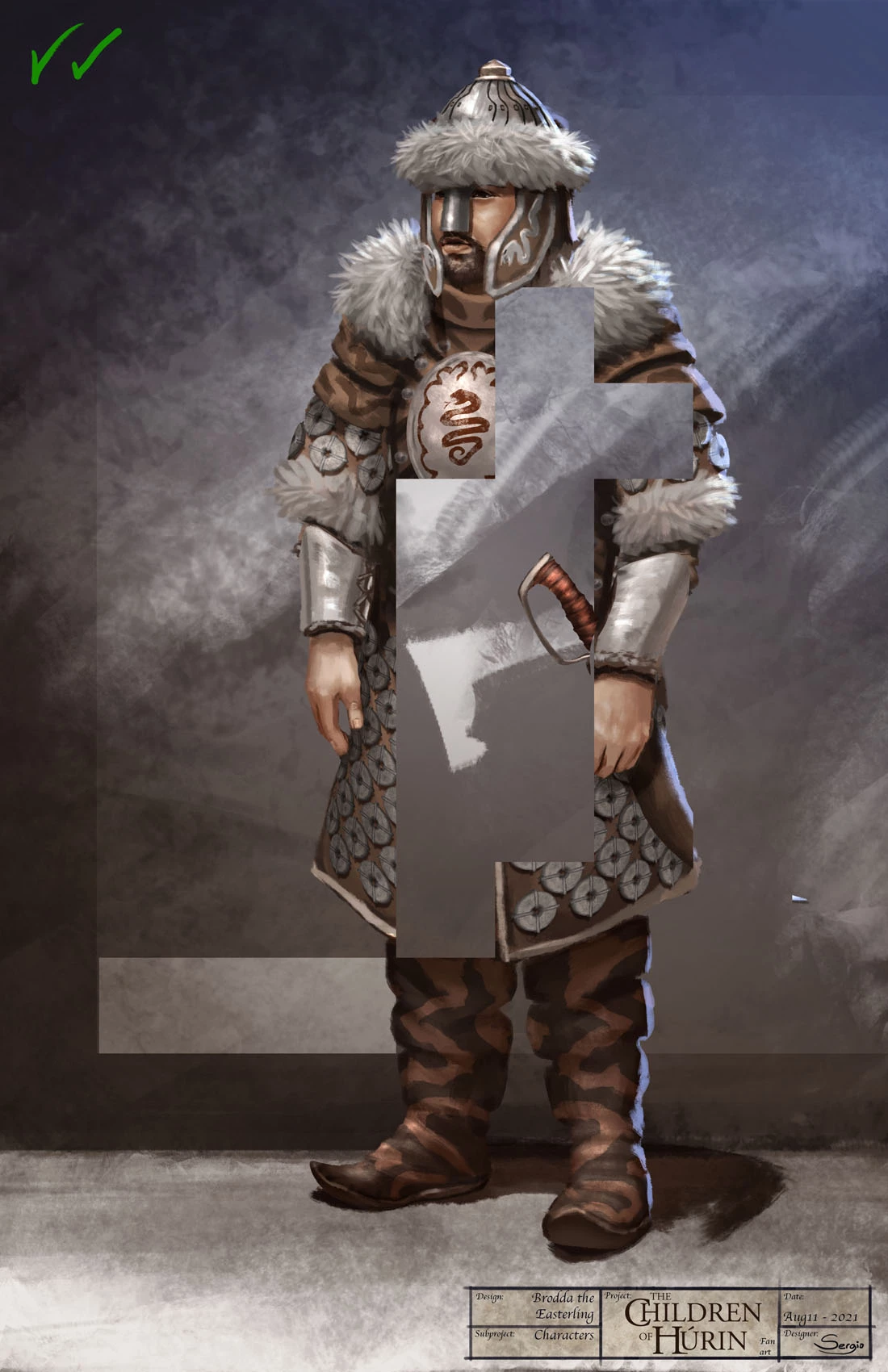
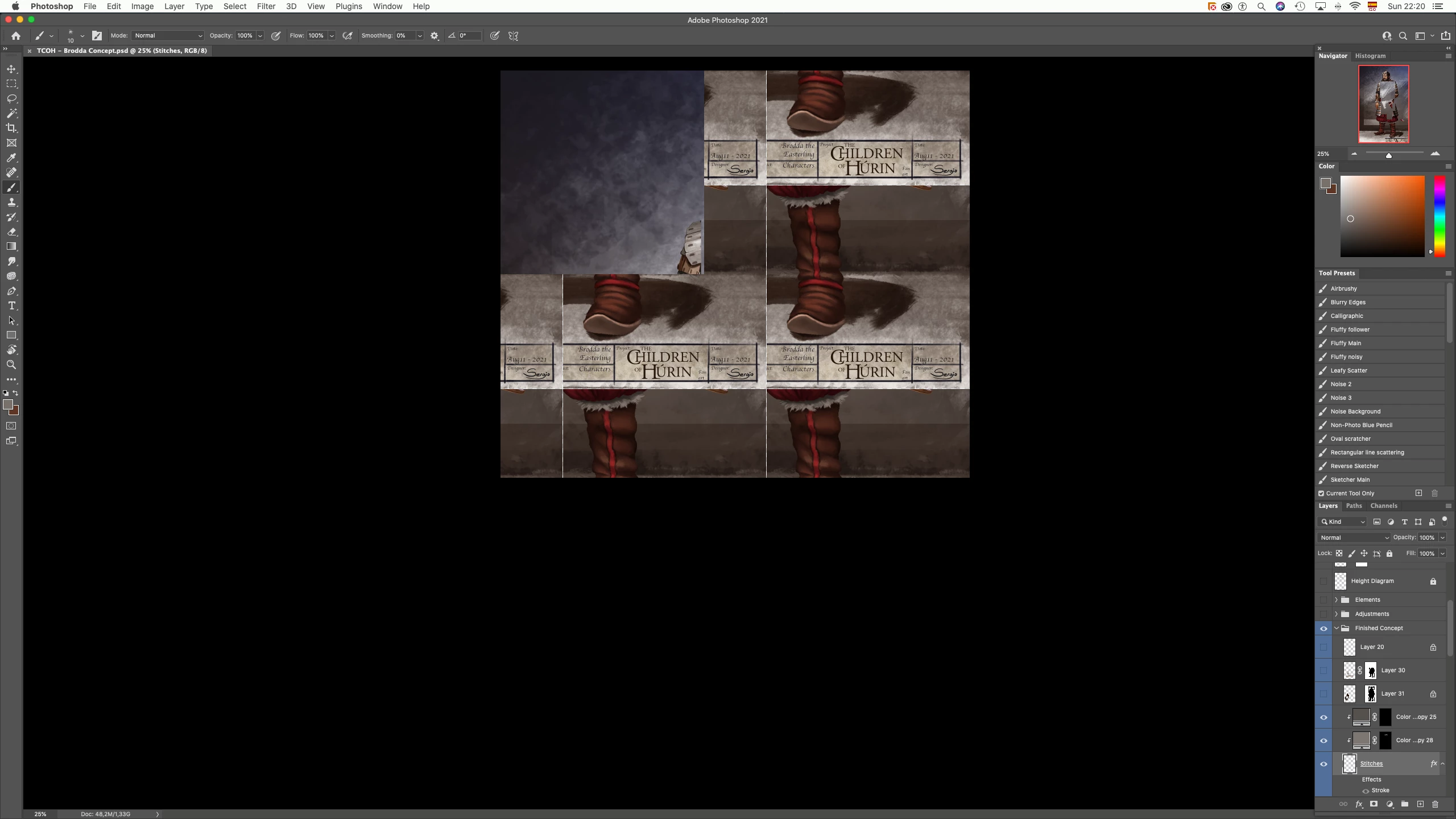
Also, I get strange visualizations when opening the file, like this tiling pattern:
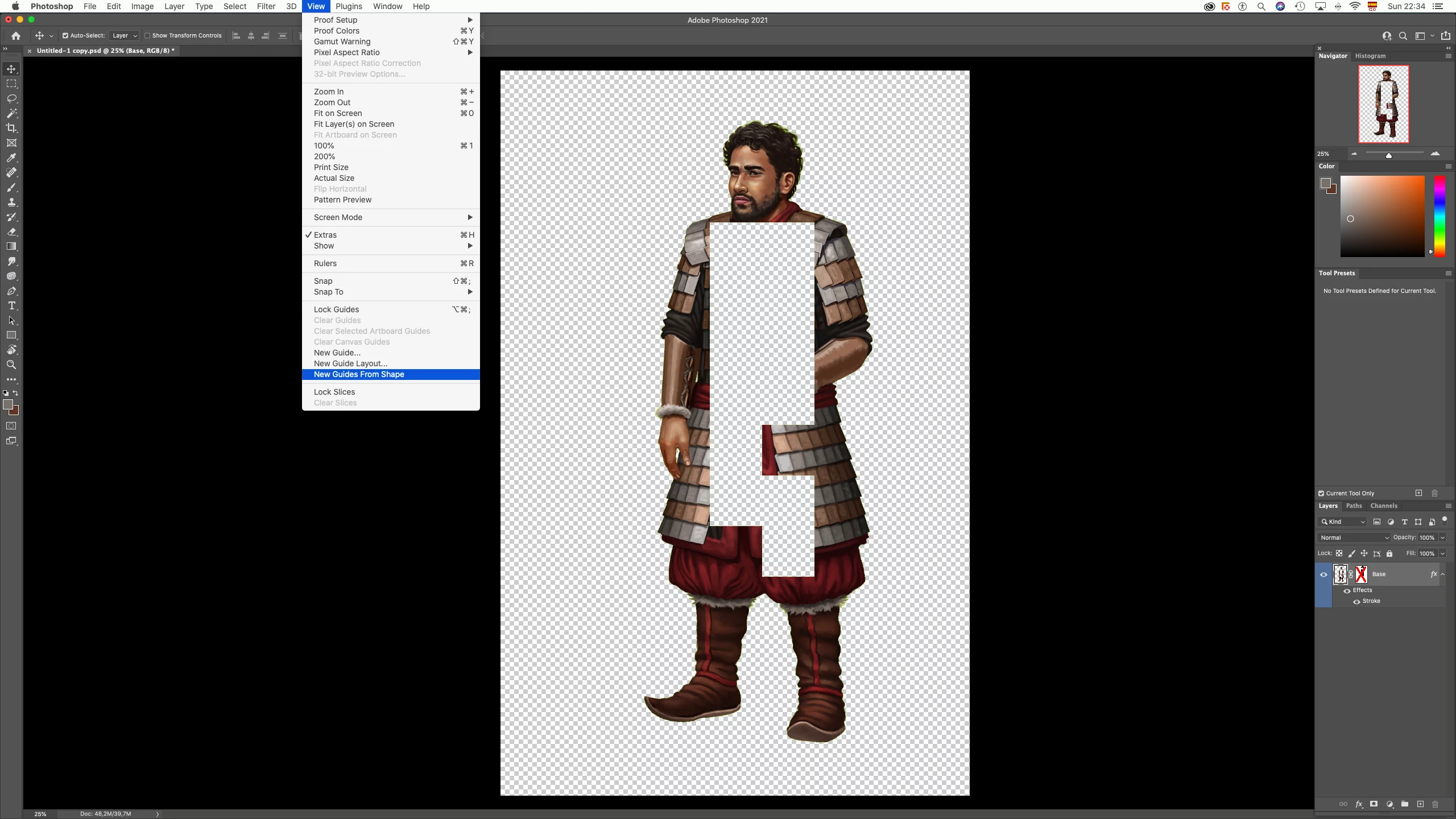
Moreover, the View, Flip Horizontal option tends to appear disabled:
As suggested by Adobe employees and professionals in the forum for my previous post regarding this exact issue, I tried checking/unchecking Disable Native Canvas then restarting photoshop, I also tried disabling GPU in the Preferences (Performance tab)
Is my file corrupted? Do I have to update to MacOS Monterey? I don't have much Disk space at the moment. Again, I would like to know how to deal with this problem, whether it is common or not, and what actions will Adobe take to fix it.
 AdChoices