

Known Participant
February 5, 2026
Answered

Layer effects applied per text line instead of the whole text block

  • February 5, 2026
  • 4 replies
  • 66 views

👉VIDEO
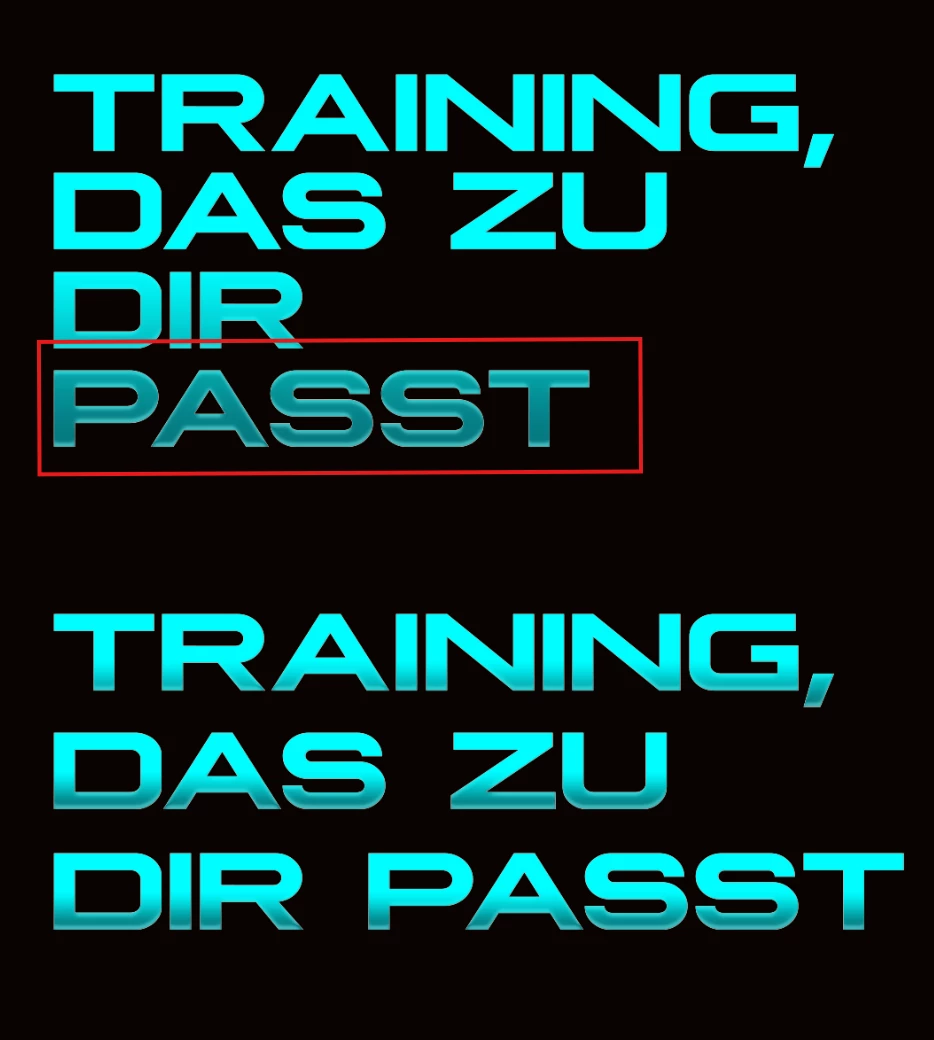
It would be great if layer effects applied to text could work per line, not only to the entire text block. Right now I have to split the text into separate lines manually so that the layer effects are applied correctly to each line. It would be much more convenient if this worked automatically for multi-line text.


    Correct answer Trevor.Dennis

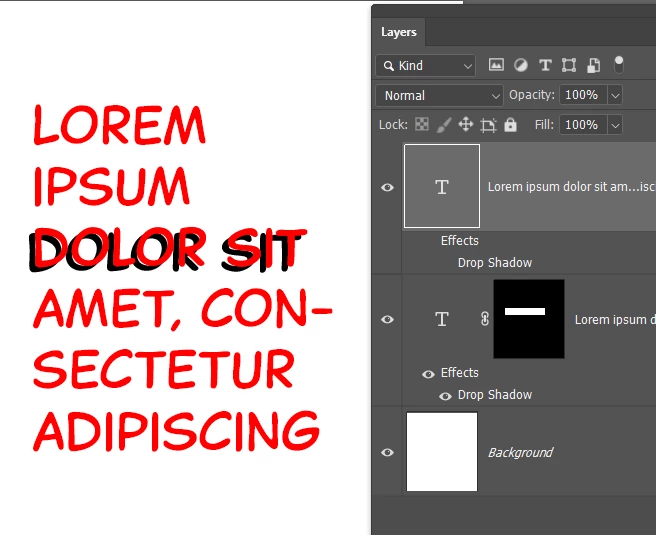
    Copy the layer

    Add a layer mask to both layers.

    Edit the copied layer’s layer styles and mask out the unwanted area on both layers.

    Or simply turn off the layer style in the copied layer


    4 replies

    c.pfaffenbichler
    Community Expert
    Community Expert
    February 6, 2026

    I suspect that it might be possible to split a Type Layer to »single line«-Type Layers via a Script, but that would naturally be inconvenient for further text editing. 

    Known Participant
    February 6, 2026

    👉Video
    It would be great if layer effects applied to text could work per line, not only to the entire text block. Right now I have to split the text into separate lines manually so that the layer effects are applied correctly to each line. It would be much more convenient if this worked automatically for multi-line text.


    Legend
    February 5, 2026

    This would require Adobe to considerably change text handling. It’s the same with scripting text attributes, requires some gyrations to apply different formatting to separate lines. I don’t see this happening because the entire layer will always be affected by Layer Effects.

    Known Participant
    February 6, 2026

    Adobe, with all its billions, is long overdue for a serious overhaul of its entire software ecosystem, otherwise people will simply move elsewhere. I’m already gradually switching to Figma myself. If Adobe keeps ignoring user requests for decades, their stock value might eventually drop to zero. 

    Trevor.Dennis
    Community Expert
    Trevor.DennisCommunity ExpertCorrect answer
    Community Expert
    February 5, 2026

    Copy the layer

    Add a layer mask to both layers.

    Edit the copied layer’s layer styles and mask out the unwanted area on both layers.

    Or simply turn off the layer style in the copied layer


    jane-e
    Community Expert
    Community Expert
    February 5, 2026

    @artur_0832 wrote: I have to split the text into separate lines manually so that the layer effects are applied correctly to each line.


    ”Layer Effects” will always affect the entire layer, as the name implies. Are you saying that pressing Return to create a new line is working for you and that PS is applying a Layer Effect to part of a layer? That doesn’t make sense (to me).


    Trevor’s suggestion is a good one. Let us know if that works for you.


    Jane