
Participant
July 31, 2025
Answered

Layer Effects won't stay turned off from save to save.

  • July 31, 2025
  • 1 reply
  • 299 views

PS 26.2.0
MacOS running Sequoia

This is a VERY niche problem - I am using Photoshop for drawing storyboards.  I will use a LAYER EFFECT of COLOR OVERLAY/SCREEN on the previous layer to then draw the next pose of a character on the layer above it.  I will then either turn off the COLOR OVERLAY or try and delete it on the previous layer.  Then SAVE the file.

When I go to open the file again, often ALL of those LAYER EFFECTS will be turned on, and I have to go back in physically and turn them off or delete them. I SAVE the file again...

...then they're back ON again when I open the file again!  

HOW CAN I STOP THIS FROM HAPPENING!?!

-Christian
Correct answer c.pfaffenbichler

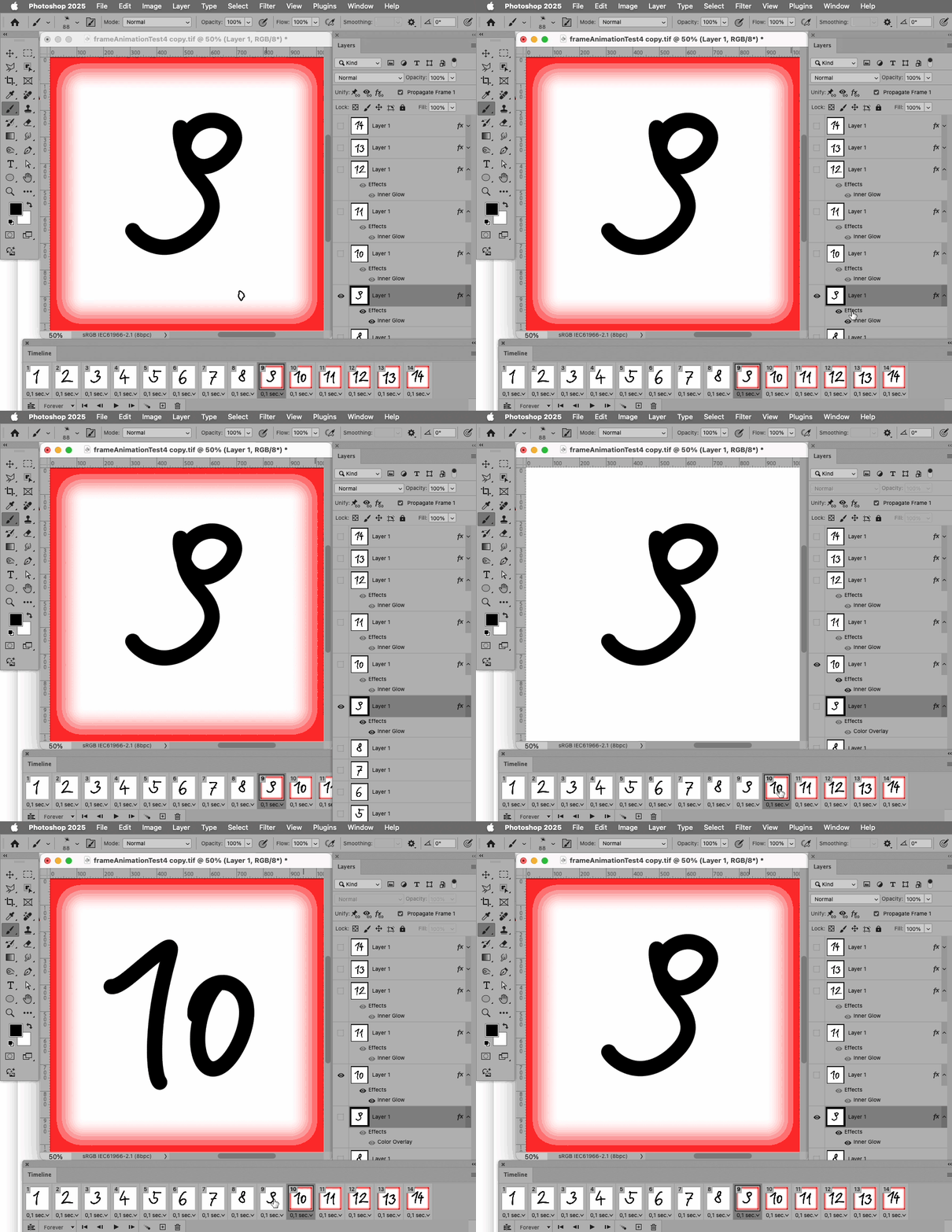
Deleting a Layer Style on a Frame appears to be the »wrong« approach, hiding it instead should work. 

Deleting the Layer Style seems to fail even without re-opening the file, simply by selecting a different frame and then reselecting the affected one. 

1 reply

Community Manager
July 31, 2025

Hi @Croman_SVA, welcome to the community!

I haven’t been able to reproduce the issue on my end. Does it happen with every file, or just that one in particular? If you’re able to, could you share a screen recording of what you’re seeing? Also, if you haven’t already, try updating to the latest version of Photoshop (26.9) and let us know if the issue still occurs there.

Thanks so much!
Alek

*(If you mention me with an @, like @Aleke, I’ll get a notification and can respond faster.)*
Participant
August 1, 2025

@Aleke !  I've made a recording and greyed out the proprietary drawings so hopefully it protects me from revealing too much but is clear enough to show you what's happening.  I had just opened this file, notices the blue overlay screen LAYER EFFECT was visible on two frames.  I went into each frame and deleted the layer effect from the layer for both frames on the timeline.  Saved and closed.  Opened again, and while the layer effect was gone from the second frame, it was back on in the first frame.  

c.pfaffenbichler
Community Expert
c.pfaffenbichlerCommunity ExpertCorrect answer
Community Expert
August 5, 2025

Deleting a Layer Style on a Frame appears to be the »wrong« approach, hiding it instead should work. 

Deleting the Layer Style seems to fail even without re-opening the file, simply by selecting a different frame and then reselecting the affected one.