
w8kdrifter
Participant
July 22, 2018
Answered

Layer Mask Doesn't seem to work

  • July 22, 2018
  • 1 reply
  • 358 views

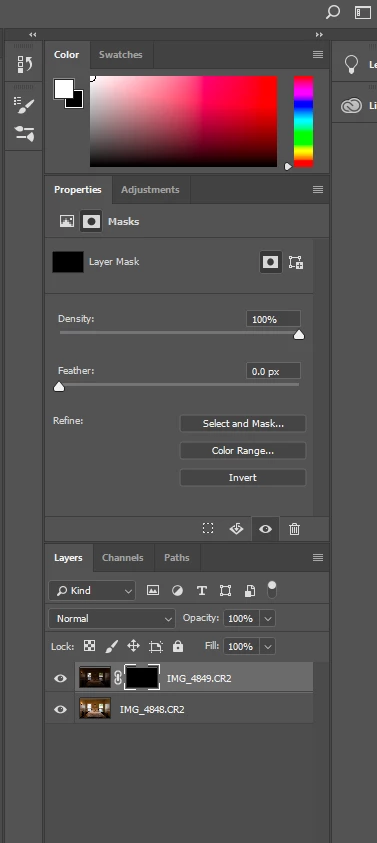
I have two photos as layers in Photoshop and I want pull the exposure from the windows onto my ambient shot. I have set up a Layer Mask but when I go to brush in the mask nothing happens. Settings below. Am I doing something wrong? When I use the brush nothing shows up in the black box (white overlay letting me know where the brush is going).
    This topic has been closed for replies.
    Correct answer Chuck Uebele

    Can you show your entire workspace? The brush needs to be set to white, and make sure it's using normal blend mode. I can't tell what those settings are from your screen shot.

    1 reply

    Chuck Uebele
    Community Expert
    Chuck UebeleCommunity ExpertCorrect answer
    Community Expert
    July 22, 2018

    Can you show your entire workspace? The brush needs to be set to white, and make sure it's using normal blend mode. I can't tell what those settings are from your screen shot.

    w8kdrifter
    Participant
    July 22, 2018

    I was just coming back to post that I figured it out and saw your response. My brush mode was set to "color burn" and not "normal". That was driving me nuts. Thank you for the response.