
Participant
April 19, 2022
Question

Layer Mask Not Working - Brush Can't Fully Delete

  • April 19, 2022
  • 2 replies
  • 345 views

Hi Everyone,

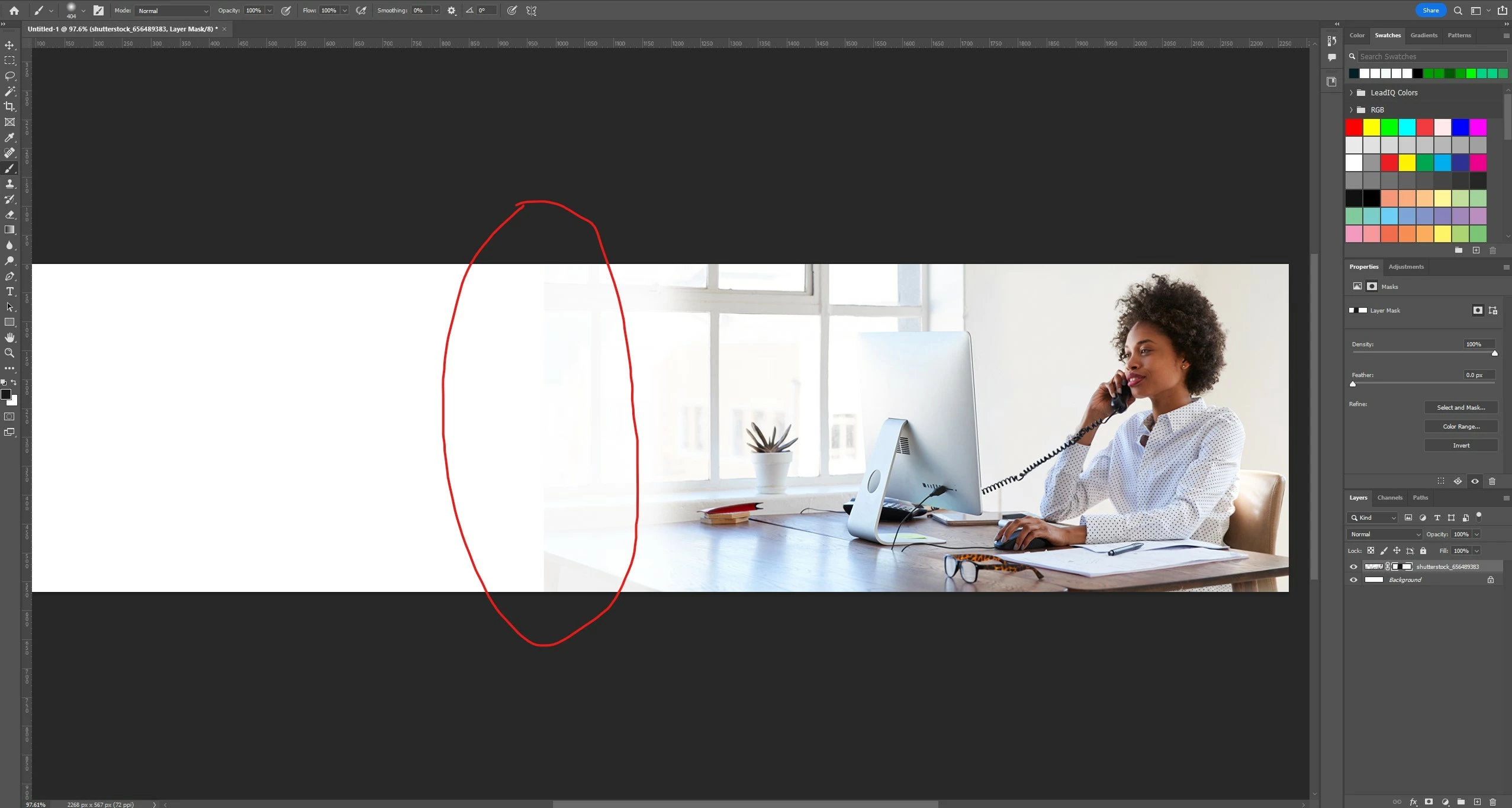
for some reason when I create a layer mask and use a black color brush on it, there is a small amount of the original image that stays. Please see the image below, the area around the red circle is where you can notice it.
This topic has been closed for replies.

2 replies

Legend
April 19, 2022

Doesn't look like your foreground color is 100% black.

melissapiccone
Community Expert
Community Expert
April 19, 2022

Either you aren't using black - it's a shade of gray or you are using a soft brush and haven't covered enough of your image. I suggest you use a gradient in you layer mask to fade the effect. Make sure you are using black, 0, 0, 0.

Melissa Piccone | Adobe Trainer | Online Courses Author | Fine Artist