
Layer mask rubylith view not working on mac
Hi,
I have been working on a windows pc for years with photoshop and last month I decided to switch to an iMac. Mostly I am really happy with it, but one thing I can't figure out, and really need, is how to toggle the rubylith mode. I know this usually is done by pressing the backslash on your keyboard (which is not visible on a mac keyboard though, but I found out, as the forward slash is above the number 7, that with option + shift + 7 you can use the backardslash).
The other weird thing is that, when I go to mask options, I can't choose "Color indicates: Masked areas - Selected areas". I have been looking all over internet for an answer but most people will answer by saying: Use backslash, which obviously isn't the answer now.
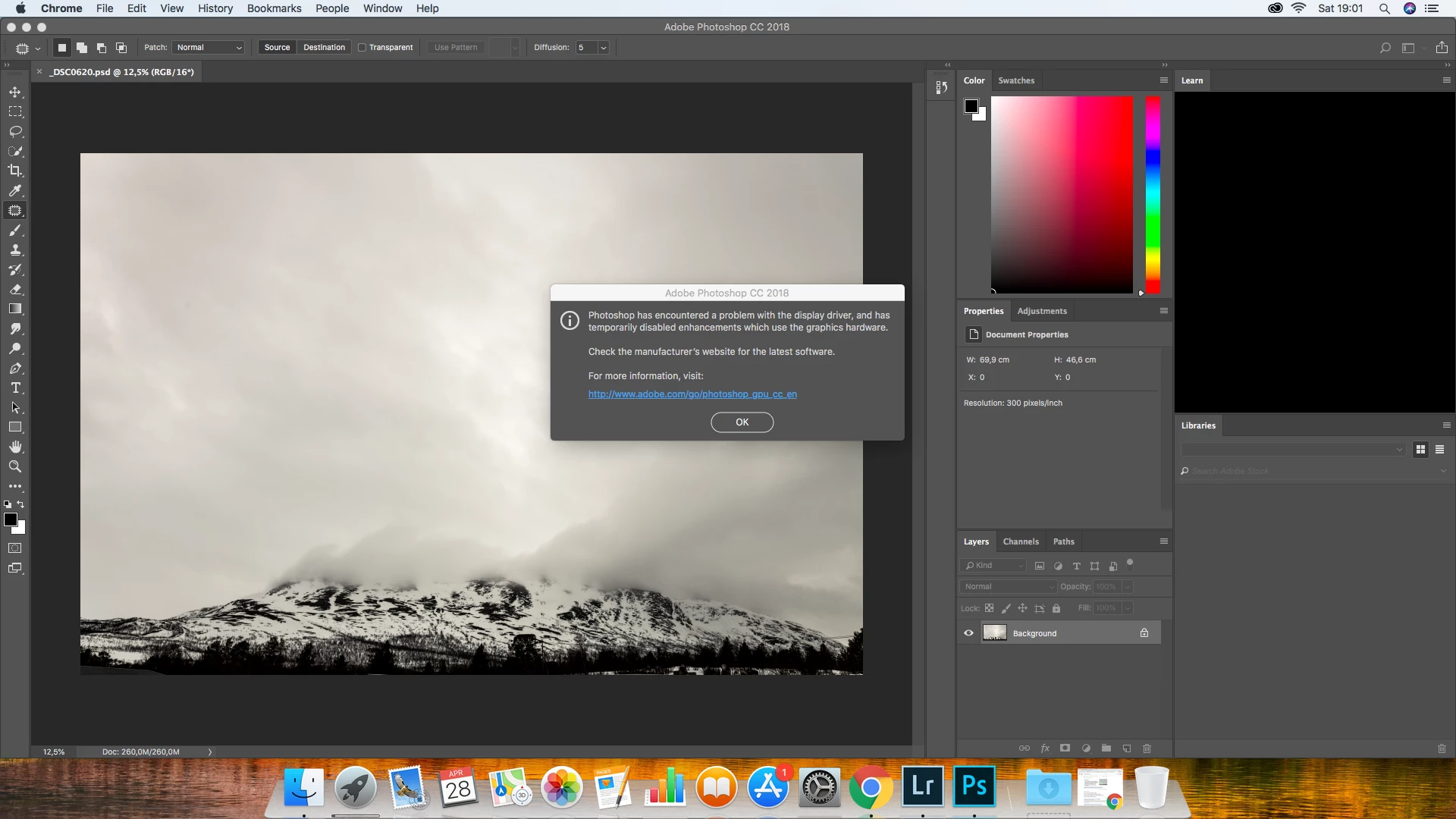
There's one thing that I want to notify, not sure if and how this would be related to the problem, when I started photoshop for the first time, I got an error message about my iMac's GPU, as seen in the attachment.
Hope anybody can help.
Thanks!
 AdChoices