
Participant
June 27, 2023
Answered

Layer Masks Not Showing

  • June 27, 2023
  • 2 replies
  • 421 views

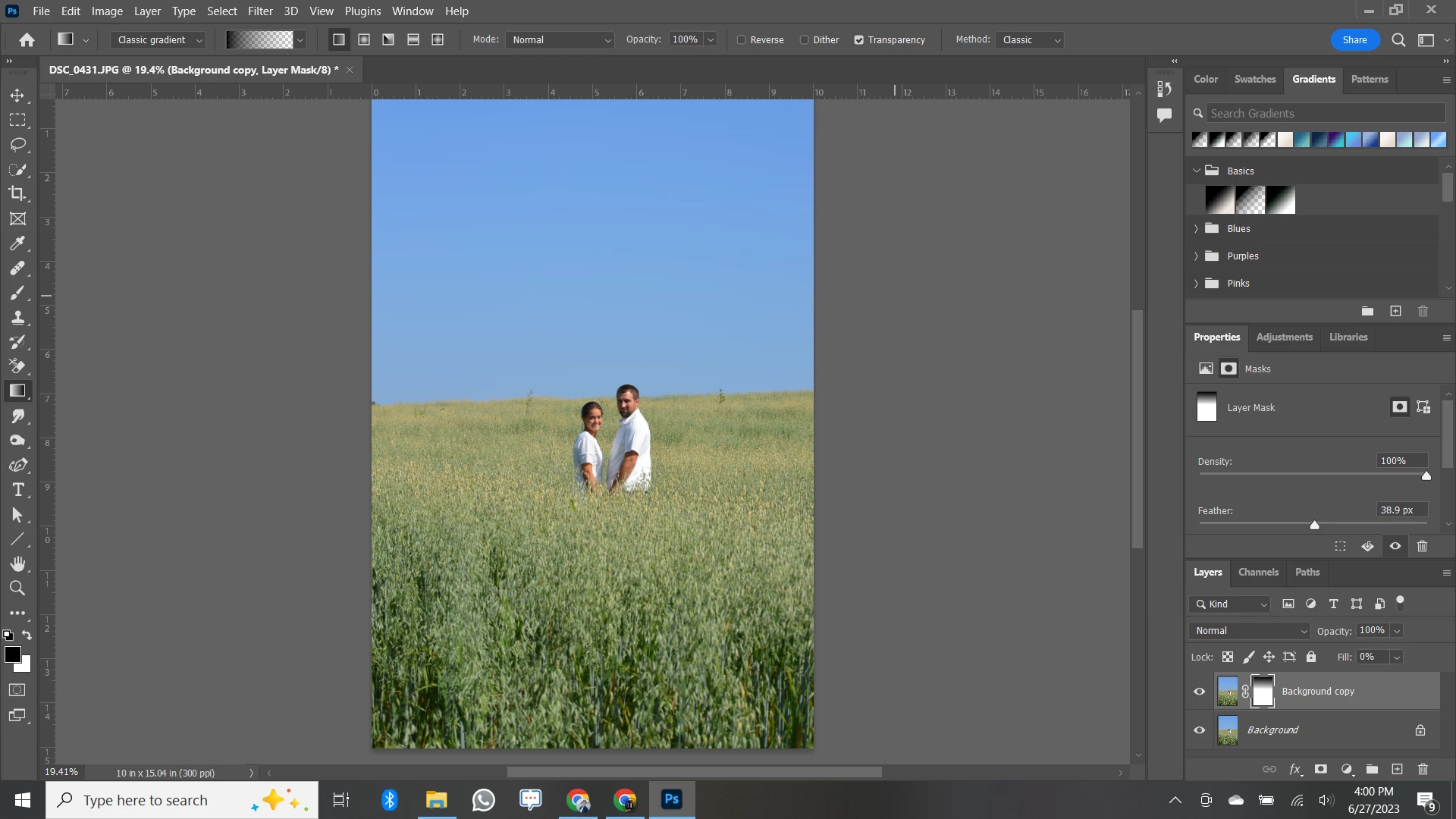
I want to add a gradient layer to this photo and I can do so, but it's only visible in the little thumbnail, and not on the actual photo, therefore I can't see what I'm doing! It had been working fine, but then suddenly won't show. Please help!
This topic has been closed for replies.
Correct answer mglush

Hi!

In looking at your Layers panel, I can see the gradient in the mask, so that you are masking the sky area. But the layer underneath is the same image, so you are not seeing any difference. Turn off the bottom layer, and you should see the transparency in your top layer. Or insert a layer inbetween the two and fill it with a different color, and you should see the difference.

Let us know if that helps, or if you still have questions.

Michelle

2 replies

mglush
Community Expert
mglushCommunity ExpertCorrect answer
Community Expert
June 28, 2023

Hi!

In looking at your Layers panel, I can see the gradient in the mask, so that you are masking the sky area. But the layer underneath is the same image, so you are not seeing any difference. Turn off the bottom layer, and you should see the transparency in your top layer. Or insert a layer inbetween the two and fill it with a different color, and you should see the difference.

Let us know if that helps, or if you still have questions.

Michelle

Jeff Arola
Community Expert
Community Expert
June 27, 2023

Looks like you have Classic gradient selected in the tool options, which mimics the old Gradient Tool.

Change it to Gradient, then you'll create a Gradient Fill Layer.