
Participant
July 30, 2020
Question

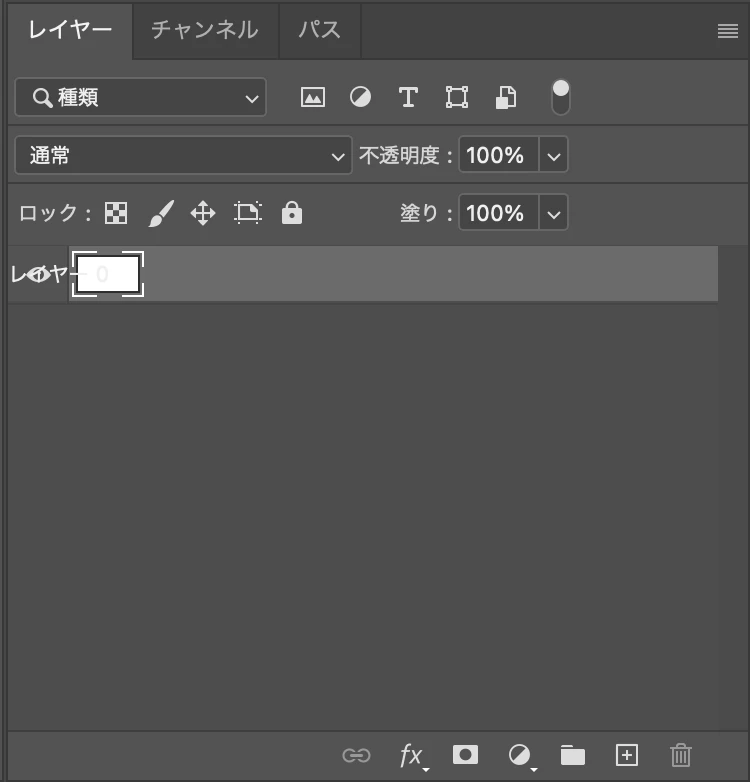
layer panel overlapping

  • July 30, 2020
  • 1 reply
  • 471 views

I am using photoshop 2020 and recently changed my laptop to MacBookPro. Everytime when I open new project or a project I already made from previous laptop, every text of layer panel are overlapping as picture shown. I already tried restarting my laptop and uninstall and reinstall photoshop. However they are not working. Could anyone else help with my issue... thanks

T
This topic has been closed for replies.

1 reply

JJMack
Community Expert
Community Expert
July 30, 2020

Windows will work that way when palette are floating(not docked to Photoshop's window frame).  Mac users have an option not to show Application frames. I do not know but I feel that may have something to do with your layer palette floating over your image.  I use windows.

JJMack
PECourtejoie
Community Expert
Community Expert
July 30, 2020

Hi, I see that the layer name overlaps the layer thumbnail.

Are you runnig 21.2.1? I'm asking as many small bugs are fixed in each release.

Did you install the US and the localized version, or just the localized version?

did you reset Photoshop's preferences by holding down Ctrl+Alt+Shift (Pc) Cmd+Opt+Shift (Mac) as you click on Photoshop's icon to start it up.

See: https://helpx.adobe.com/photoshop/using/preferences.html

If you do have access to the menu Edit>Preferences (Pc) or Photoshop>Preferences (Mac), it is possible to reset them from the General submenu.