
Participating Frequently
July 17, 2020
Question

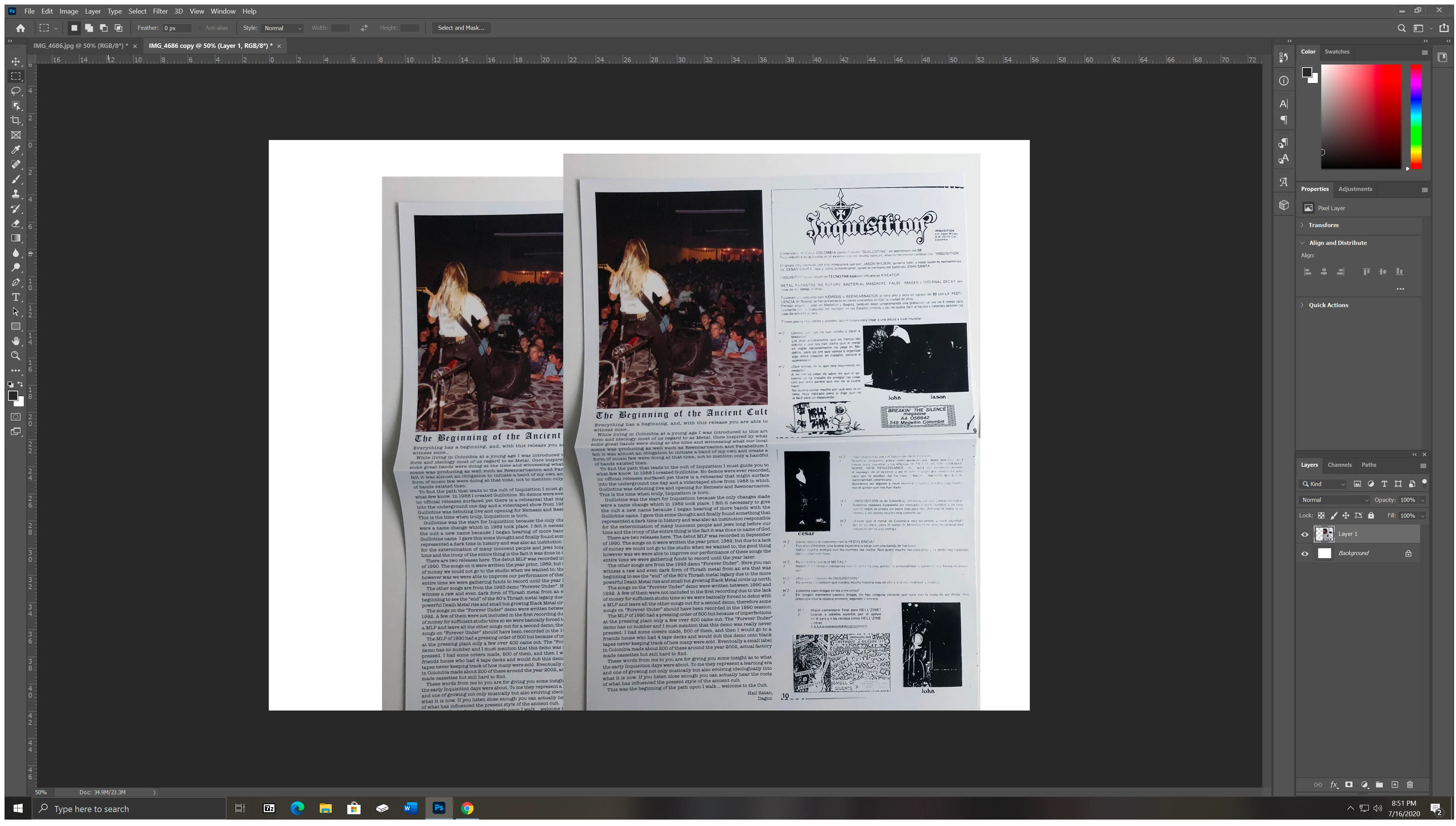
Layers are auto duplicating when initially release left click then move layer again

  • July 17, 2020
  • 2 replies
  • 949 views

may sound weird but that's what is happening, started today can't figure out how to stop it. When I move a image onto another for a layer and release the left click on mouse, the layer is auto duplicating but is not creating a new layer and i can't get rid of it, like it's perm in the background layer. So when I move the layer the auto duplicate remains - attached screen shot to help explain better. I did a all tools reset but didn't fix the issue. 
This topic has been closed for replies.

2 replies

Participating Frequently
July 17, 2020

OK, I solved the issue, before I was going into preferences > general and unselecting "Use Legacy Free Transform" when that didn't work I then went back into preferences > Performance > and Unchecked Legacy Compositing and that solved the problem it seems.

Semaphoric
Community Expert
Community Expert
July 17, 2020

In the preferences, turn off "Legacy Compositing" (in the "Performance" section).

Participating Frequently
July 17, 2020

@Semaphoric-PLXibm 
yeah I just figured it out finally, then replied, then seen your post, thank you