

Answered
Layers are not showing up in CC 2019
For some reason when I opened a PSD file that is created by other application (Clip Studio Paint), some layers goes invisible when I open them in Photoshop CC 2019. I can see the layers on the panel, I can select them but I just can't see it in the document. If I duplicate the invisible layer to other document, they do showing up.
I tried to open the same document on CC 2018, and that version can open the PSD file correctly.
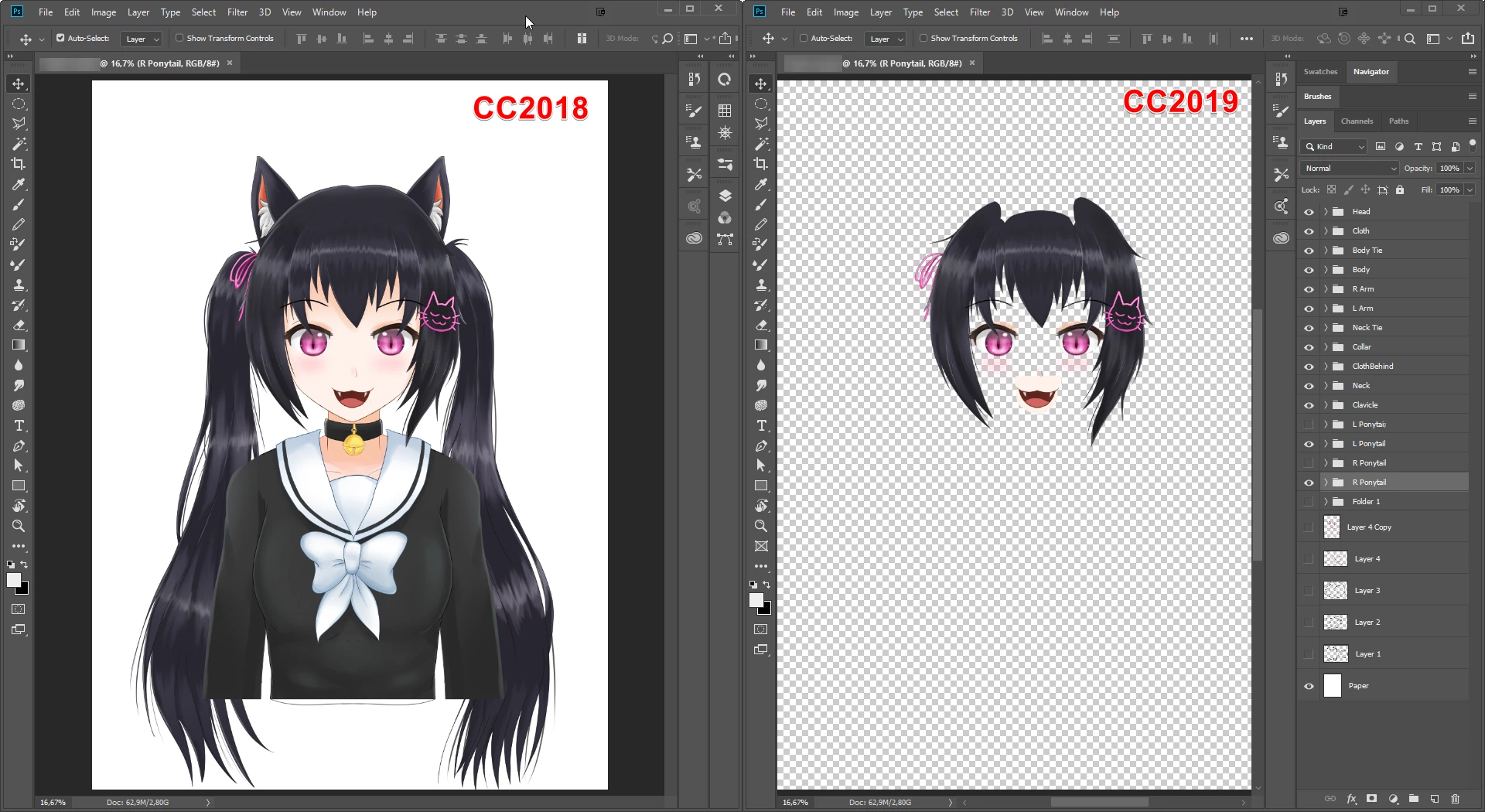
What gives, Adobe..?
 AdChoices