Feniksenia5FEE
Participant
September 28, 2021
Question

Layers disappear on Timeline

  • September 28, 2021
  • 1 reply
  • 995 views

Hello! Sorry for my english! Hope, you'll understand my problem and help me with it!


I use Mac, Photoshop 22.4.3. 

I create video timeline. I have many layers, i transform them and so on. When i press "play", some layers disappear! When I press stop, then all layers appear again. 

The only solution to see all layers in preview is to load video frame by frame, but this way is too long.

I cleaned memory,  cache, the memory card is only half full.
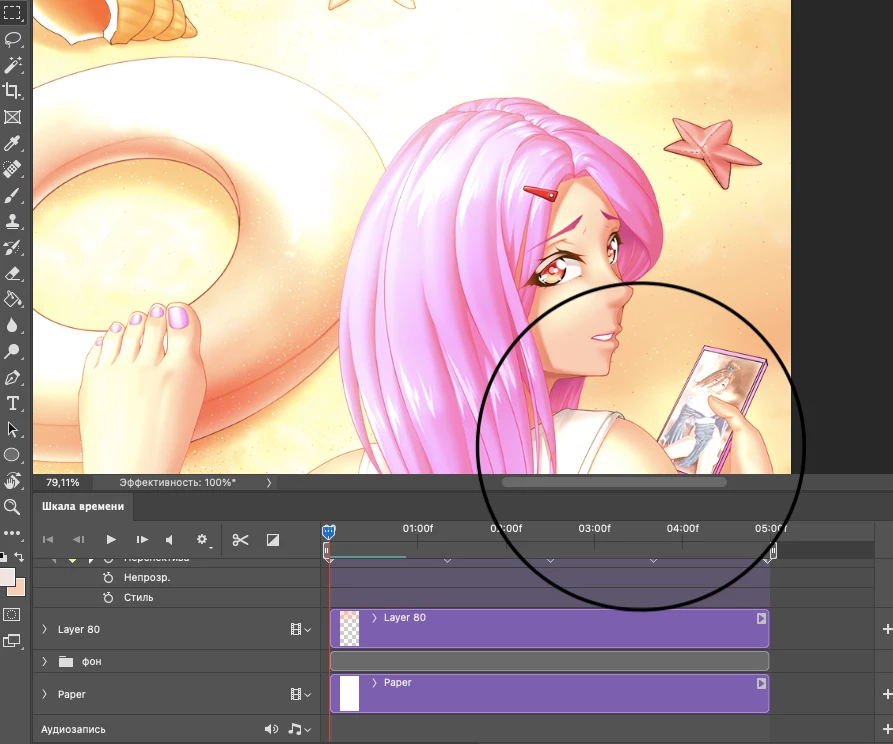
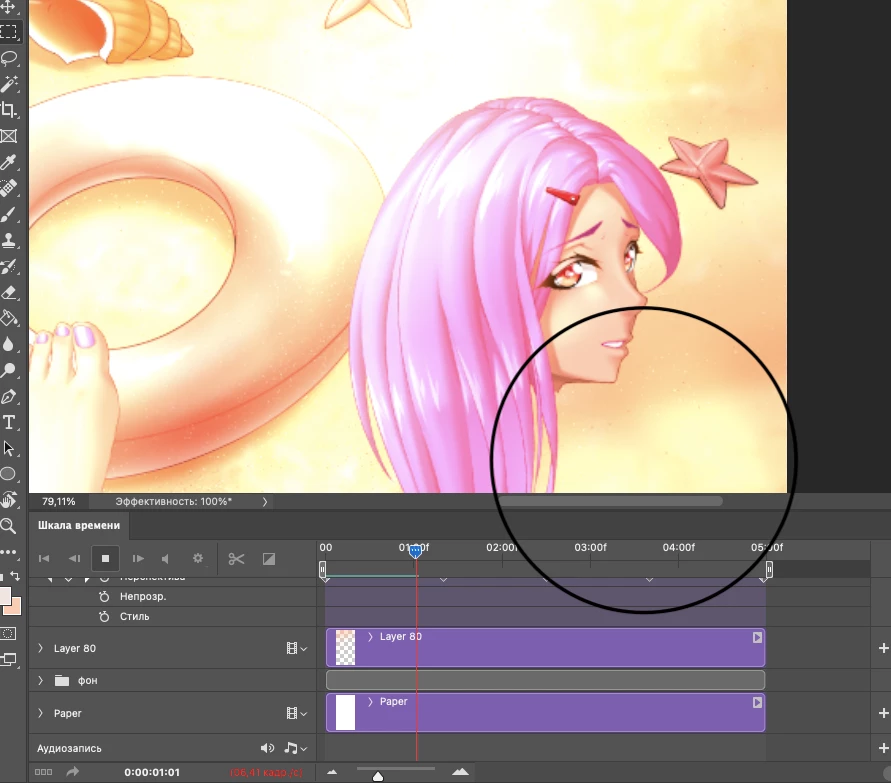
Please, help me! 

This topic has been closed for replies.

1 reply

mglush
Community Expert
Community Expert
September 28, 2021

Hi!

This may seem like a very simple question, but have you made sure that the corresponding layer of that image is visible at that point on the timeline? I noticed that in the top and bottom images the timeline indicator is in a different spot.


Can you show us a screenshot of your Layer's panel?

Thanks,

Michelle

Feniksenia5FEE
Participant
September 28, 2021

In the screeenshots I showed that when I press "play", then some layers disappear. All layers are visible. They all appear when the preview stops. 

mglush
Community Expert
Community Expert
September 28, 2021

My question was related to where the timeline indicator was. So, if you move the timeline indicator over to the same spot, without the video playing, then you can still see the image?


Do you have any effects added to that layer?