
BabyBandit
Inspiring
April 15, 2021
Answered

Layers Not Locked but says they are

  • April 15, 2021
  • 3 replies
  • 2234 views

Hello, 


Hopefully you wonderful people can help me. I have a file with grouped layers. Nothing is locked I have checked all layers. Everytime I go to move or transform the group it tells me I can't because it contains a locked layer. Is this an error within Photoshop and if so How can I work around it or am I doing something wrong.
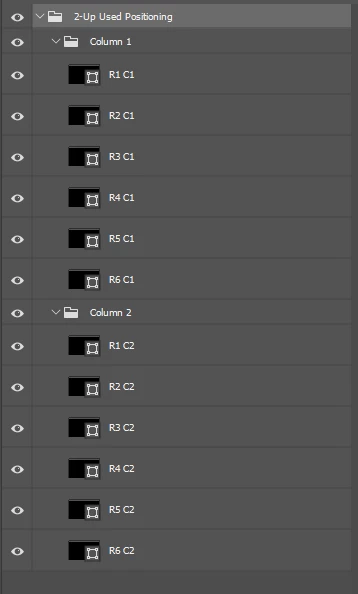
As you can see no locked layers.

Still getting this error message

Correct answer c.pfaffenbichler

Seems like a good news, bad news situation. 

• I can reproduce the behaviour and I do not know what causes it. 

• I can work-around it by ungrouping the Layers and grouping them anew, then transforming the Group seems to work. 

3 replies

c.pfaffenbichler
Community Expert
Community Expert
April 15, 2021

BabyBandit
Inspiring
April 18, 2021

Thank you,

I can't move them up or down as a group and the entire purpose of this file is for positioning. I recreated the file and that one works fine. My guess another Adobe glitch.

c.pfaffenbichler
Community Expert
c.pfaffenbichlerCommunity ExpertCorrect answer
Community Expert
April 15, 2021

Seems like a good news, bad news situation. 

• I can reproduce the behaviour and I do not know what causes it. 

• I can work-around it by ungrouping the Layers and grouping them anew, then transforming the Group seems to work. 

jane-e
Community Expert
Community Expert
April 15, 2021

For testing purposes, try selecting and moving or transforming one layer at a time to see if that works.

~ Jane