Answered
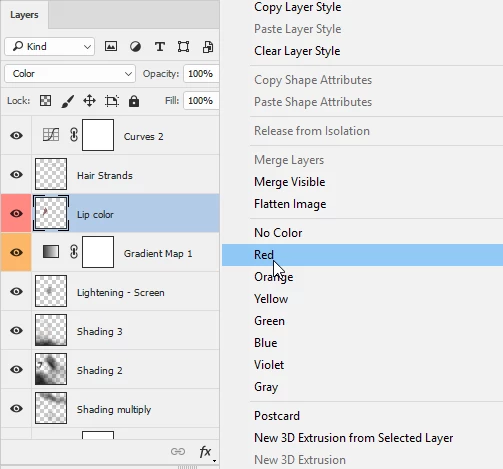
Layers Panel Options- Adding a color to the "eye" box
In my previous version, I was able to go into this and add a color. There isn't a place to do this now. Any ideas?
In my previous version, I was able to go into this and add a color. There isn't a place to do this now. Any ideas?
Hi
Right click on the layer and from the menu choose the colour
Dave
Already have an account? Login
Enter your E-mail address. We'll send you an e-mail with instructions to reset your password.
 AdChoices