Participant
February 16, 2018
Answered

Layers?? Smart Objects? Need advice.

  • February 16, 2018
  • 2 replies
  • 254 views

Hello. I am a beginner/novice Photoshop user and I am wanting to use Photoshop in conjunction with a program called Motion Artist to create what are called "motion comics".

So, I scan a 1-full page of comic panels. I get the Photoshop file. OK.

My question now is, how do I isolate and make layers to each of the individual comic art panels within this one page of the comic WHILE ALSO keeping the panels tied to the main page AND ALSO layering the individual comic art panels themselves as a layer?

Any advice is apprciated.
    This topic has been closed for replies.
    Correct answer Trevor.Dennis

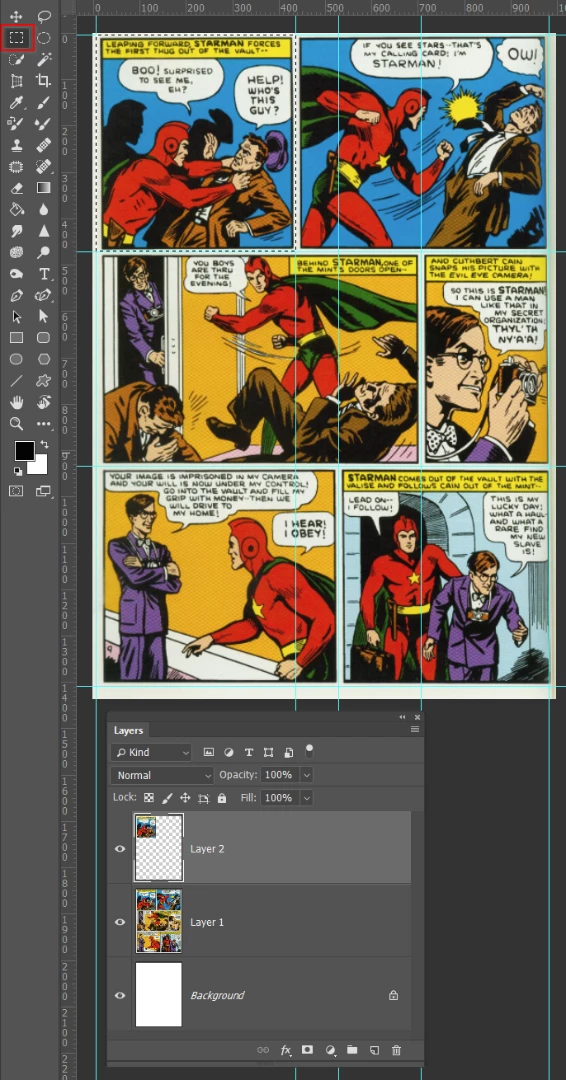
    I'd probably start by dragging out guides from the rulers (which you might need to turn on (Ctrl R))

    You could then use the rectangular marquee tool to select each segment, and copy to the new layer (Ctrl J or Cmd J)

    The selections will snap to the guides giving you perfect alignment.

    I don't know what sort of wokflow you have in mind, but if you wanted to produce template to creat the comic windows, then the above approach would need modifying.

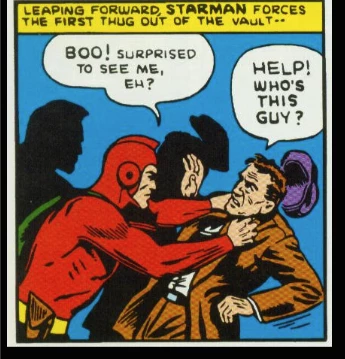
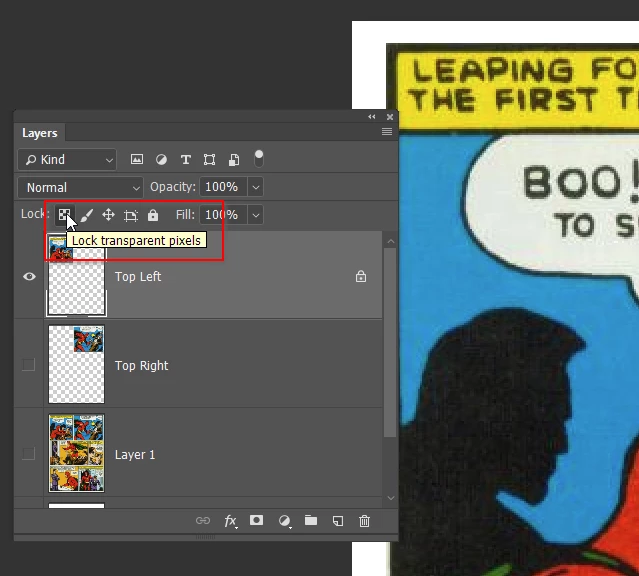
    Cut out just the drawing area and copy that to a new layer, and lock its transparency. This way you could draw on the window without having to worry about going outside its boundary.

    2 replies

    Trevor.Dennis
    Community Expert
    Trevor.DennisCommunity ExpertCorrect answer
    Community Expert
    February 17, 2018

    I'd probably start by dragging out guides from the rulers (which you might need to turn on (Ctrl R))

    You could then use the rectangular marquee tool to select each segment, and copy to the new layer (Ctrl J or Cmd J)

    The selections will snap to the guides giving you perfect alignment.

    I don't know what sort of wokflow you have in mind, but if you wanted to produce template to creat the comic windows, then the above approach would need modifying.

    Cut out just the drawing area and copy that to a new layer, and lock its transparency. This way you could draw on the window without having to worry about going outside its boundary.

    Nancy OShea
    Community Expert
    Community Expert
    February 17, 2018

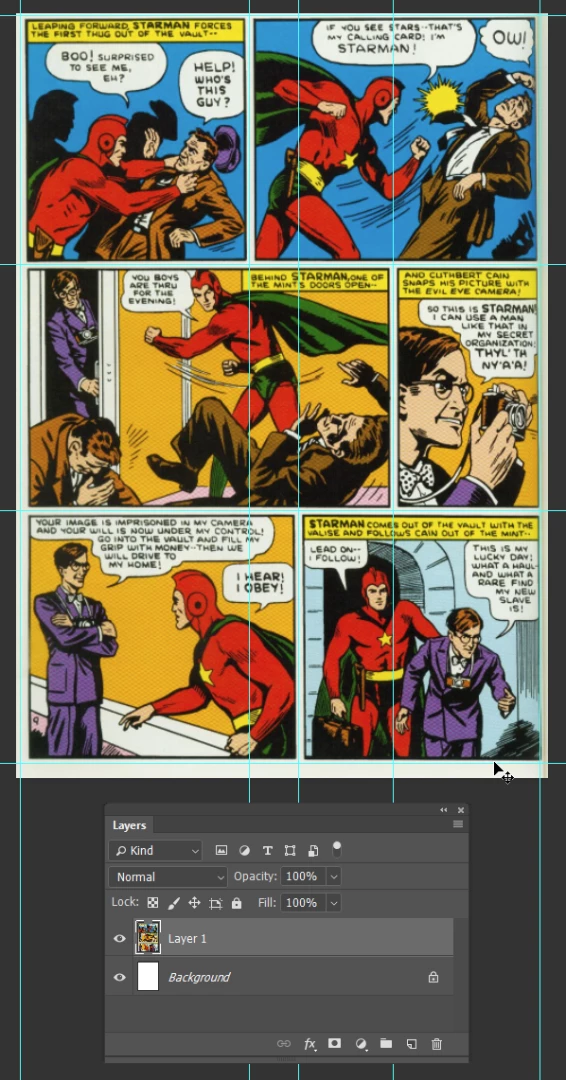
    I turned on Grids so I can see what I'm doing.  Basically you want each panel on its own layer as shown below.

    Nancy O'Shea— Product User & Community Expert