MULTIDIMENSION
Participating Frequently
February 21, 2018
Answered

Leading Error!!!

  • February 21, 2018
  • 3 replies
  • 991 views

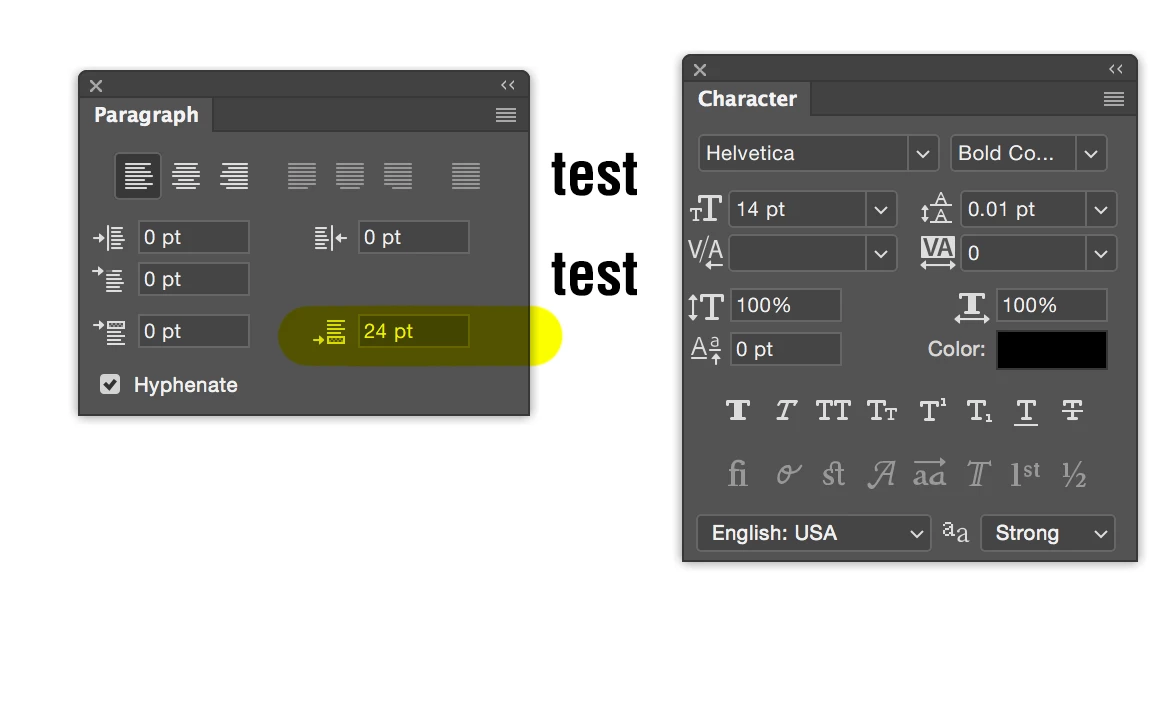
I have this issue on windows 10 for a while now. I mostly work on a mac but recently work in windows too and i keep having the same issue with character leading and i have the latest update which is v19.1. This is a screenshoot to the error.
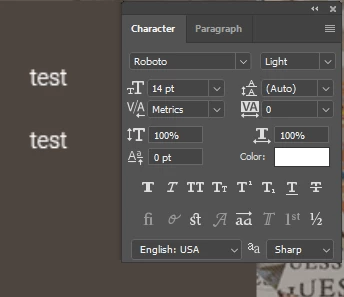
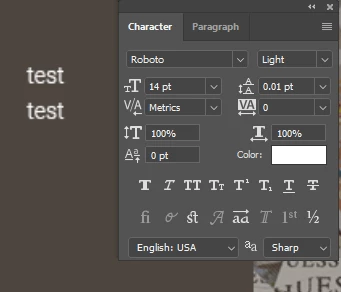
I did all the steps below:

1. I reseted the preferences to default

2. Uninstalled and installed again Photoshop

3. When i move the file to my mac it appears to have the same issue.

4. I read the forum about leading issue which almost everyone had since CC 2018 and tried any steps from the with setting the character leading from the properties window which does absolutely nothing.

Now please help because i need to work and i can't work while having this bug. Is really annoying.
This topic has been closed for replies.
Correct answer SJRiegel

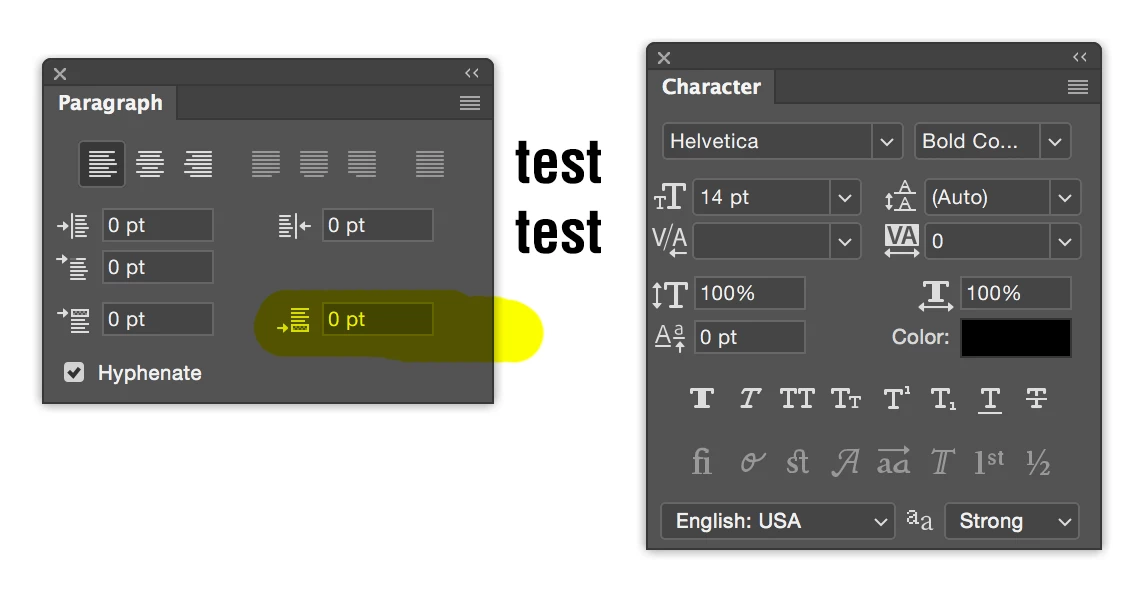
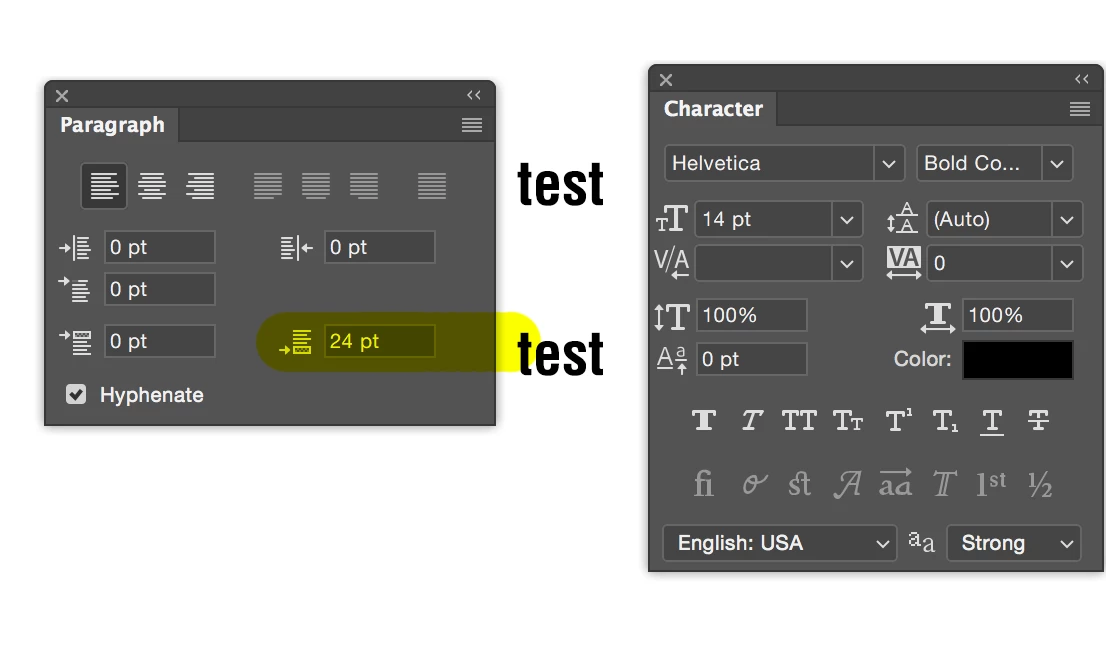
Have you checked your Paragraph spacing as Test Screen Name suggested? That is very likely the answer.

3 replies

Legend
February 21, 2018

So far as I can see, paragraphs are what you make with the type tool. You may want to use soft returns if you just want a line break, rather than just pressing enter.

Legend
February 21, 2018

So, did you press Return? Or did you use a soft return? Please show your Paragraph panel.

MULTIDIMENSION
Participating Frequently
February 21, 2018

Oh. That is the answer. Fixed the problem. Thanks!

I did press return quiet a few times but didn't do the trick. Didn't cross my mind to check the paragraph spacing as i thought the paragraph doesn't affect type tool.Thought that it affects only the paragraphs .Thanks for the help.

Legend
February 21, 2018

Which one's right? Which one's wrong? How did you make the one that's right? What is your aim wrt leading?

Legend
February 21, 2018

And in any case did you press RETURN to move between the lines, in which case paragraph spacing applies?