Participating Frequently
November 10, 2020
Question

legacy compositing has been removed - Photoshop v.22.0.0

  • November 10, 2020
  • 2 replies
  • 5361 views

Our customers have updated Photoshop to version 22.0.0, will encounter some problems with images.

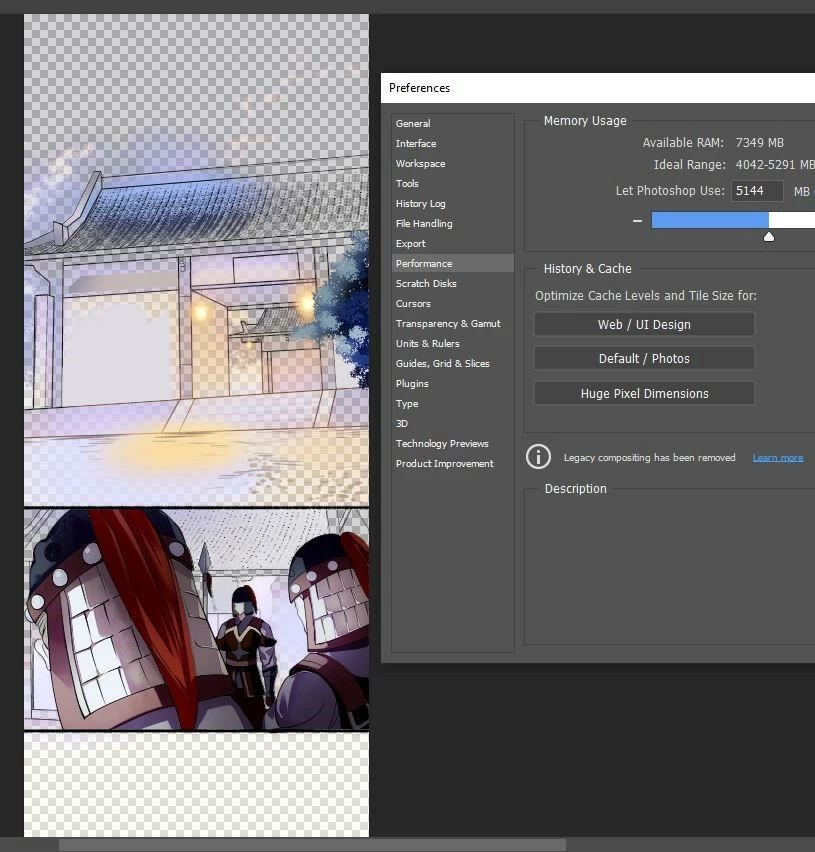
Some layers cannot be displayed in Photoshop 22 as picture below. 
 

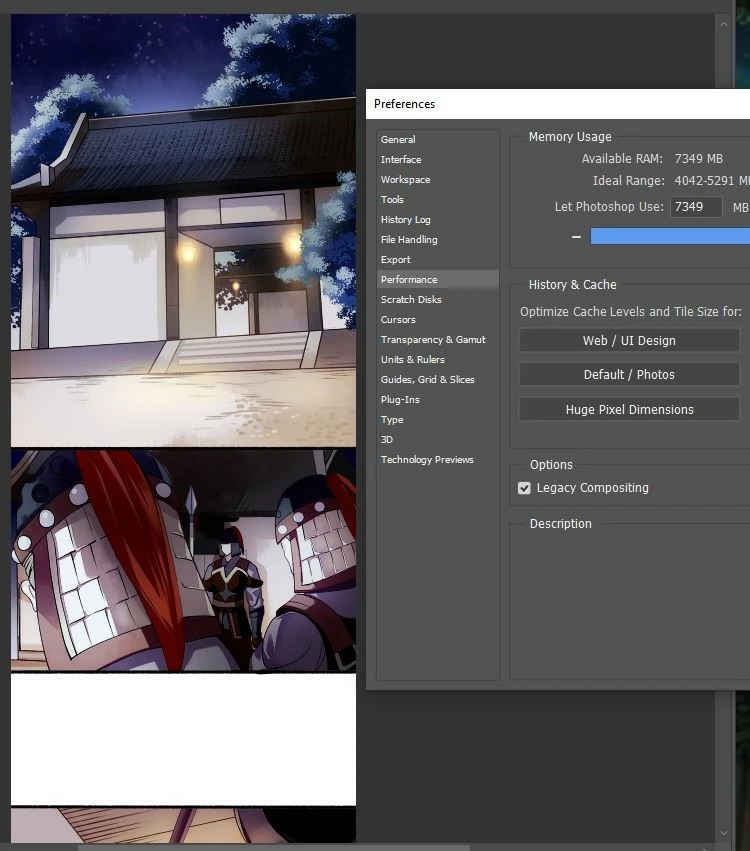
Earlier, in previous versions we encountered the same issue. But can fix the fever by checking Legacy Compositing, see the picture below;
 

But in Photoshop v.22.0.0 there is no Checkbox Legacy Compositing that can not fix the problem.


Please advise for fix this problem.


Thank you,

Surat

This topic has been closed for replies.

2 replies

Ussnorway7605025
Legend
November 10, 2020

whats to report... Adobe is well aware they removed the old system

John Waller
Community Expert
Community Expert
November 10, 2020

Of course they know they've removed the old system. Says exactly that in the UI.


I'm sure they want reports of unexpected behaviour using the new compositing engine.


Participating Frequently
November 10, 2020

So what should I do? When this function is no longer.
How do I fix this?

John Waller
Community Expert
Community Expert
November 10, 2020


The Learn More link in the Preferences points to:

Legacy Compositing


There Adobe asks you to Report the issue to:

Adobe Photoshop Family


Try that and see if you get a useful reply.