
Participating Frequently
February 22, 2021
Answered

Legacy custom shapes Photoshop 2021

  • February 22, 2021
  • 1 reply
  • 979 views

Hi! I work with PS 22.1.1 About the legacy custom shapes... someone can tell me: Are there any presets on the default shapes? Can we add or modify them in some settings? When I place a custom shape in my document, by default the shape is white with a black stroke! And what if... i want those shapes filled in black with any stroke color!? Thanks for ur reactions!
This topic has been closed for replies.
Correct answer jane-e

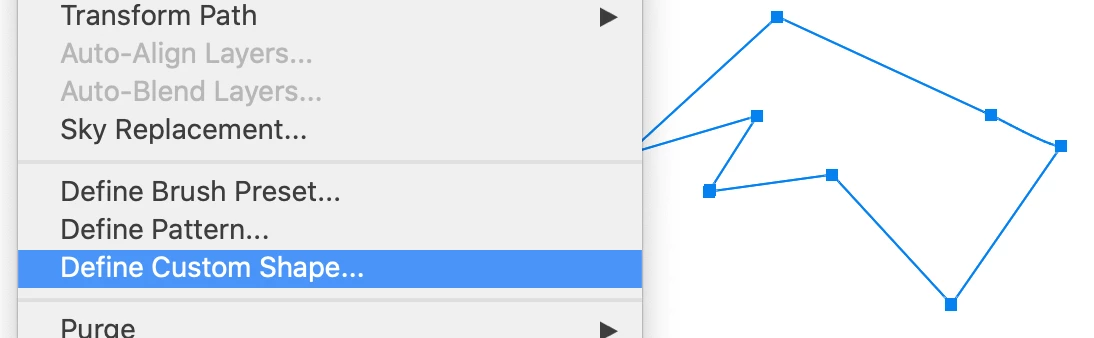
You can add any shape by selecting a path or shape and choosing Edit > Define Custom Shape.

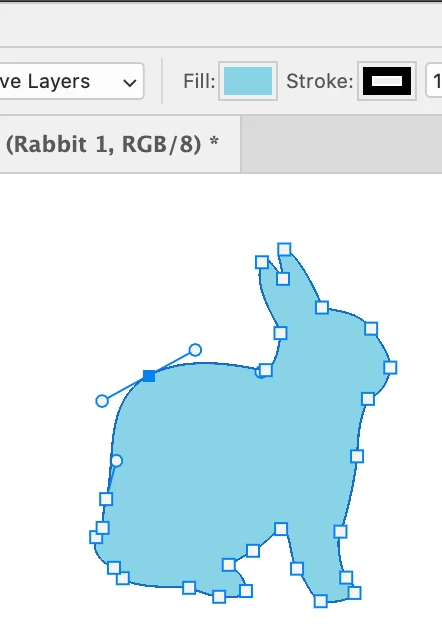
To edit a shape, use the Direct Selection tool (white arrow). Change the fill and stroke in the options bar.


~ Jane

1 reply

jane-e
Community Expert
jane-eCommunity ExpertCorrect answer
Community Expert
February 22, 2021

You can add any shape by selecting a path or shape and choosing Edit > Define Custom Shape.

To edit a shape, use the Direct Selection tool (white arrow). Change the fill and stroke in the options bar.


~ Jane

WalkiryAuthor
Participating Frequently
February 22, 2021

You got it! That's what I want to know! Ty so much!

jane-e
Community Expert
Community Expert
February 22, 2021

You're welcome, @Walkiry , happy to help 😊

~ Jane