Participating Frequently
December 28, 2022
Answered

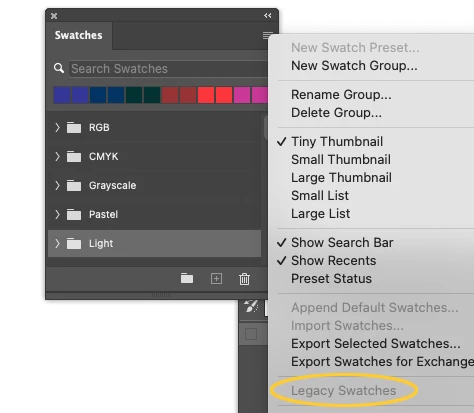
"legacy swatches" is grayed out in Photoshop 2023 – can't load legacy swatches
  • December 28, 2022
  • 11 replies
  • 1567 views

This topic has been closed for replies.
Correct answer Jeff Arola

Before doing the uninstall/reinstall of photoshop go to Apple>System Settings>Privacy & Security and under Full Disk Access see if Adobe Photoshop 2023 is enabled.

11 replies

Jeff Arola
Community Expert
Community Expert
December 28, 2022

What version of macOS are you using?


Are you using photoshop 2023 version 24.1?

You can check from within photoshop by looking at Help>System Info and reading the top line.


Is that the Window>Swatches panel?


Resetting your photoshop preferences by going to Photoshop>Preferences>General clicking Reset Preferences on Quit and restarting photoshop might solve the issue.

https://helpx.adobe.com/photoshop/using/preferences.html
