

Lens Correction Troubles
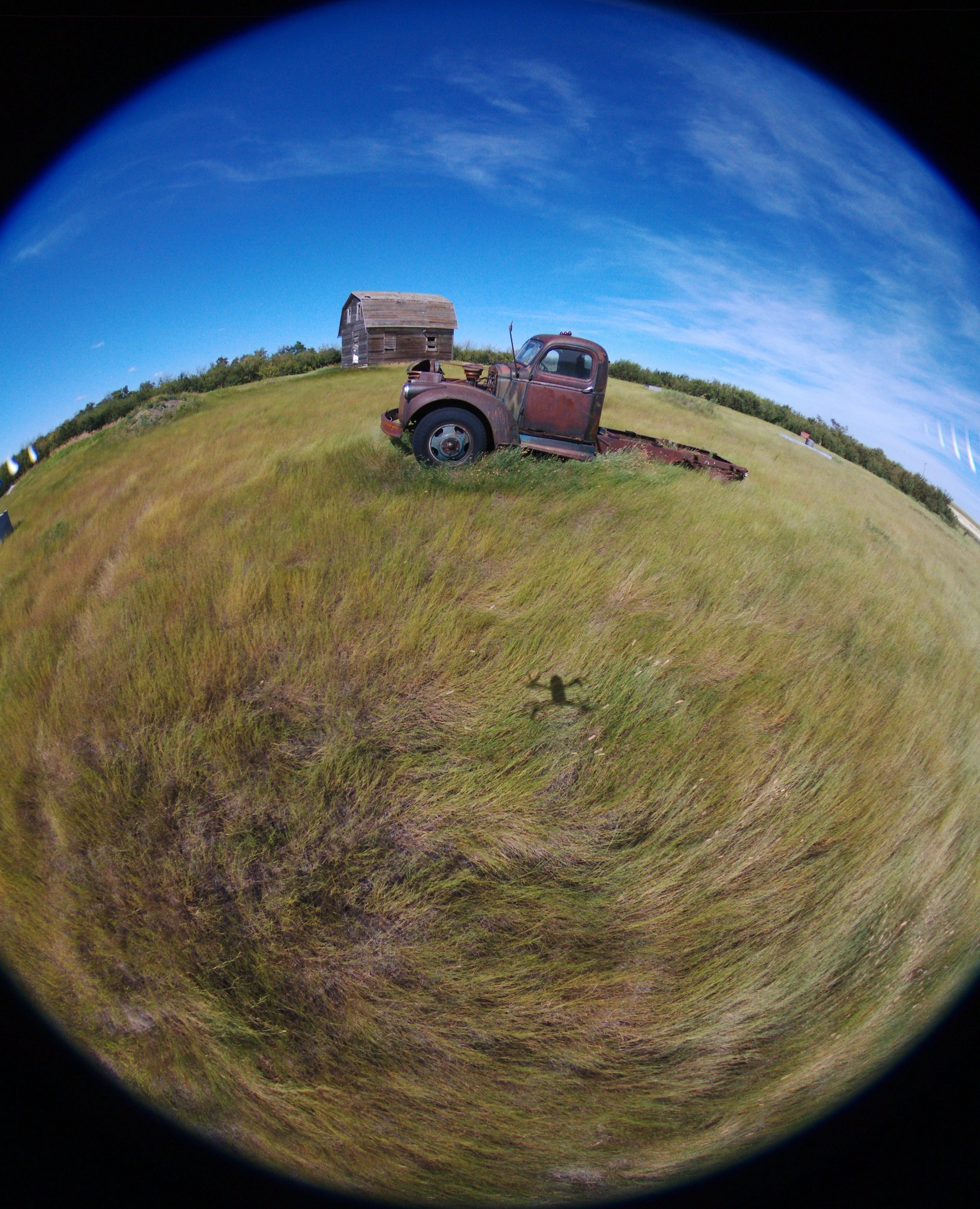
Hi there, I've recently shot some photos in DNG (raw) and JPG with my Parrot Bebop 2 drone and I'm having troubles finding an efficient way to perform lens corrections. I'll use this photo of an old truck in an abandoned farm to help explain what's happening.
Here's the JPG with no editing, to provide a frame of reference.
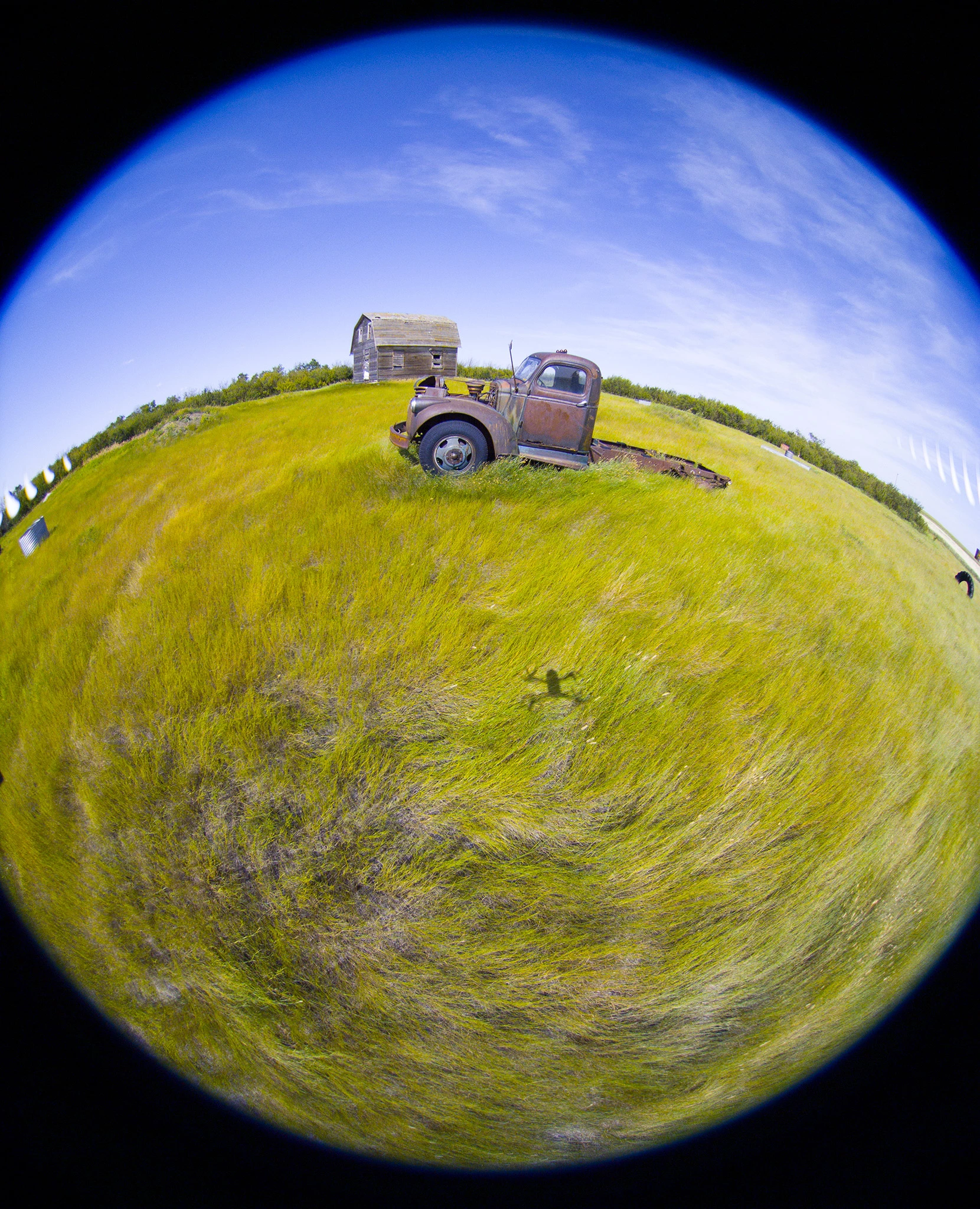
Now here's the raw photo (saved as a JPG) with no editing. Can anyone explain why the hues are so far off? Every raw photo seems to have the blues and yellows bumped up a ton. This isn't a big deal, as I'm quite capable with colour correcting, but it's still weird and annoying.
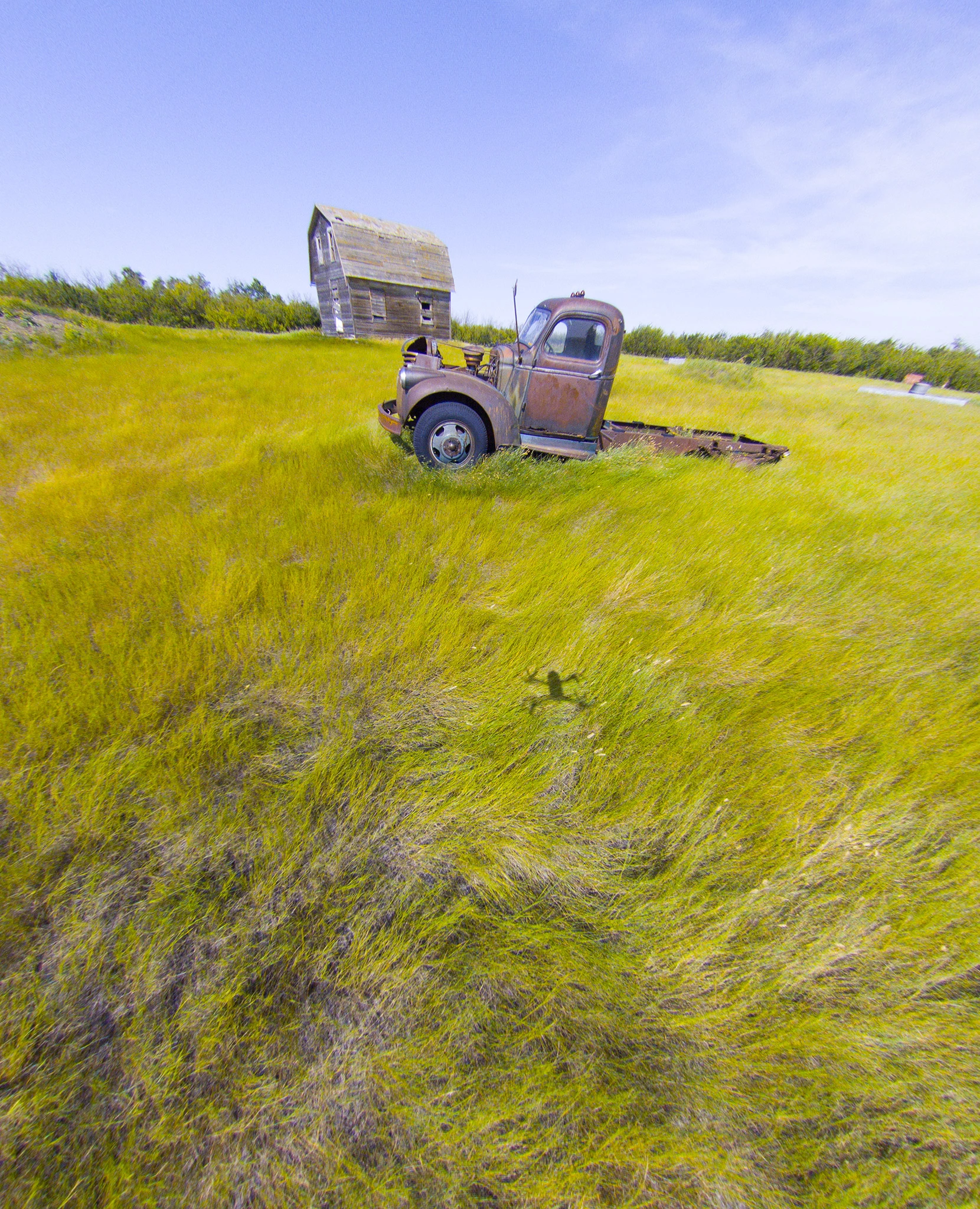
When I double click any of the raw photos in File Explorer, it is automatically opened in Adobe Camera Raw. There is a lens profile correction for Parrot Bebop 2 in this program. When that is applied, the photo looks like this. It's pretty decent, I think. The barn in the background is skewed quite badly, but I believe that's just because it's further away from the middle of the photo. Anyways, here it is:
Now, the problem is that performing this lens correction to each photo, one at a time, would be rather time consuming and tedious. I knew there had to be a way to batch edit or automate this process. I learned that in Photoshop you can record a set of "actions" that you do to one photo, then have those actions repeated with as many other photos as you like. This would be perfect, except for one major issue. When I try to perform the lens correction in Photoshop by going to Filter > Lens Correction and selecting Parrot Bebop 2, the photo comes out looking like this:
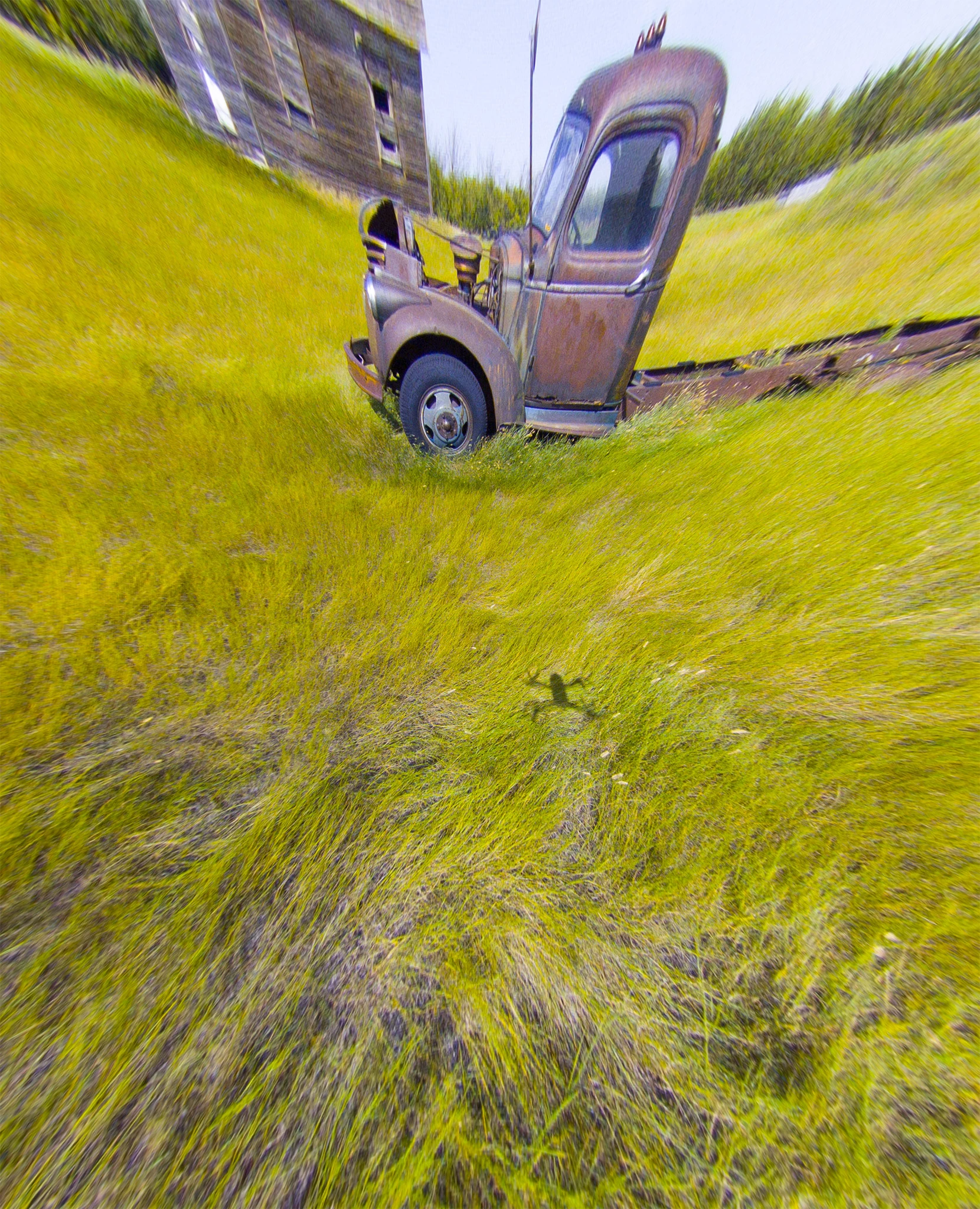
I don't understand why it works so well in Camera Raw, yet the same process in Photoshop gives me a completely different result. I also tried doing the lens correction in Lightroom, and it gave me the same result as Photoshop. Is there a way to make it come out properly in Photoshop, so that I can automate the lens correction for all of my photos? Or, since Camera Raw does the lens correction well, is there a way to automate the process in Camera Raw?
Thanks in advance for any help, I really appreciate it.
 AdChoices