This topic has been closed for replies.

4 replies

Jeff Arola
Community Expert
Community Expert
October 16, 2022

With photoshop 7.0.1 running on a 2001 Power Mac G4 Quicksilver 933 MHZ with Tiger 10.4.11


8000px x 8000px looks pretty close


14,000px x 14,000px starting to get pretty crazy


Participant
October 16, 2022

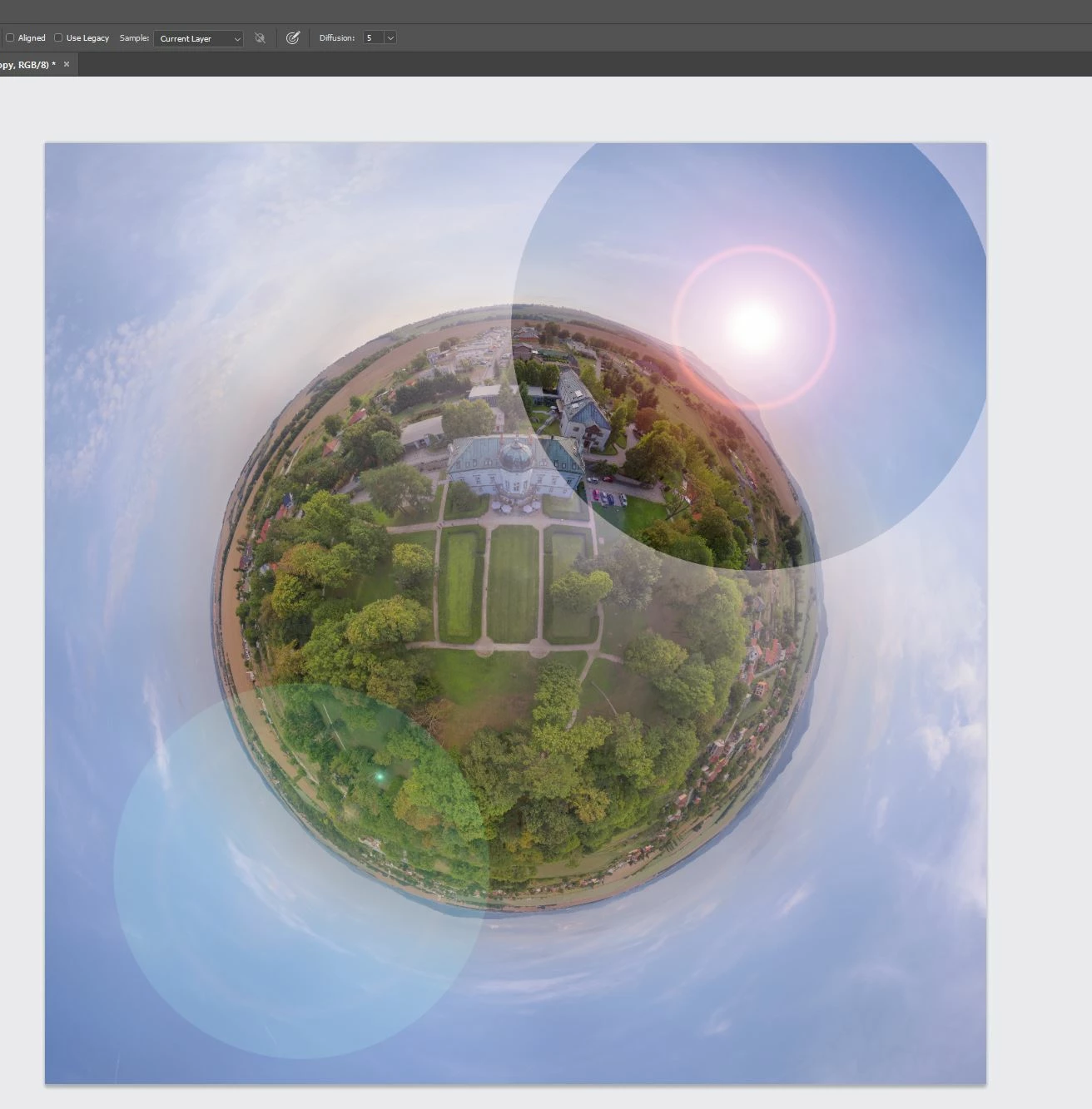
Yes our results are very similar to those generated above. Document in question here is only 5200 x 3100px in RGB 8-bit. We tried getting Lens Flare to work properly on it's own filled layer (tried all Blend modes), also tried just on the photo layer itself, and other combinations with the same faulty result. Interestingly since our last post here we copied the PSD document, flattened all the photo layers and Lens Flare applied OK at the same Pixel dimension so that's strange (especially as it was previously misbehaving in the same way across 3 separate and much smaller layers). So we're not convinced pixel dimension is necessarily the cause - most curious thing to us is we've use Lens Flare VERY often up to an A3 size 300dpi document (including last time about a week ago) and in 14 years have never had this happen - so....."why now"? Our studio computer is also "Updates Off" so theoretically Windows shouldn't have changed anything OS-wise either. We think this is the first PS fault we've encountered in all that time which is a pretty great recommendation to Adobe.

Jeff Arola
Community Expert
Community Expert
October 16, 2022

Definitely can replicate it on the mac side as well with photoshop 2022 (ps ver 23.5.1)


16,000px x 16,000px 8 bits/channel single Background layer filled with black


20,000px x 20,000px 8 bits/channel


Participant
October 16, 2022

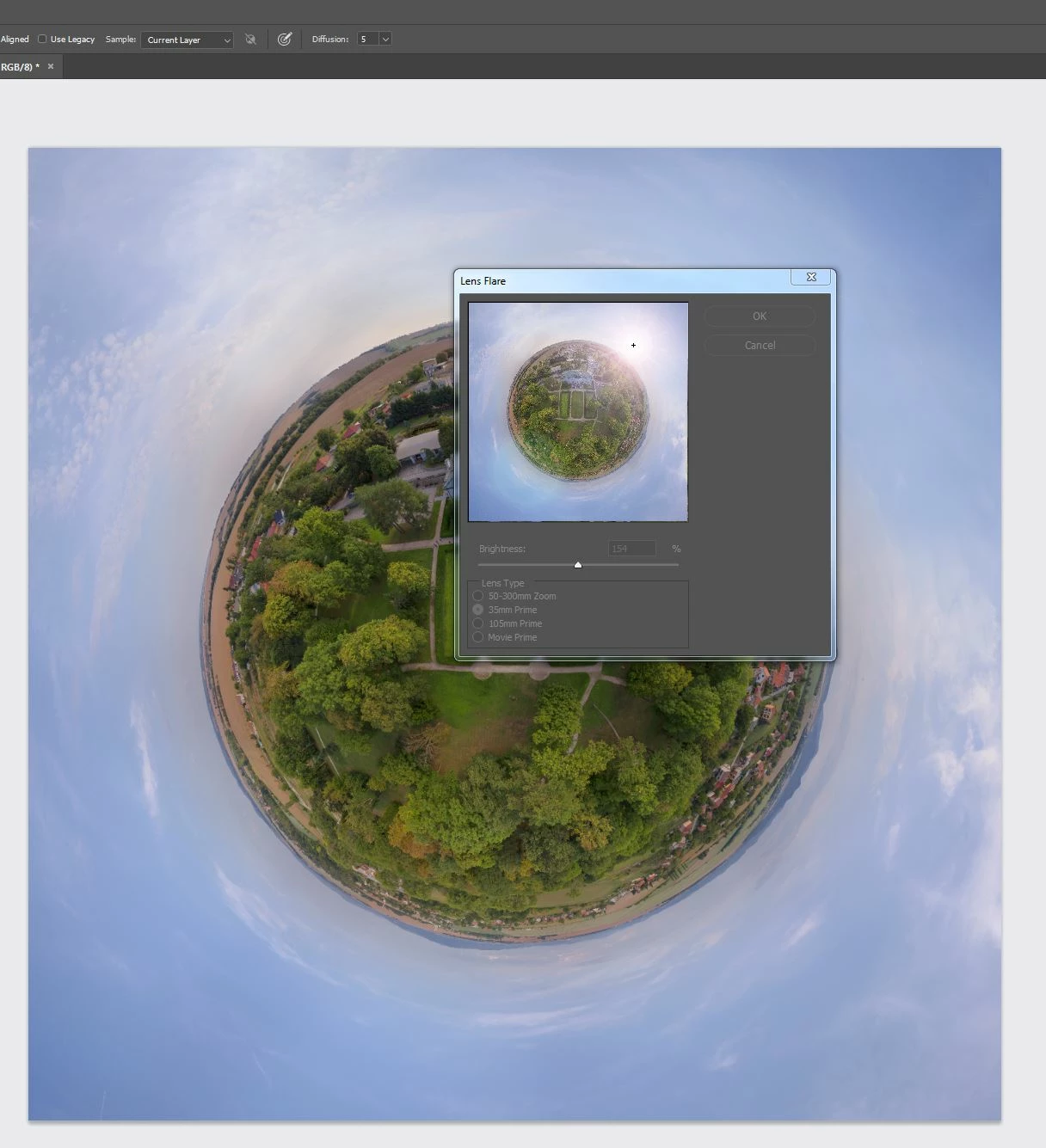
We're still running PS7 on Windows 7 Pro with this installation having worked faultlessly well since around 2008. We've used Lens Flare a LOT consistently through that 14 years without any issues, on any size image - but our latest job has done exactly this?? Never seen it before, Preview box shows correctly, when applied the effect is totally thinned out like this. Inexplicable to us, why after 14 years has it suddenly happened (is there any cache storage that's overloaded that we're unaware of/need to empty)?

Jeff Arola
Community Expert
Community Expert
October 16, 2022

Can you give us some more info like what size in pixel dimensions is the document?

What color mode and bit depth?

Is there more than one layer?


A screenshot showing the difference in the Lens Flare dialog and actual result might be helpful?


Daniel E Lane
Inspiring
January 20, 2019

The layers panel would be good to see to find out what you are doing as well. It kind of looks like you have it on a different layer and are using an odd blend mode on that layer, but without seeing your layers, its hard to tell

Participant
January 20, 2019

There's no layers at all.. background only

Participant
January 20, 2019

It seems that the problem appears on images with more than 15000 pixels.