Protest_Singer
Participant
August 14, 2018
Question

Let's Object-ify

  • August 14, 2018
  • 3 replies
  • 455 views

Hey everyone!

    Gotta float something here and {perhaps} get some help here...

    Trying to create a scene for an animated film that I am working on. This scene takes place in a cemetery during the daylight hours. Part of it {sky and grass} has already been placed. Adding the monument model next. Then one character. Then both. Now I'm having some trouble with the third section {ie the monument}. And here's why...

    I decided to create the monument part of the setup myself. So far the monument part of the scene consists of a blank headstone png. Here is what it looks like {the sample is actually jpg}:
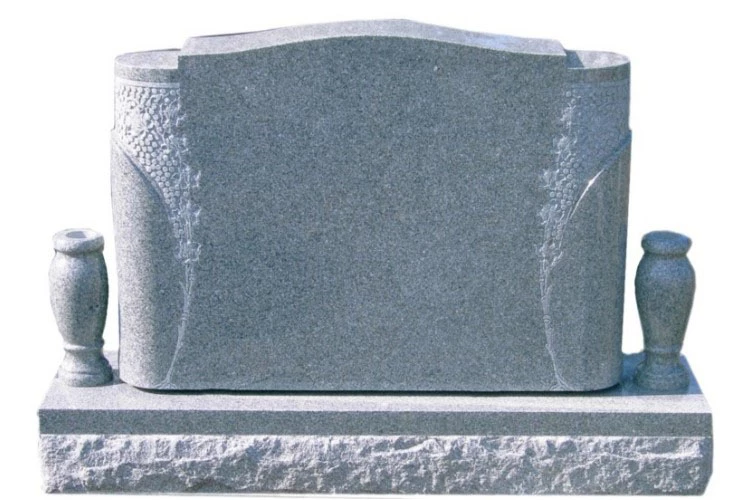
   Now I know that you can't just take a png, wave a wand and turn it into 3D format. Obviously I need to create a mesh. I can't use the "create mesh from preset" option because you can't create in free form with it. So what's my best option? "3D postcard" or "extrusion"?? 

Get back to me on this,

Thanks!

Dylan Free

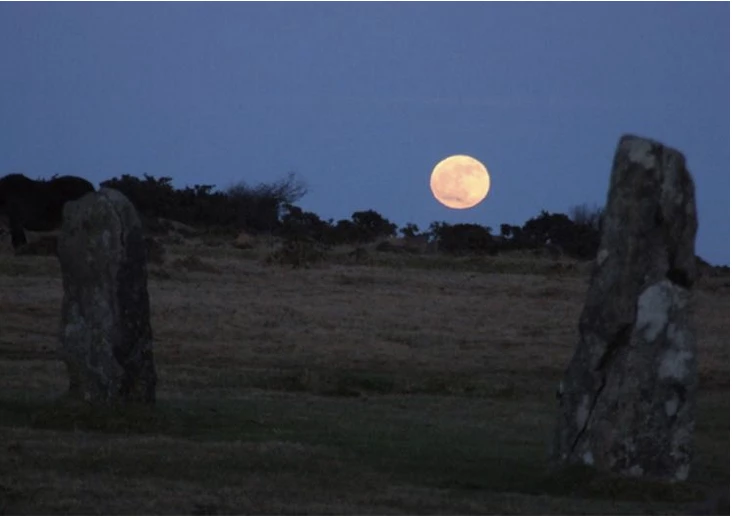
PS: I've got a similar scene that involves starting with a 2D backdrop and asking the same question there. This is it:
    This topic has been closed for replies.

    3 replies

    Ussnorway7605025
    Legend
    August 26, 2018

    this would be very hard to make in Photoshop because the shapes need to be done in parts... I would make it in Blender or Maya but I know you don't like those softwares so is it something you are happy to pay a few $ for?

    Turbosquid has a few gravestones, as does Arteria3d and even Adobe stock has a couple

    https://www.turbosquid.com/3d-model/grave?synonym=cemetery+grave

    Medieval Church & Graveyard Pack – arteria3d

    Grave stock 3d assets, models, lights and materials | Adobe Stock

    Protest_Singer
    Participant
    September 1, 2018

    Hey there!

      I actually wouldn't mind using B for A for something like this. But I wouldn't use it for a full character because if the character is painted it ends up losing colour. But for this B For A will prbly work...

    Get back to me,

    Thanks!

    Dylan

    macpawel
    Participating Frequently
    August 14, 2018

    If you need do it in Photoshop, try to use Extrusion with selection or layer

    Postcard - it's not best solution

    Probably the best option is Create Mesh from preset - but this way you need 3D object

    Try Extrusion

    pawel

    davescm
    Community Expert
    Community Expert
    August 14, 2018

    Hi

    It depends whether your camera will move in relation to the object.

    If not then you might get away with a postcard or extrusion but you will have to watch the shadows.

    If there is any chance that the camera will view the object from a different angle then you need to build it from scratch as a 3D model. Looking at that shape you could break it down into individual shapes and make it with rectangular and circular extruions.  Then combine them into a group.

    The best option though is to create it in a 3D application that allows full control over the mesh. There are lots about but Blender is free and powerful.

    Dave