Participant
November 19, 2022
Question

Letters changing colours when exporting as PDF

  • November 19, 2022
  • 2 replies
  • 719 views

Hey! I'm pretty new to photoshop, so I'm not sure what is happening. 


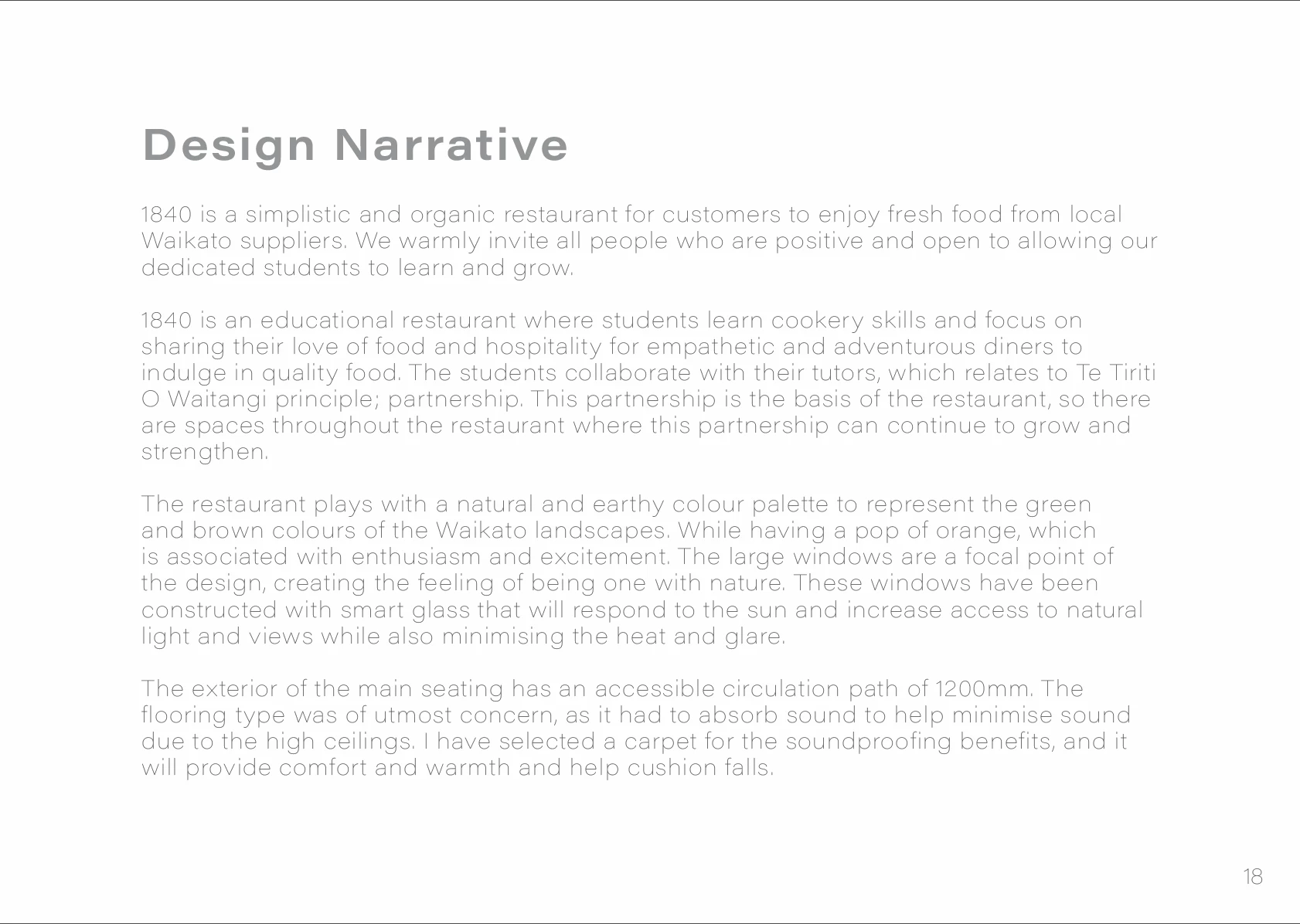
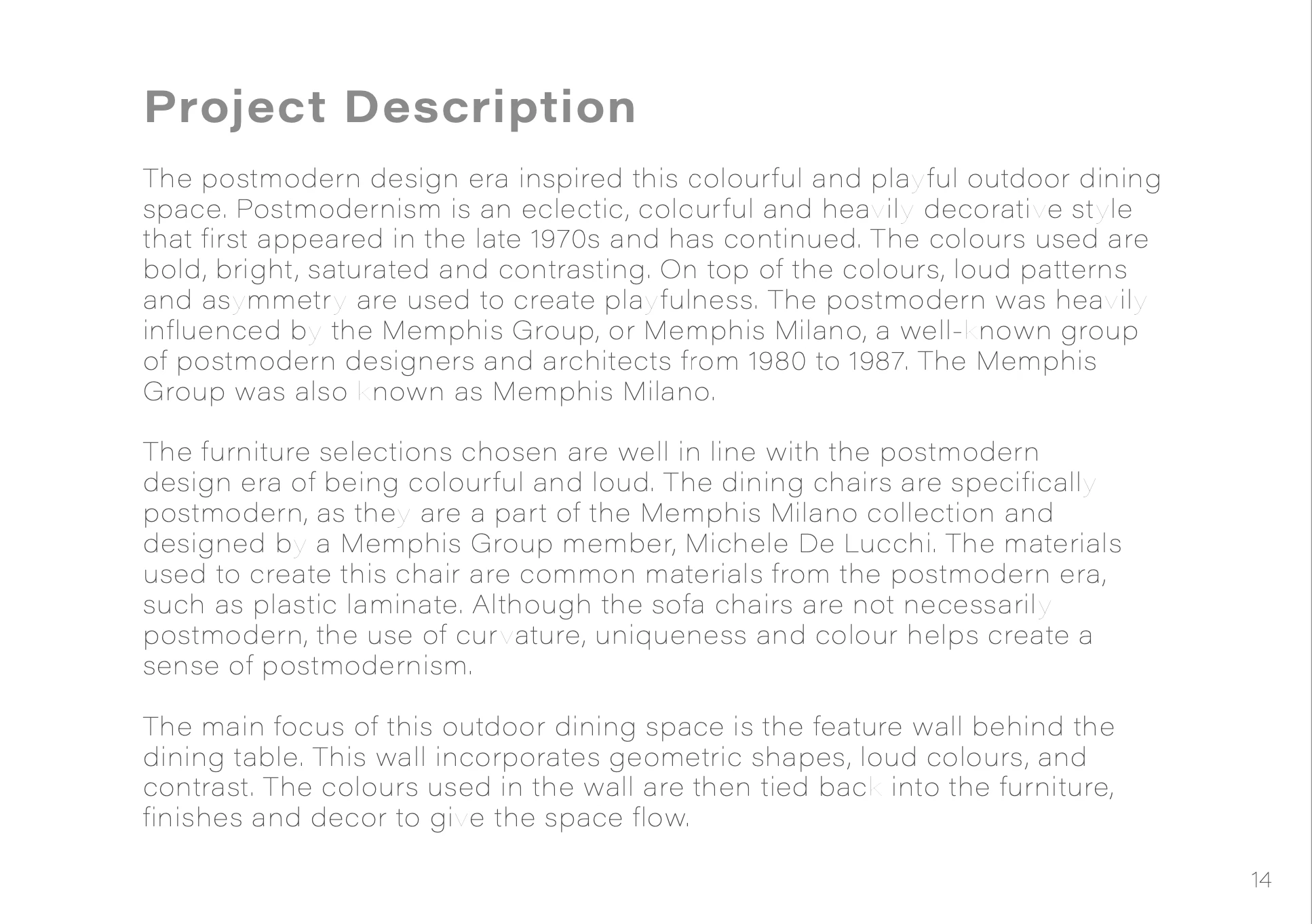
When I'm exporting my document as an Adobe PDF Print, some of my letters change to a lighter colour, making it hard to read. I'm using the Acumin Variable Concept Wide Thin font type. My print settings are just the standard settings, as I'm not sure what they all mean. 


I have included before and after photos showing the issue. 


Thank you! 
This topic has been closed for replies.

2 replies

NB, colourmanagement
Community Expert
Community Expert
November 25, 2022

In what application are you viewing the PDF?


thx
neil barstow, colourmanagement net :: adobe forum volunteer:: co-author: 'getting colour right'
google me "neil barstow colourmanagement" for lots of free articles on colour management


Participant
November 25, 2022

Hey! Thank you for the response.


I originally was opening in just Preview on a mac, but once opening on Adobe Acrobat the issue didn't appear. 


Will have a google of you now. Thanks!

J E L
Community Expert
Community Expert
November 19, 2022

Hi @Kate269122254iaq I'm sorry to see you don't have any answers yet. Are you still experiencing this problem with the font color differences? As you know, this is a very faint font to begin with. I tested this font just now. (Windows 10, Photoshop 24.0.0 Release).


Below is a screenshot in Photoshop at 100 percent view before exporting to a PDF. I used “Save as” a PDF with the PDF Preset “High Quality Print.” The second screenshot is of the PDF, also at 100 percent view, and the “darkness” looks nearly identical, although the scaling between the two apps is different, as to be expected. Also, Photoshop is not the most ideal software for processing large blocks of text.


Maybe consider using a darker font if readability is an issue. I'm not sure if this is an exporting issue. If you test this using any other common font, such as Times New Roman or Arial, are you still seeing the shading differences on exporting? Let us know if this is happening on all documents you export to PDF or just with this particular font.

Participant
November 25, 2022

Thank you for your response! I didn't see the notification come through earlier, so apologies for the slow response.


I have just changed the font to Times New Roman and the issue doesn't happen. So the issue must be the particular font. I do love the look of this font, so any suggestions on how to fix this would be awesome.


I also found opening on Adobe Acrobat doesn't cause the issue, it just happens when opening on macbook preview.