



Jimerb
Inspiring
November 24, 2022
Question

Lightroom on 4k monitor Photoshop Wacom Tablet - Resolution issues

  • November 24, 2022
  • 5 replies
  • 487 views

I use Lightroom Classic (latest version) on a 4k Monitor.


Photoshop runs on a Wacom 1920x1200 pen display.


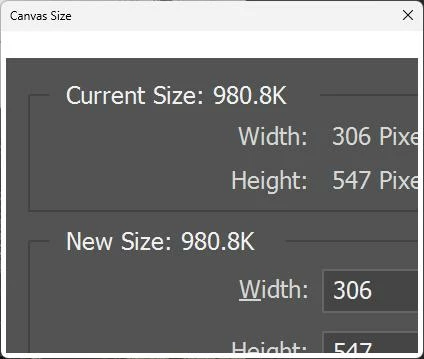
If I right click on a thumbnail in lightroom and say, "Open in Photoshop 2023", the file opens but any dialog that "pops up" is way too big.  I cannot even see the options on the dialogs.  Take a look at Canvas Size:
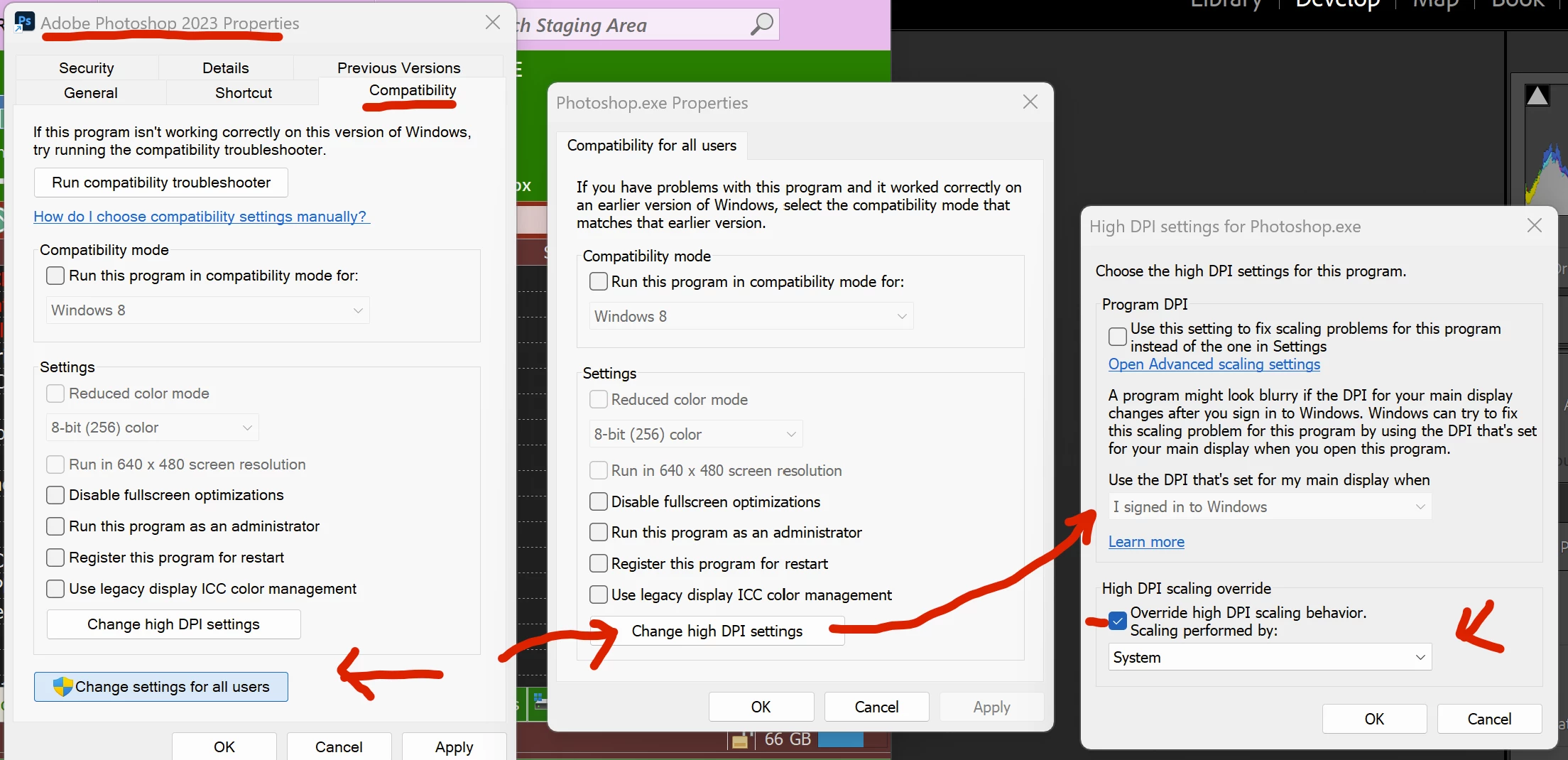
I right clicked on the lightroom icon, went to the properties and went to the compatiblity tab.  I then drilled into the high dpi settings like this:
Now if I open photoshop directly and THEN say edit in photoshop, the problem goes away.   BUT if i right click on a thumbnail select edit in photoshop without opening photoshop first, the problem persists.

What can I do?   I want to be able to right click an icon, have it launch photoshop with proper dialogs.

This topic has been closed for replies.

5 replies

Jimerb
JimerbAuthor
Inspiring
November 29, 2022

@J453I'm running photoshop on a 1920x1200 wacom display.  This is the native resolution for the wacom.  Quite a common situation for a photoshop workflow.


It scales properly when I open photoshop from the icon on the desktop.  But it does not scale correctly when I open it from lightroom.


Lighroom does not seem to be launching photoshop the same way that it launches when custom DPI scaling is being used for the application on the compatibity tab of the icon's propeties.


Lightroom is running natively on a 4k monitor.   (This is a graphics workflow, please don't imply that's out of line.  This is adobe's thing!)


Is there a way to specify how I want photoshop to launch?  For example, I can configure external photo editors inside lightroom.

Legend
November 29, 2022

You should be able to set the scaling of the monitor you're running Photoshop on separately from the 4k monitor. Sounds like the scaling is way to high on the monitor you're running Photoshop on: https://helpx.adobe.com/photoshop/kb/hidpi-retina.html


Override HiDPI is not supported by Photoshop. https://helpx.adobe.com/photoshop/kb/high-dpi-scaling.html

PECourtejoie
Community Expert
Community Expert
November 28, 2022

Hi, not sure if the problem should be posted on the Lr side, or here.

We are just after Thanksgiving, the team might be on extended leave...

It seems that Lr calls Ps in a special way...

Jimerb
JimerbAuthor
Inspiring
November 26, 2022

Any word on this?

Jimerb
JimerbAuthor
Inspiring
November 24, 2022

Correction to the above. I change the compatiblity to the PHOTOSHOP icon not the lightroom one.