Answered
Lightroom/Photoshop
Hello! After the latest updates to Lightroom and Photoshop, you can't open a photo in Photoshop from Lightroom!!!

Hello! After the latest updates to Lightroom and Photoshop, you can't open a photo in Photoshop from Lightroom!!!
When the link Lightroom > Photoshop breaks, the standard advice is to uninstall both and reinstall Photoshop first, then Lightroom.
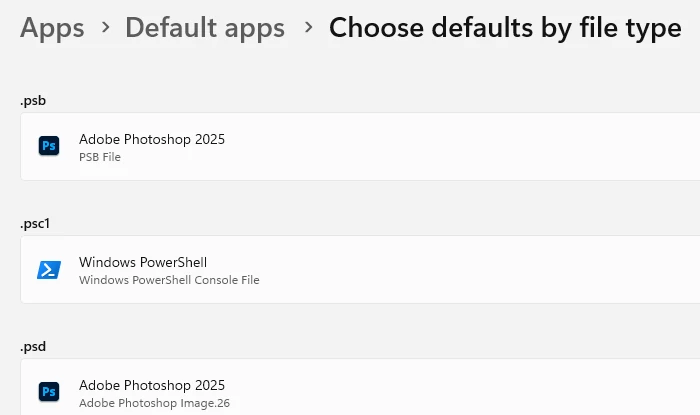
But it may not be necessary. It can happen that file associations are lost when updating Photoshop, and you have checked "remove old versions". Go to Windows Settings here, and assign Photoshop 2025 if it isn't already:
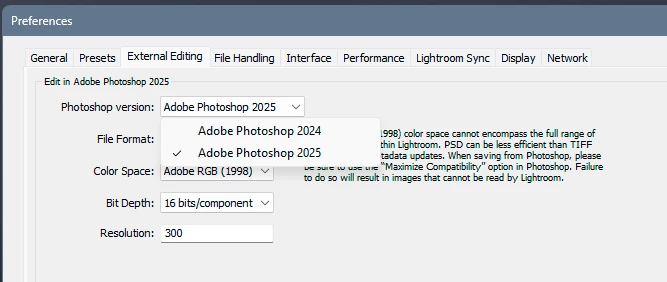
What does it show in Lightroom preferences here?
Already have an account? Login
Enter your E-mail address. We'll send you an e-mail with instructions to reset your password.
 AdChoices