
Lightroom to Photoshop on iPad reduces image size
Hello Adobe Community,
Was wondering if I could get some help and learn if what i'm experiencing is a bug or a limitation of the software.
I have photos within Lightroom Classic on my Desktop that are in a collection and synced to the Cloud. Those images are then accesed on my iPad Pro inside of Lightroom for iPad.
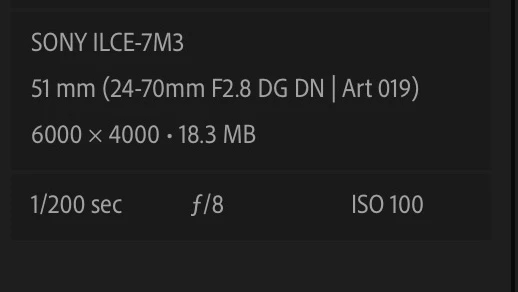
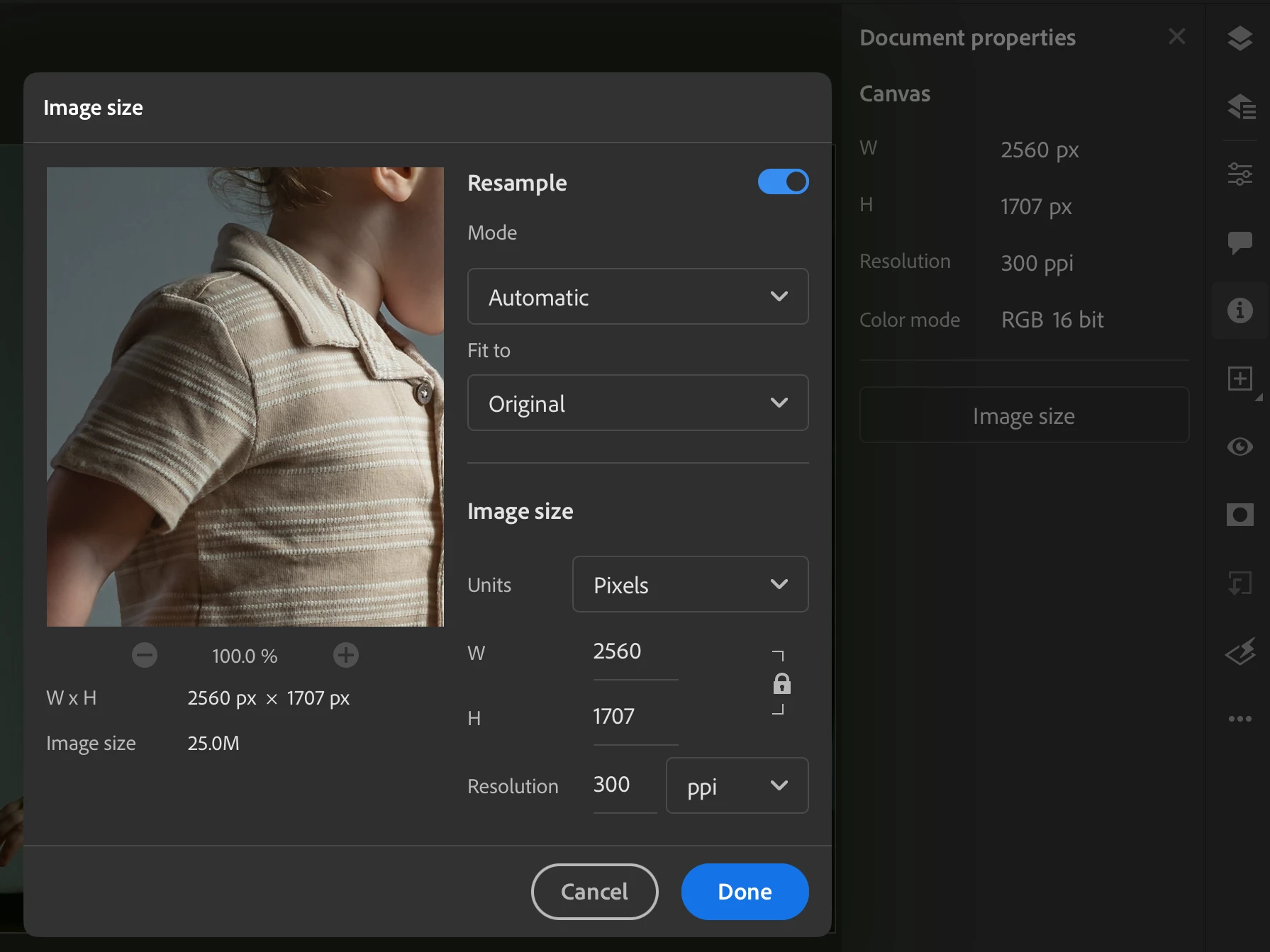
On my iPad inside of Lightroom the images size shows as 6000 x 4000. If I take that image from Lightroom on iPad and click on Edit in Photoshop, it then opens up the image in Photoshop for iPad. What I have noticed is that when I do that, the image size drastically changes. For one particular image, the image size on Photoshop for iPad was 2560 x 1707.
Lightroom for iPad:
Photoshop for iPad:
I've tried a couple of different things to try and narrow this down. I went on my computer and took a RAW image and put it in the files app of my iPad. Then I opened up Photoshop for iPad and imported that one image. Within the image size dialogue box it showed the correct image size of 6000 x 4000.
Then I went into Lightroom for iPad and imported that same image. Within Lightroom it still showed 6000 x 4000. But once i clicked on Edit in Photoshop it changed to 2560 x 1707 within Photoshop for iPad.
I have spoken to two different technical support agents through Adobes chat. The first one told me that they were unable to reproduce what I had explained to them and had me delete Lightroom and Photoshop and reinstall them. I did that and it did not fix the issue. The second agent told me that it was expeced behavior and sent me THIS ADOBE DISCUSSION that has nothing to do with the issue that I presented.
Has anyone else experienced this issue? If so, were you able to fix it?
I'm running the following:
iPad OS 17.5
Lightroom for iPad ver. 9.3.0
Photoshop for iPad ver. 5.5.2
Thank you for any and all help, it is greatly appreciated.
 AdChoices