Participant
October 22, 2021
Answered

Line pattern problem on my photos

  • October 22, 2021
  • 4 replies
  • 1883 views

I think my Canon EOS 5DMarkIII has a readout circuit that has gone bad that is causing every 8th pixel to be RAW causing these black lines all over my photo.  Does anyone know if there is a way to fix this in photoshop? See attached photo.

This topic has been closed for replies.
Correct answer r-bin

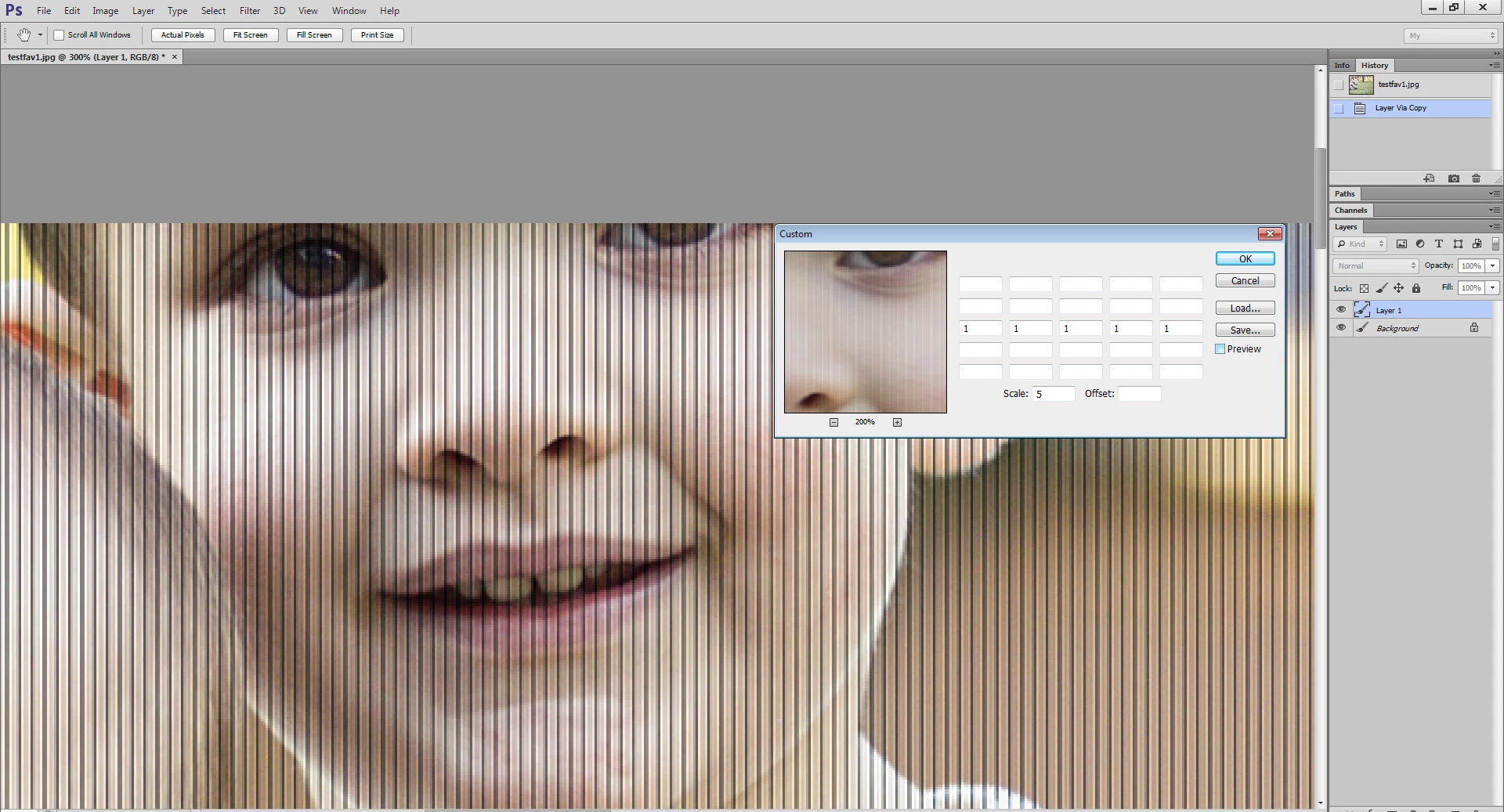
Apply this filter two times.

The screenshot shows the result of the first application.
 

4 replies

Participant
October 25, 2021

I trusted my Canon S95 to capture some important images and I now see that there are unexpected vertical lines in the frame (in portrait mode). Any chance that I can remove these? I have RAW versions for most images.


Thanks for your help!


Robert

Legend
October 25, 2021
Stephen Marsh
Community Expert
Community Expert
October 23, 2021

Another option is a FFT filter:


Fixel FFT Wizard 2

r-binCorrect answer
Legend
October 22, 2021

Apply this filter two times.

The screenshot shows the result of the first application.


Participant
October 24, 2021

Can you be more specific about about you did that?

Kukurykus
Legend
October 24, 2021

Open the image you attached, then use the Custom Filter. Finally see the correction effect.

Stephen Marsh
Community Expert
Community Expert
October 22, 2021

Can provide a download link (Dropbox, Creative cloud or similar) to a raw file, or a 100% sized crop from the upper left corner saved to .psd?
