The .psd file looks like this:
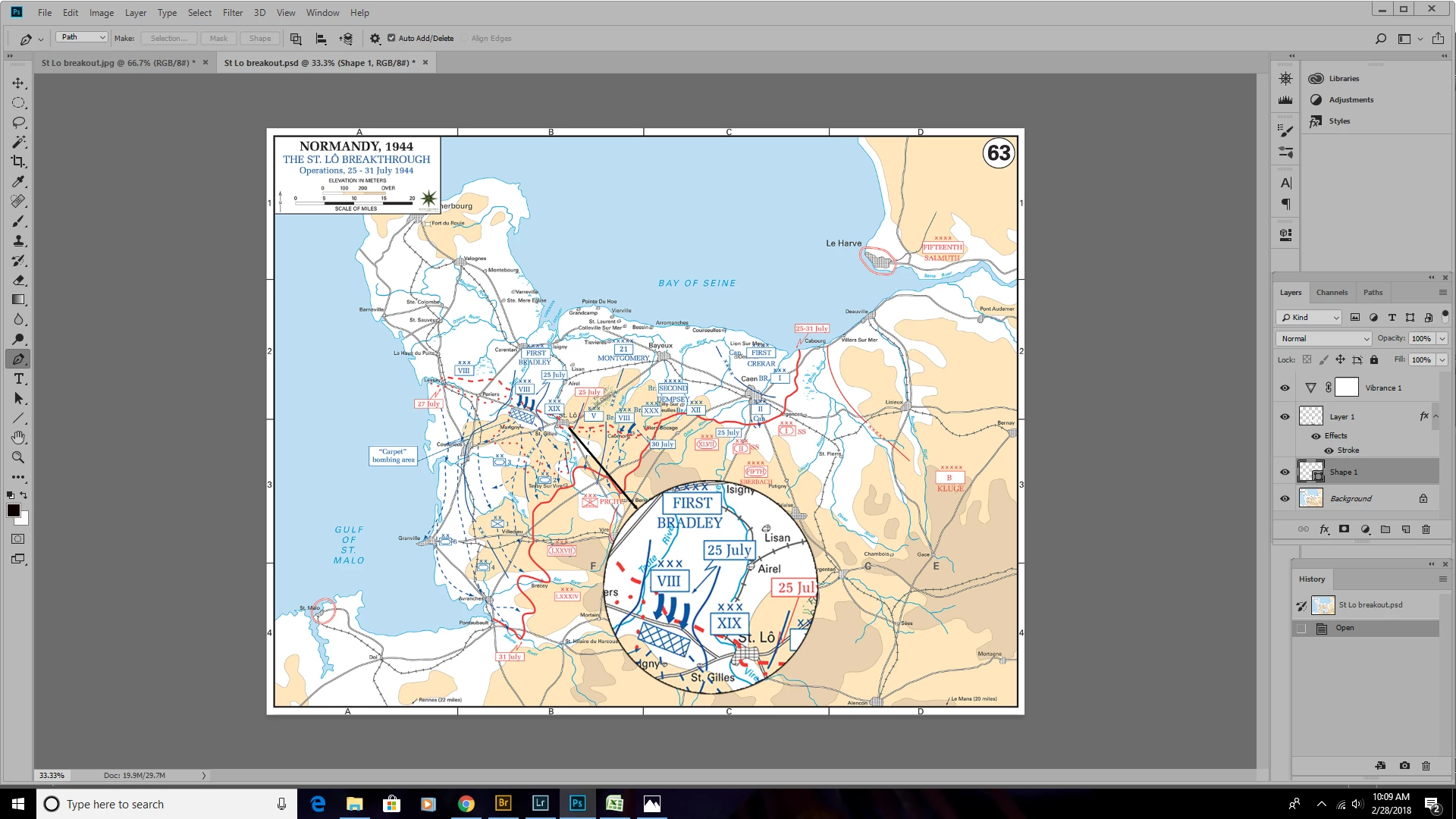
Somehow I was able to change the .jpg file to get the arrow to look
different:
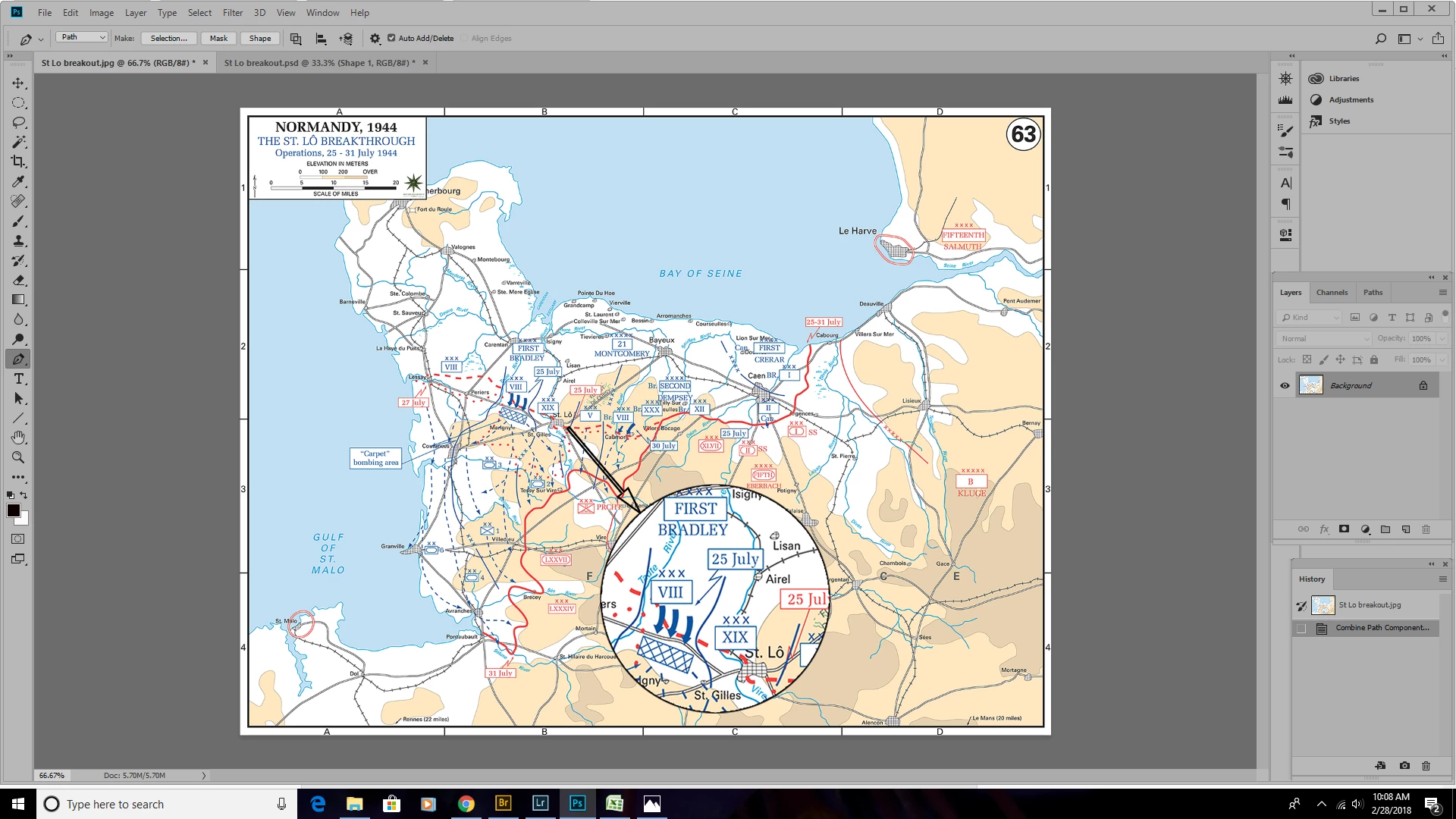
I wish I could tell you how I made this happen. I fooled around for quite a
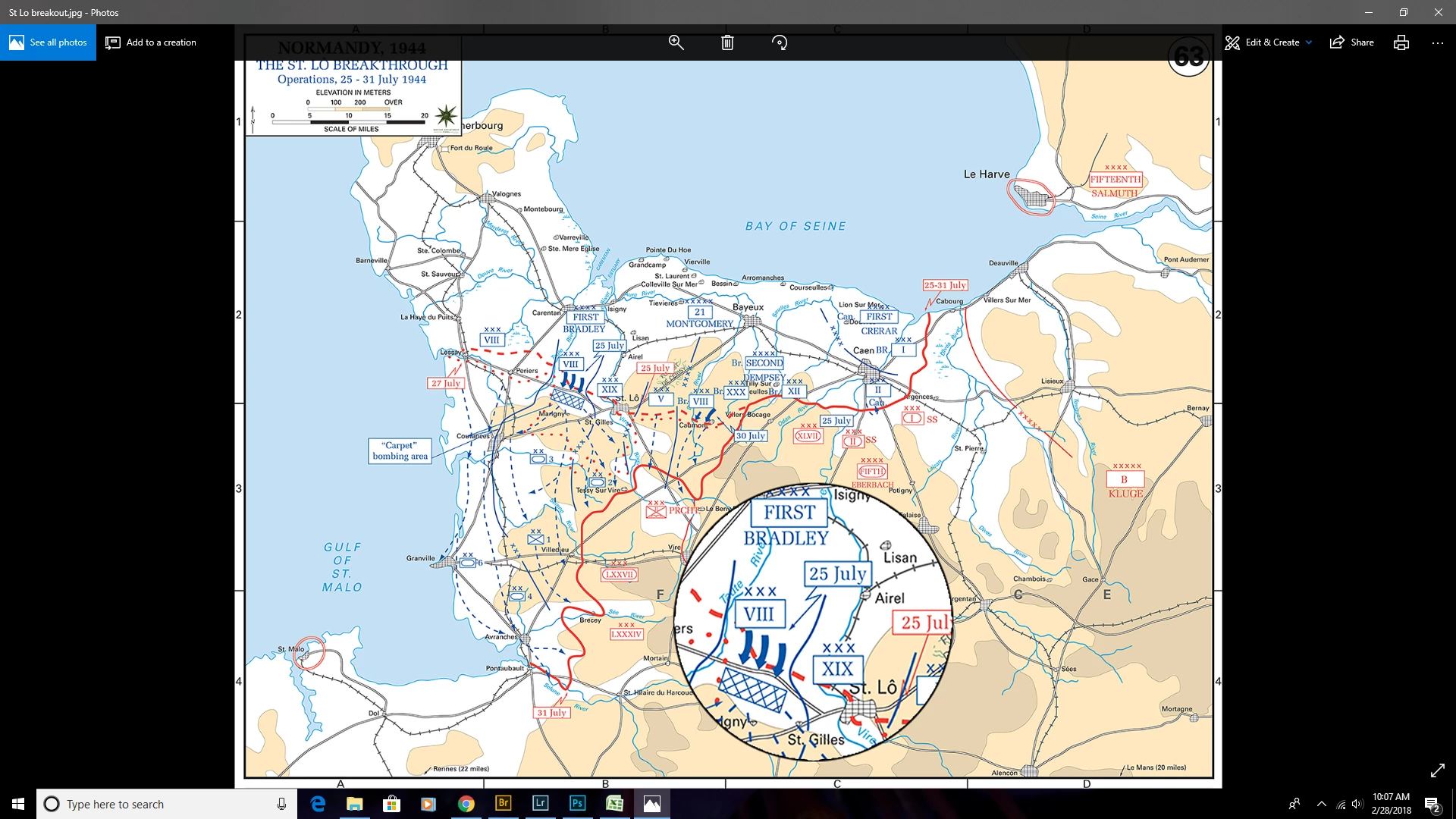
while, and I don't recall what finally worked. The JPEG file looks fine
when viewed in Photoshop, but when the same file is opened in another
program, the line disappears :
What gives?
I assume you used the Line tool to draw the arrow.
And also I assume you did it in "Path"-mode.
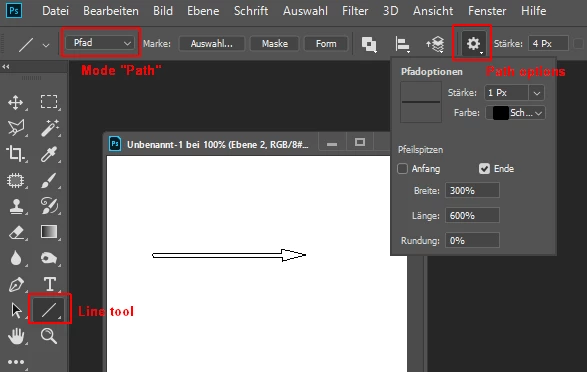
A path is a virtual shape, you can fill it or stroke or convert in a real shape or in a selection.
In Photoshop you can show/hide it in the path panel (menu Window). A jpeg outside of Photoshop can't display this virtual shape.
What to do?
Select the arrow path in the path panel and click on the Shape button in the control bar.
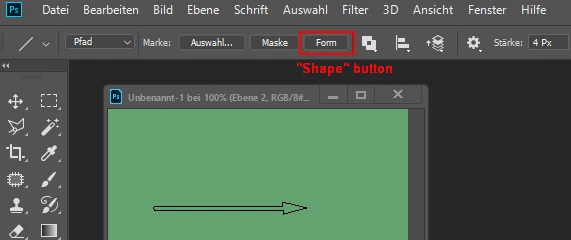
Now the path will be converted in a real shape and will be visible forever.
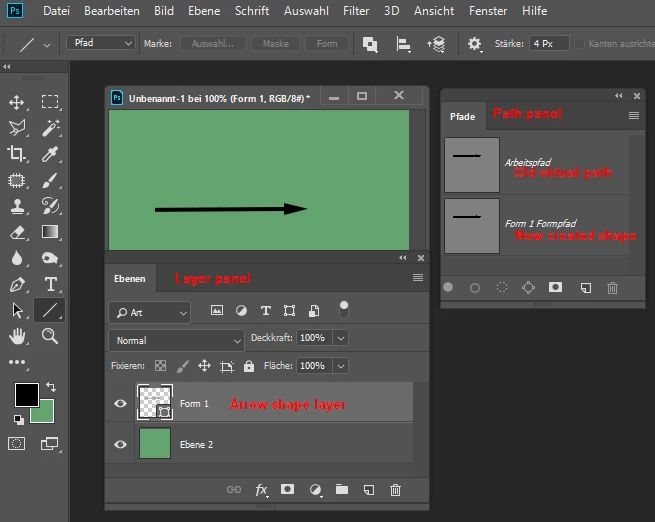
In the Layer panel you get a new shape layer. You can move and transform the shape as you like.
In the Path panel the original path is still available.
--------------------------------------------------------------------------------
If I guessed wrong, please, describe the way how you did draw the arrow and insert an image of the used panels.
Fenja


 AdChoices