sandern31747161
Participating Frequently
September 25, 2019
Question

Lines are Blurry, please help

  • September 25, 2019
  • 3 replies
  • 3597 views

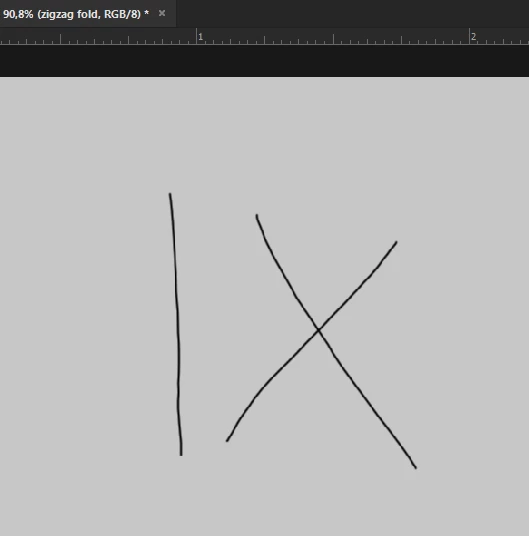
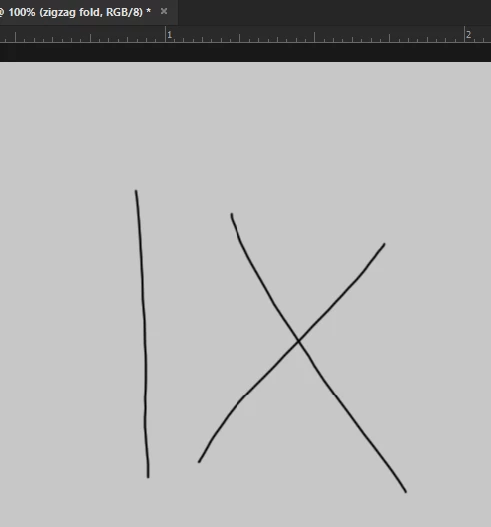
Im getting a really weird problem that i havent had before, its easier to understand on the images but when I draw line they are really pixelated, but when I zoom into a certain point the pixels go away but if i zoom even a little bit more the pixels come back, cant find any info on this, please help.
  

This topic has been closed for replies.

3 replies

Abambo
Community Expert
Community Expert
September 25, 2019

This setting may have an influence:

ABAMBO | Hard- and Software Engineer | Photographer
sandern31747161
Participating Frequently
October 5, 2019
its grayed out i cant use it i dont know why
Tom Winkelmann
Inspiring
October 5, 2019
Maybe there is an issue with your graphic card (driver) ... please post your complete system infos (>help>system information)
Tom Winkelmann
Inspiring
September 25, 2019

Try to activate "Use Graphic Processor" under Preferences > Performance... (don't forget to restart Photoshop)

sandern31747161
Participating Frequently
October 5, 2019
it doesent let me use it, grayed out for me
Abambo
Community Expert
Community Expert
September 25, 2019

Magnification is the solution: at 90% or 110% you need to use an odd multiplication factor wich will make your lines « pixelated ». At 100% a pixel on the image can be represented by one pixel on screen. That gives you the best view. Generally 25%, 50%, 100%, 200% etc are easy and fast to calculate and give a good quality. Anything in between would need more complex calculation and aproximation. For performance reasons the interpolation is done with a simple method. What you see at 100% is the correct display.

ABAMBO | Hard- and Software Engineer | Photographer
sandern31747161
Participating Frequently
September 25, 2019
okay i see, thats wered it was not a thing a whilea go sad but okay thank you alot!