
Participant
April 3, 2017
Answered

Lines become lighter when overlapped

  • April 3, 2017
  • 2 replies
  • 1086 views

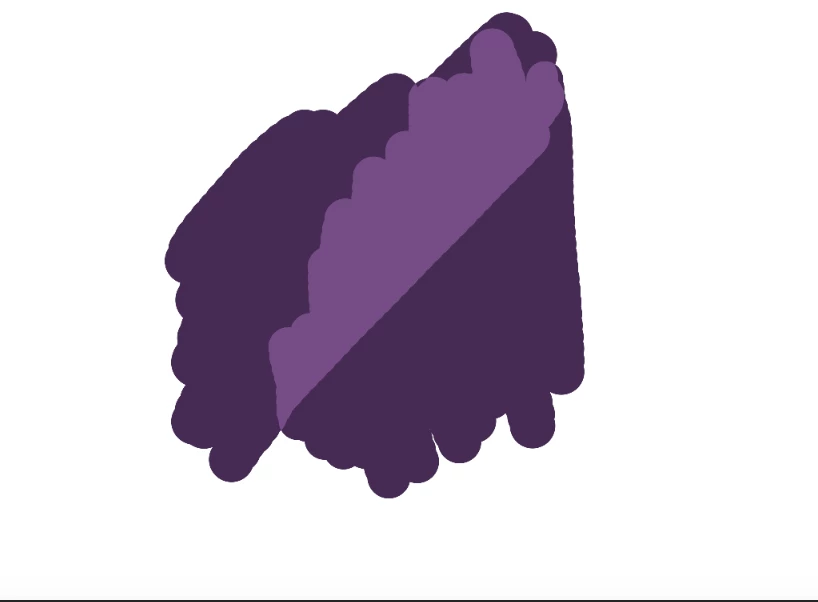
Lately, whenever I use my brush and two lines on the same layer overlap, the part that overlaps becomes substantially lighter. I've attached an image below. I'm using Photoshop CC 2017 and the default brush, and I already checked that my opacity/flow/etc are all at normal levels. It just recently started happening, so I'm not sure what happened. It makes it almost impossible to ink or color, so any help would be greatly appreciated.
Correct answer Bojan Živković11378569

Look at Options panel which is just below menus. With Brush tool active you will see Mode: drop down list.

2 replies

Chuck Uebele
Community Expert
Community Expert
April 3, 2017

Chuck Uebele
Community Expert
Community Expert
April 3, 2017

What blend mode is your brush set to? It looks like it might be set to Screen.

Participant
April 3, 2017

I'm not sure. Where are blend settings on the interface?

Bojan Živković11378569
Community Expert
Community Expert
April 3, 2017

Look at Options panel which is just below menus. With Brush tool active you will see Mode: drop down list.