
Participant
August 9, 2018
Answered

Lines no longer crisp when reducing image size.

  • August 9, 2018
  • 1 reply
  • 1361 views

I have an image which is 3750 x 3750 pixels. There are horizontal lines in the image which have nice crisp edges when zoomed to pixel level (eg, blue on white). I am trying to reduce the image size to 1500 x 1500, but when I do this, now the blue shows gradations (don't know if I'm using the correct term). It does this whether I'm reducing a TIFF, or converting to JPEG, and it does it while still within the Photoshop window or when I change the size as part of an export. I've tried playing with the resolution and resampling settings to no avail. I know that these gradations don't really show when viewing the image at the usual size, but it bothers me that my nice crisp lines are no longer crisp. Why is this happening?
This topic has been closed for replies.
Correct answer Chuck Uebele

Anytime you reduce the file size, your quality is going to go down. Lines in the original image might have lined up better with whole pixels, when the file sized is reduced, those same lines might fall between pixels and get anti-aliased, causing them to become more blurred than normal. Can you post some examples?

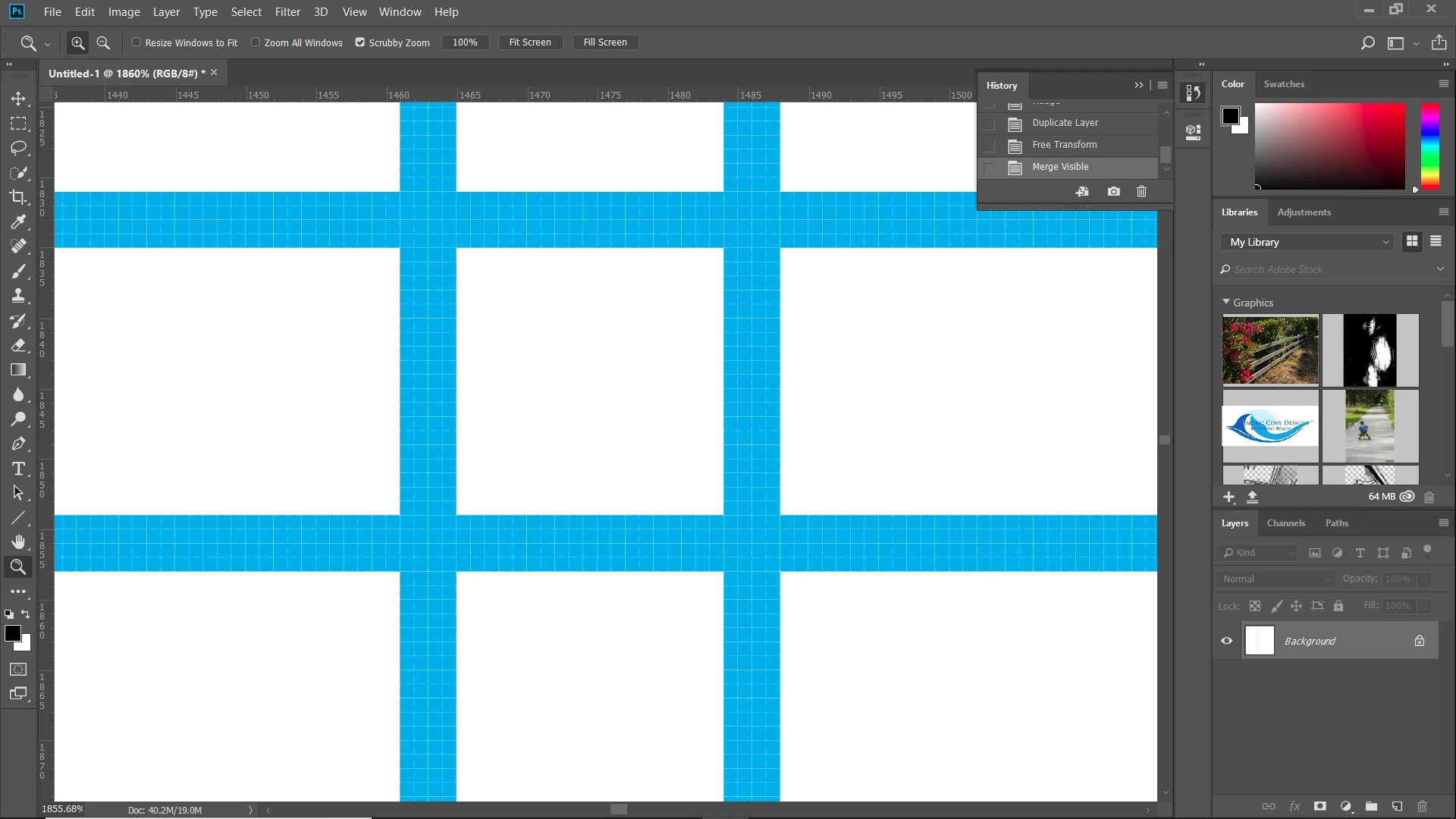
Here are some 4px wide lines in a 3750 px document. They are bold, because they fall completely within a 4 px grid:

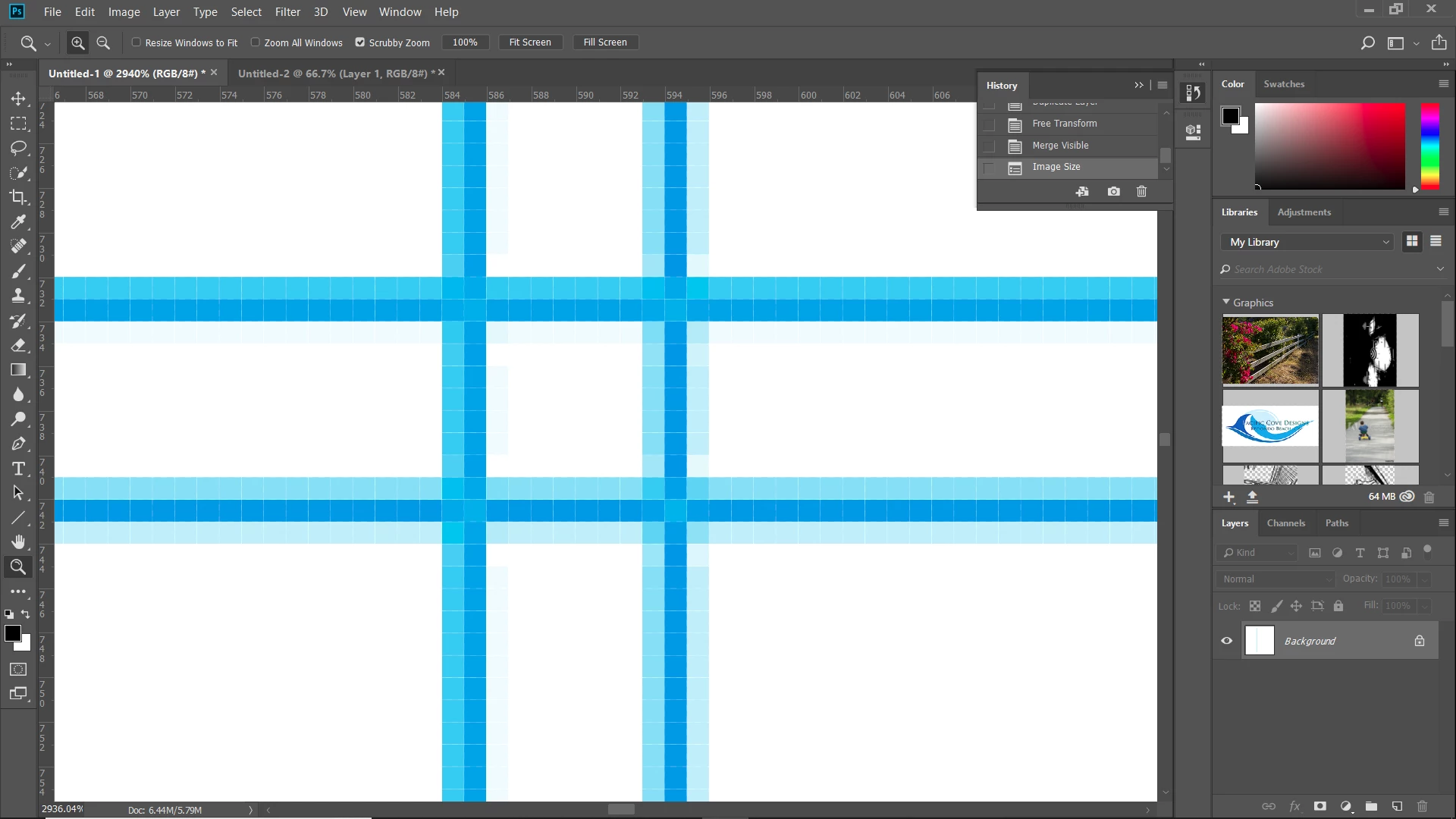
Now I reduced the file to 1500. The lines have become anti-aliased and are not as bold.

1 reply

Chuck Uebele
Community Expert
Chuck UebeleCommunity ExpertCorrect answer
Community Expert
August 9, 2018

Anytime you reduce the file size, your quality is going to go down. Lines in the original image might have lined up better with whole pixels, when the file sized is reduced, those same lines might fall between pixels and get anti-aliased, causing them to become more blurred than normal. Can you post some examples?

Here are some 4px wide lines in a 3750 px document. They are bold, because they fall completely within a 4 px grid:

Now I reduced the file to 1500. The lines have become anti-aliased and are not as bold.

JB RauloAuthor
Participant
August 9, 2018

Your example perfectly pictures what is happening (same shade of blue even!). I guess I never noticed this before because I wasn't dealing with graphic types of lines. What I ended up doing is just cleaning up the lines after the size reduction. Thanks for your help.

JohanElzenga
Community Expert
Community Expert
August 9, 2018

Next time try 'Nearest Neighbor' as interpolation method.

-- Johan W. Elzenga