
Participant
August 31, 2021
Question

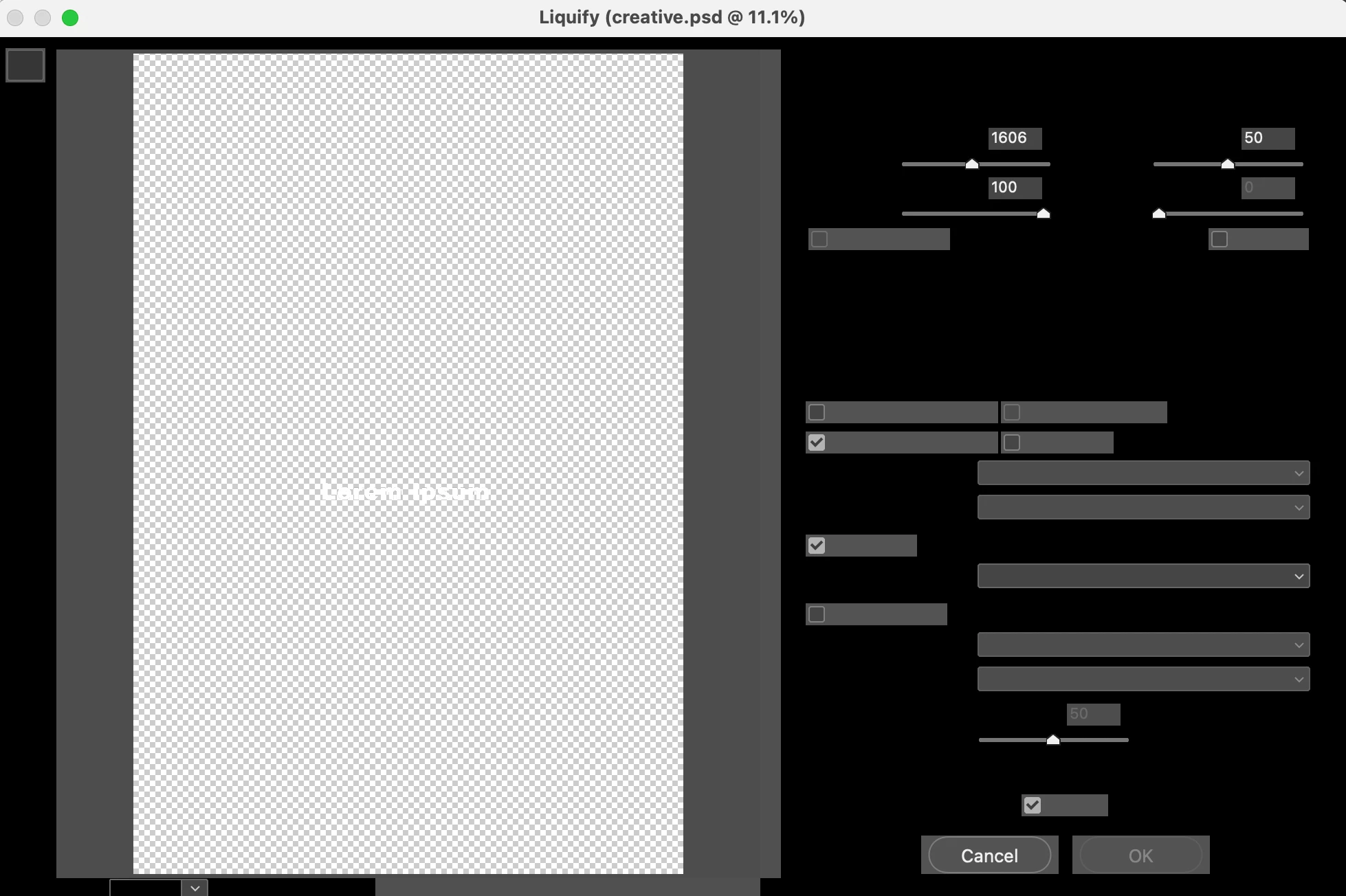
Liquify tool not working

  • August 31, 2021
  • 1 reply
  • 208 views

Liquify tool is not working 

My liquify tool box shows no options, preview works fine but i cant see or change the settings. I tried resetting my preferences but nothing works. Its the same for some other filters as well. Any ideas on how to fix it.
This topic has been closed for replies.

1 reply

c.pfaffenbichler
Community Expert
Community Expert
August 31, 2021

Does turning off »Use Graphics Processor« in the Performance Preferences (Photoshop > Preferences > Performance > Graphic Processor Settings) and restarting Photoshop have any bearing on the issue? 

Does turning on »Deactivate Native Canvas« (Photoshop > Preferences > Technology Previews) and restarting Photoshop have any bearing on the issue? 

Participant
September 5, 2021

I tried changing the graphic processor setting in preferences but that didnt work. For the second one my Technology Previews doesnt show the option >>Deactivate Native Canvas<<

c.pfaffenbichler
Community Expert
Community Expert
September 5, 2021

Which Photoshop version are you using?