
Participant
April 22, 2022
Answered

Live/Tabbed Grayscale Window

  • April 22, 2022
  • 1 reply
  • 237 views

Hi everyone,


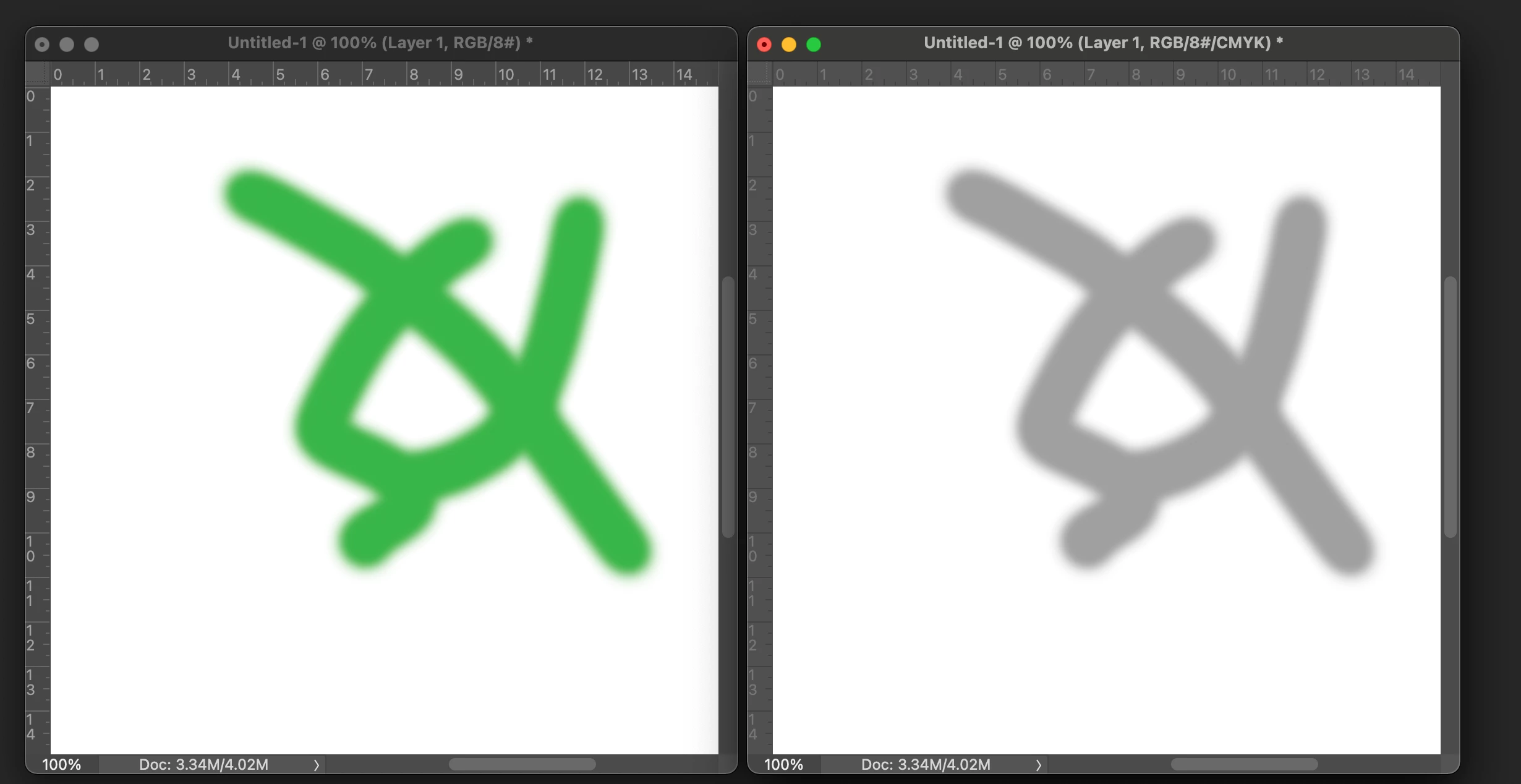
I would like to have two windows side by side as I draw. I would like one window to be in color and the other window to be in grayscale. To achieve this I have arranged two windows of the same document side by side. I then do a custom proof on one and change the device to simulate option to either sGray or Working Gray. This will put one window in grayscale and I can then draw on it, but when I go to draw on the RGB window, that window will all of a sudden have a grayscale appearance as well despite still being in RGB mode. I am forced to constantly do control + y to proof the colors repeatedly. So all windows will alternate between color and grayscale every time I do that. I would like to simultaneously have up the two different versions of windows at once and be able to draw on them in their respective color modes. 


If anyone can provide any insight I would be extremely grateful, thank you.
This topic has been closed for replies.
Correct answer Kevin Stohlmeyer

1. Go to Window>Arrange>New Window for (document title).

2. drag second window out from tab and go to Window>Proof colors>Device to Simulate>Working Gray.

This method should work and allow you to paint in either window. When you release the brush the new stroke will show in the other window - color or grayscale.


Did you create your secondary window using Window>Arrange>New Window?


1 reply

Kevin Stohlmeyer
Community Expert
Kevin StohlmeyerCommunity ExpertCorrect answer
Community Expert
April 22, 2022

1. Go to Window>Arrange>New Window for (document title).

2. drag second window out from tab and go to Window>Proof colors>Device to Simulate>Working Gray.

This method should work and allow you to paint in either window. When you release the brush the new stroke will show in the other window - color or grayscale.


Did you create your secondary window using Window>Arrange>New Window?


TeeCupAuthor
Participant
April 22, 2022

Thank you so much for your help. I did not realize that the secondary window had to be pulled out from the original one. After making the secondary window and switching it to working gray I kept using the window option to arrange both windows vertically next to each other. Thanks to your advice, I moved the secondary window over onto my second monitor and everything worked perfectly. Thank you again! You have saved me so much time and heartache while I paint my illustrations.