cci31561919
Participant
March 3, 2020
Answered

Looking for PSD layers to PNG batch export solution

  • March 3, 2020
  • 1 reply
  • 2084 views

Hi,

I'm looking for a script for the following example task:


I have a bunch of numbered PSDs (01.psd, 02.psd, 03.psd... 50.psd) and each has between 1 and 200+ layers.

I need every single layer exported to an untrimmed, transparent PNG, while retaining PSD name, layer hierarchy-number and layer name (=> 01_0001_hair.png; 01_0002_face.png; etc.) so that they can be sorted and stacked correctly afterwards.


The "Export layers to files" option in PS already does this, but I have to do it for each PSD manually and can't leave it running overnight to do all of them at once.


Does anyone have a script that does that or something similar, that I may customize? It would help a lot.

Thanks for any help or ideas!
This topic has been closed for replies.
Correct answer didiermazier

You can do that the following way :

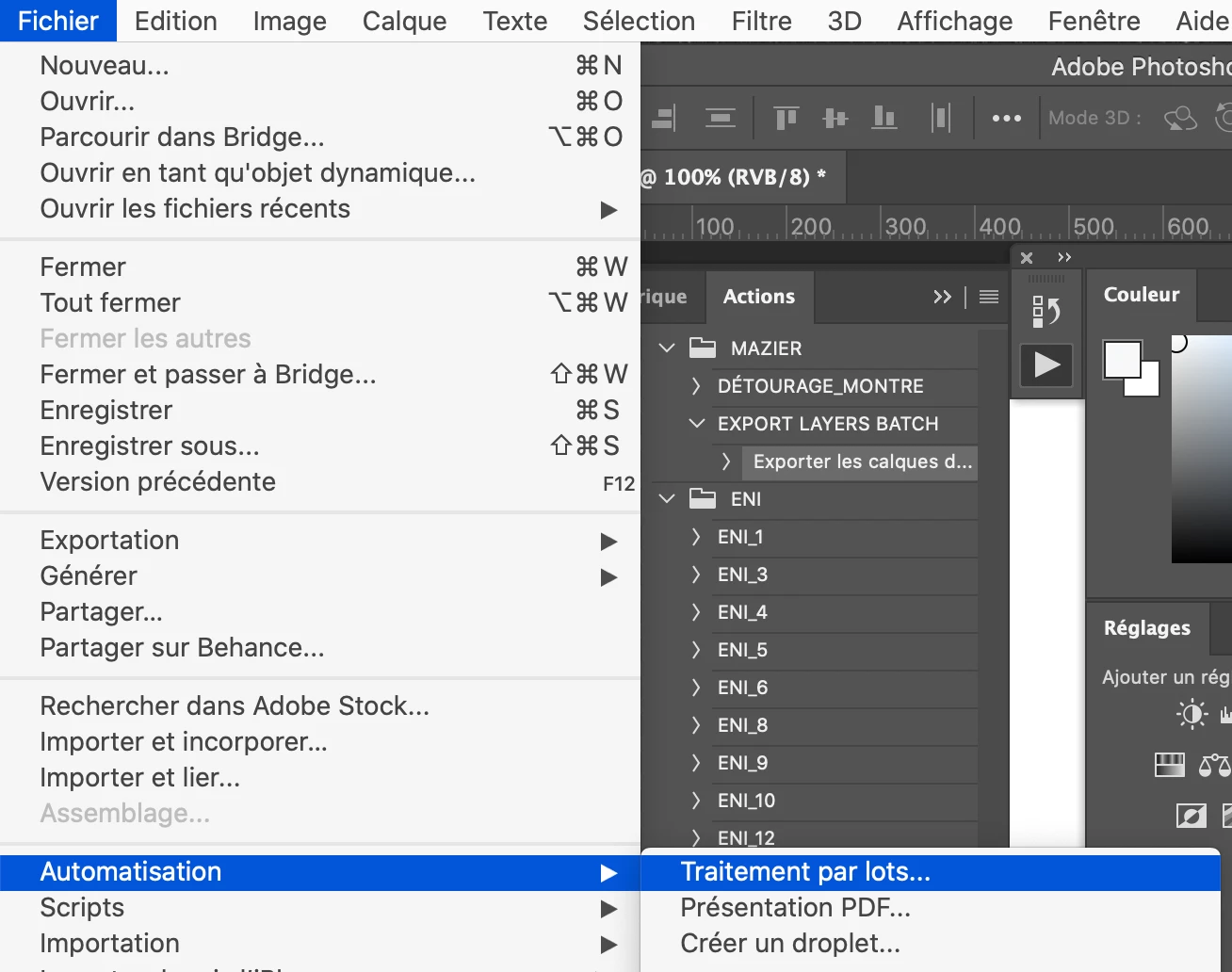
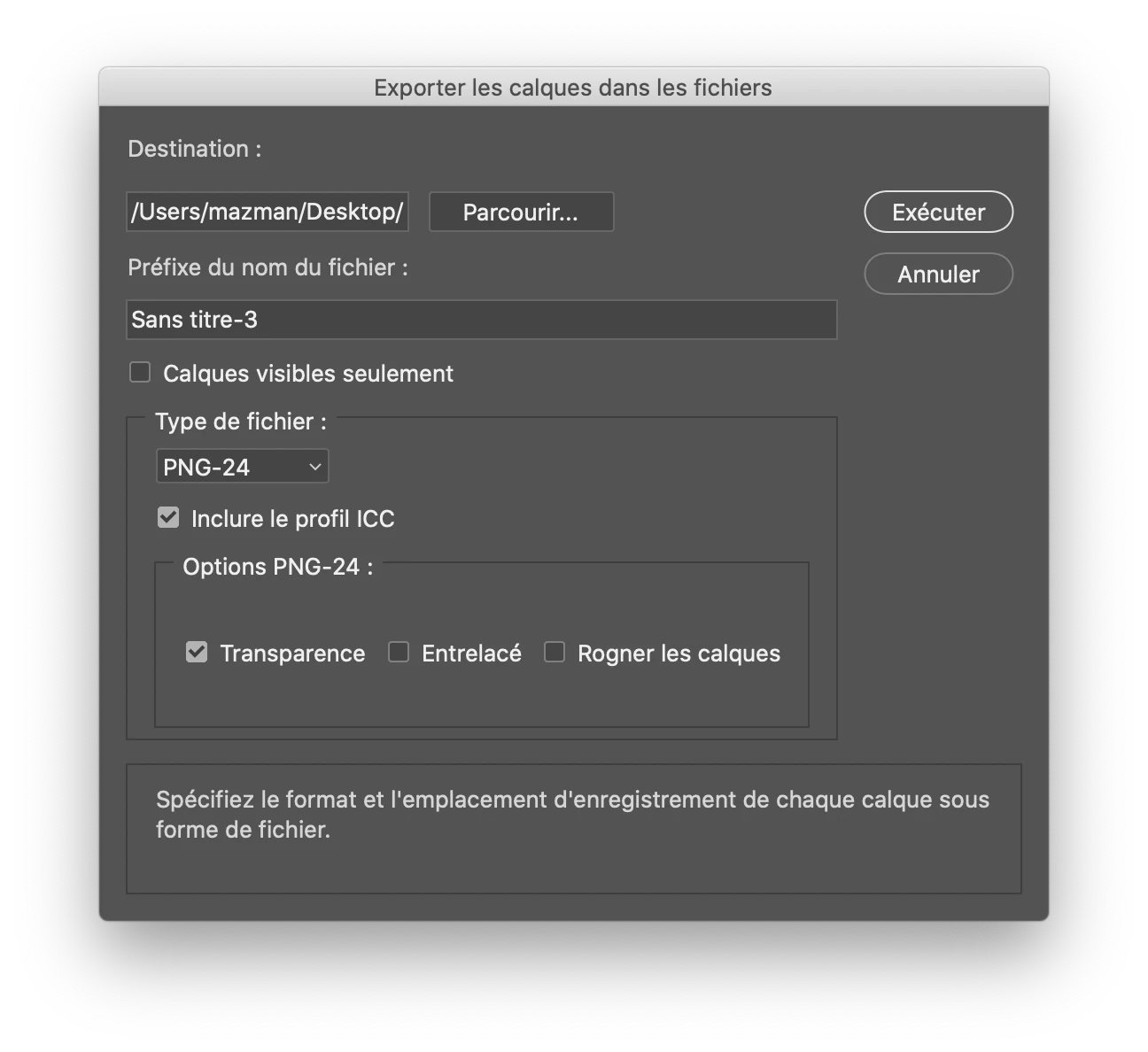
First create an action for exporting layers to files as PNG 24 (with transparency).

You can uncheck third box at the bottom in order not to crop layers   (excuse my french)

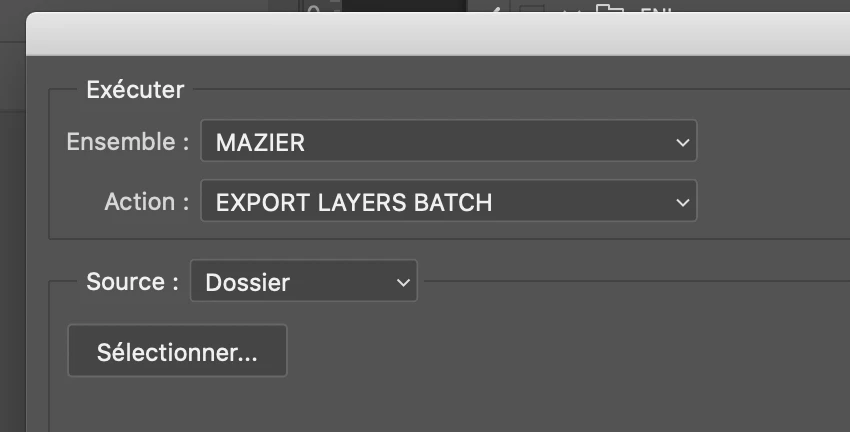
Then you create a batch processing based on thid script

Specify source and destination folders… a few settings to override source and destination folders may be required…

You could even create a droplet to drag and drop folders to be processed…

1 reply

didiermazier
Community Expert
didiermazierCommunity ExpertCorrect answer
Community Expert
March 5, 2020

You can do that the following way :

First create an action for exporting layers to files as PNG 24 (with transparency).

You can uncheck third box at the bottom in order not to crop layers   (excuse my french)

Then you create a batch processing based on thid script

Specify source and destination folders… a few settings to override source and destination folders may be required…

You could even create a droplet to drag and drop folders to be processed…

PECourtejoie
Community Expert
Community Expert
March 5, 2020

Hello, excellent suggestion by Didier. You can also use Bridge to select the files and launch the batch.