

endit!
Participant
August 27, 2023
Answered

(Mac) Error 41 Installer was unable to access a critical file/directory 41

  • August 27, 2023
  • 1 reply
  • 5112 views

Unfortunately I did an impulsive rudimentary uninstall of Photoshop by dragging all files to trash and hitting "Empty." Now I have a ghost "Adobe Photoshop CC 2019" that I can't get rid of. I had to re- download the 2019 version 20 installer but I get error 41.

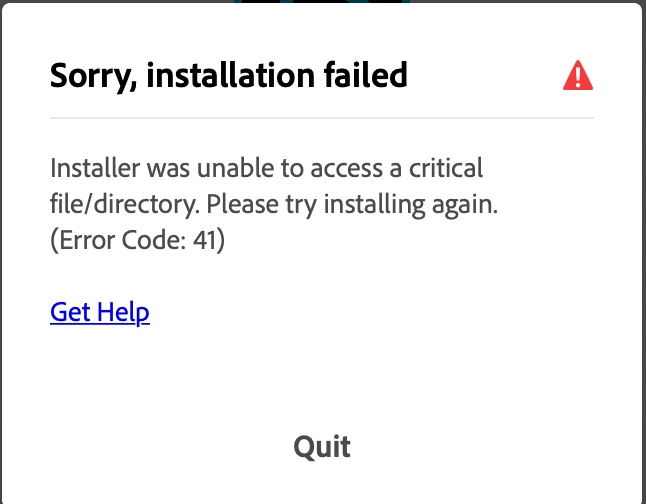
 

Any ideas of how to download this old verison correctly?


This topic has been closed for replies.
Correct answer endit!

Fixed! Thanks to customer support.


The cleaner tool allowed me to delete the ghost photoshop 2019. Now I can uninstall creative cloud 🙂 

1 reply

endit!
endit!AuthorCorrect answer
Participant
August 27, 2023

Fixed! Thanks to customer support.


The cleaner tool allowed me to delete the ghost photoshop 2019. Now I can uninstall creative cloud 🙂 

ProDesignTools
Community Expert
Community Expert
September 26, 2023

Here's a link to the Creative Cloud Cleaner Tool, for anyone else who needs it:


https://helpx.adobe.com/creative-cloud/kb/cc-cleaner-tool-installation-problems.html


1. Uninstall your Adobe apps.

2. Download & run the Cleaner tool linked above.

3. Reboot.

4. Reinstall your Adobe apps.